Thêm Dropbox Channel
Cần chuẩn bị trước
| Yêu cầu | Vì sao cần |
|---|---|
| Dropbox account | Dùng để sign in và authorize app |
| Dropbox app | Dùng để generate App Key và App Secret |
| ImgHost domain của bạn | Dùng cho OAuth redirect URI |
| Available Dropbox storage | Dùng làm nơi lưu file thực tế |
Các bước thiết lập
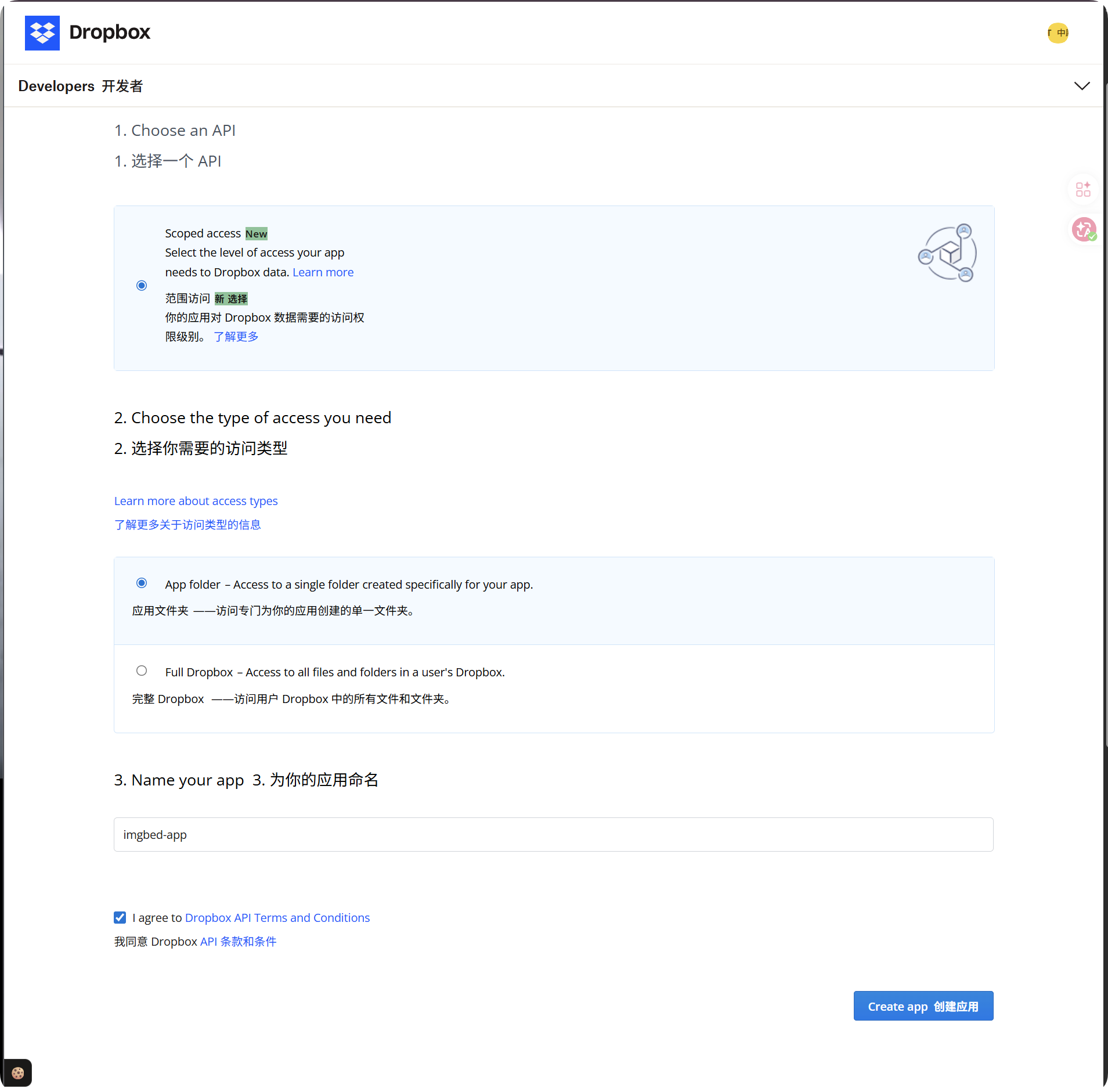
Bước 1: Tạo Dropbox App
- Mở Dropbox App Console:
text
https://www.dropbox.com/developers/apps- Tạo app mới.
- Với access type, chọn:
text
App folder- Đặt tên app dễ nhận biết, ví dụ
imgbed-app. - Mở app details page sau khi tạo xong.
Khuyến nghị access type:
| Loại truy cập | Khuyến nghị |
|---|---|
App folder | Khuyến nghị. Phù hợp với cách ImgHost lưu files. |
Full Dropbox | Không khuyến nghị. ImgHost không cần access toàn bộ account. |
Bước 2: Thêm Redirect URI
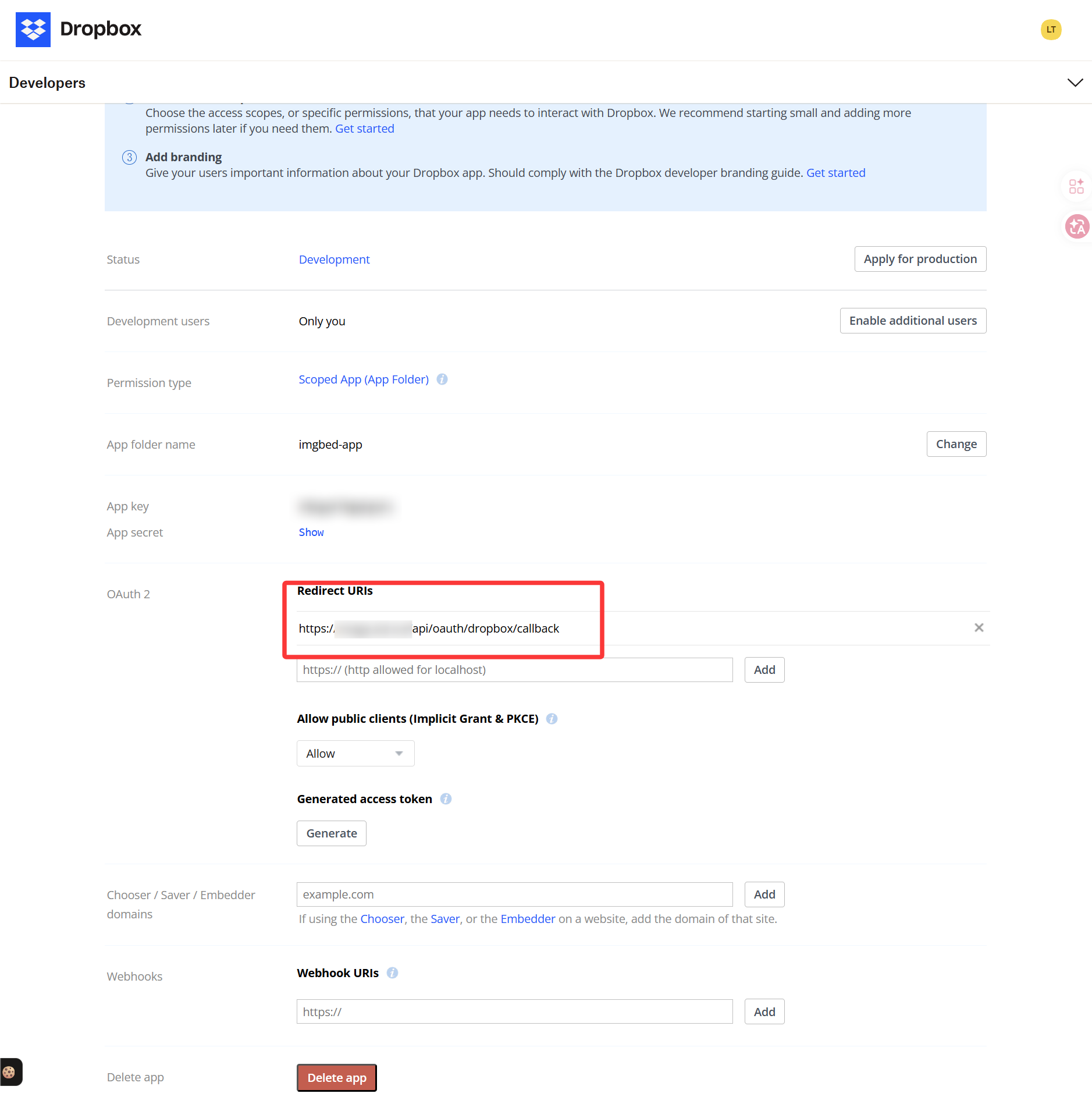
Trong Dropbox app details page, tìm OAuth hoặc Redirect URI settings và thêm:
text
https://your-domain.com/api/oauth/dropbox/callbackNếu dùng admin panel từ nhiều domain, thêm từng callback URL tương ứng.
Bước 3: Configure App Quyềns
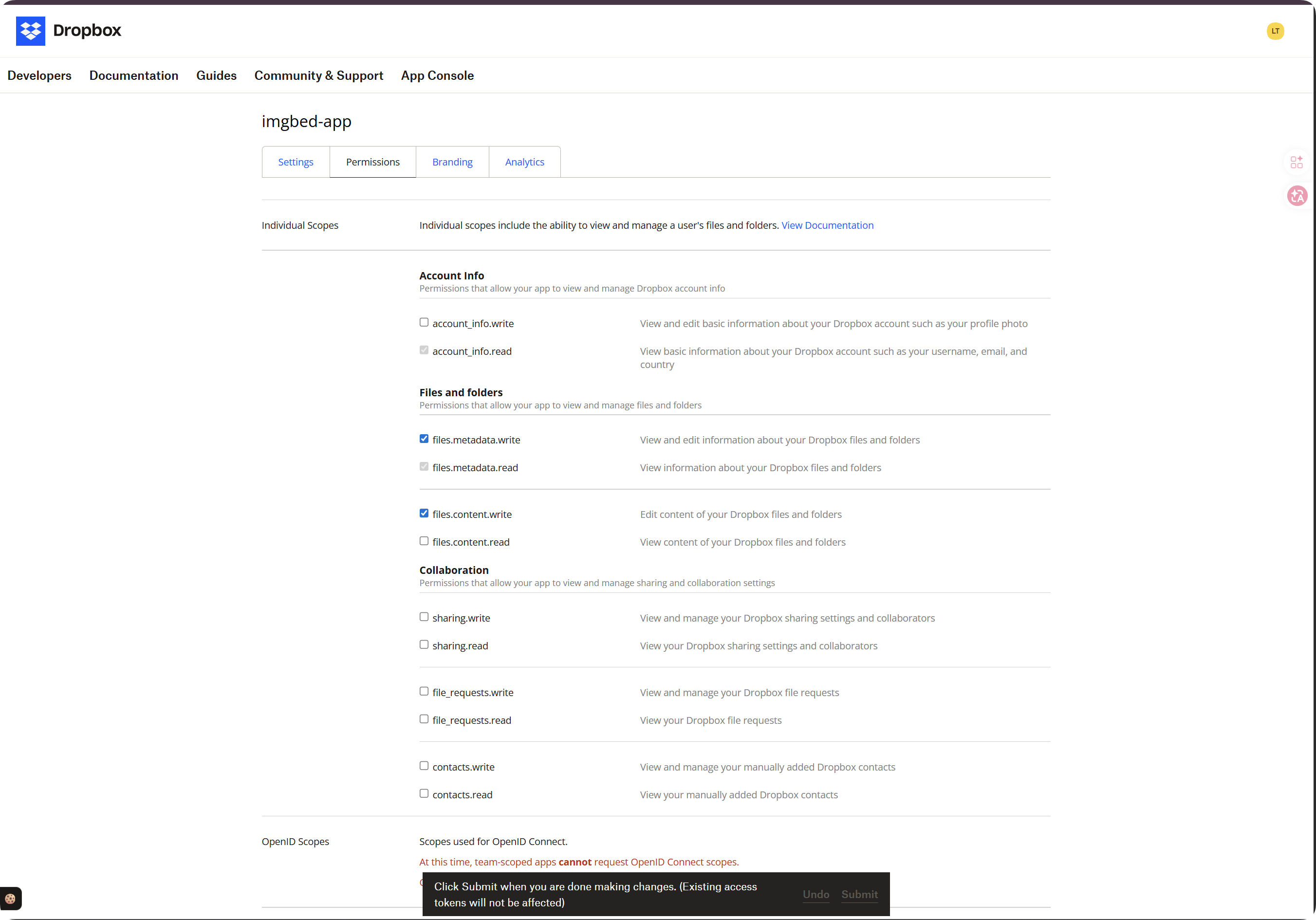
Mở tab Permissions và bật ít nhất các scopes này:
| Scope | Bắt buộc | Mục đích |
|---|---|---|
account_info.read | Bắt buộc | Đọc account và quota information |
files.metadata.read | Bắt buộc | Đọc metadata của file và folder để kiểm tra path |
files.metadata.write | Bắt buộc | Tạo folders và ghi metadata |
files.content.write | Bắt buộc | Upload files. Thiếu scope này sẽ gây lỗi required scope 'files.content.write'. |
files.content.read | Khuyến nghị | Cho phép download, preview và temporary file links |
Sau khi chọn scopes, nhấn Submit ở cuối page.
Quan trọng:
| Tình huống | Cần làm gì |
|---|---|
| Bạn đổi scopes | Chạy lại token authorization flow và lấy Refresh Token mới. |
| Bạn chưa reauthorize | Token cũ sẽ không có permissions mới, nên uploads vẫn có thể lỗi. |
Bước 4: Sao chép App Credentials
Lưu hai giá trị này từ Dropbox app page:
| Trường Dropbox | Trường ImgHost |
|---|---|
App key | App Key |
App secret | App Secret |
Bước 5: Điền Dropbox Channel
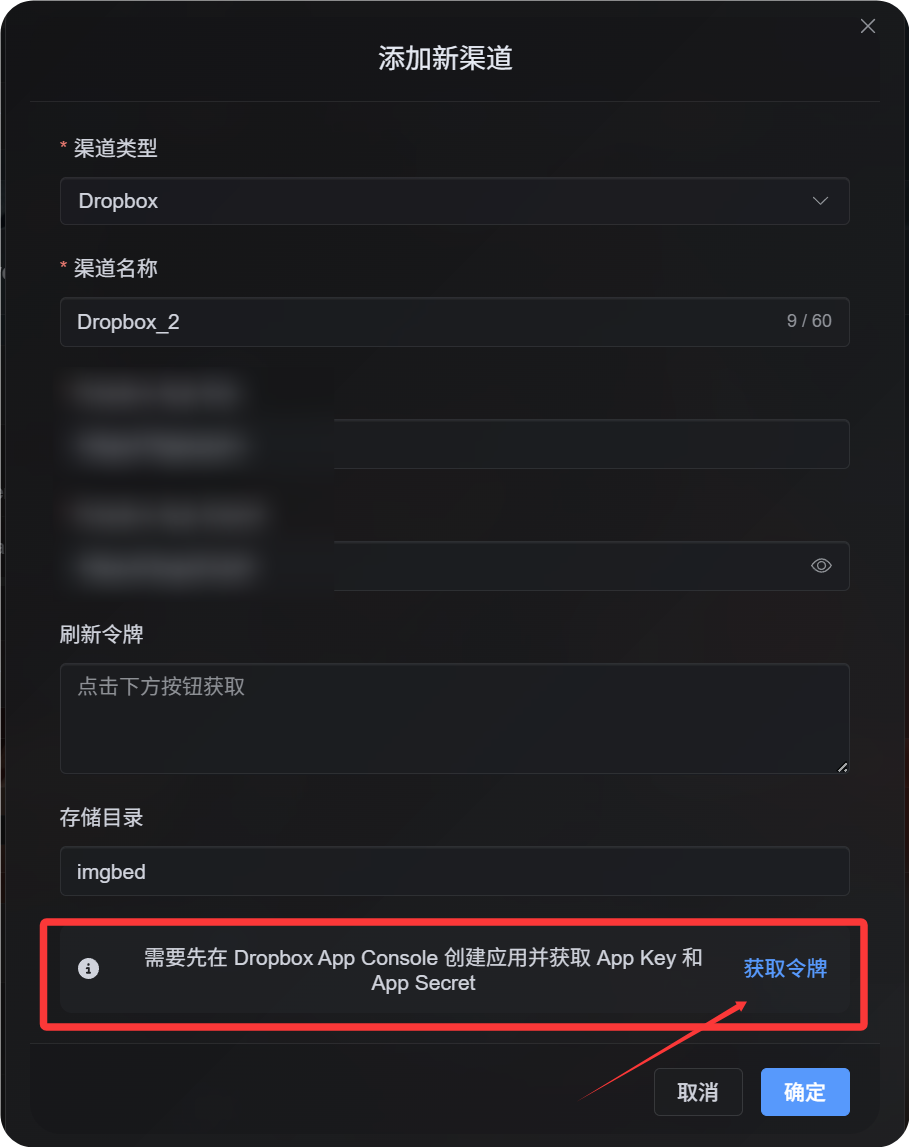
Trong Cài đặt tải lên, chọn Dropbox và điền:
| Trường ImgHost | Nhập gì |
|---|---|
| Channel name | Tên dễ nhận biết, ví dụ Main Dropbox |
| App Key | Dropbox App key |
| App Secret | Dropbox App secret |
| Refresh Token | Tạm thời để trống |
| Root directory | Không bắt buộc. Mặc định là imgbed. |
| Khôngte | Không bắt buộc |
Bước 6: Lấy Refresh Token
- Trong ImgHost, nhấn
Get Token. - Sign in vào Dropbox account bạn muốn kết nối.
- Phê duyệt authorization prompt.
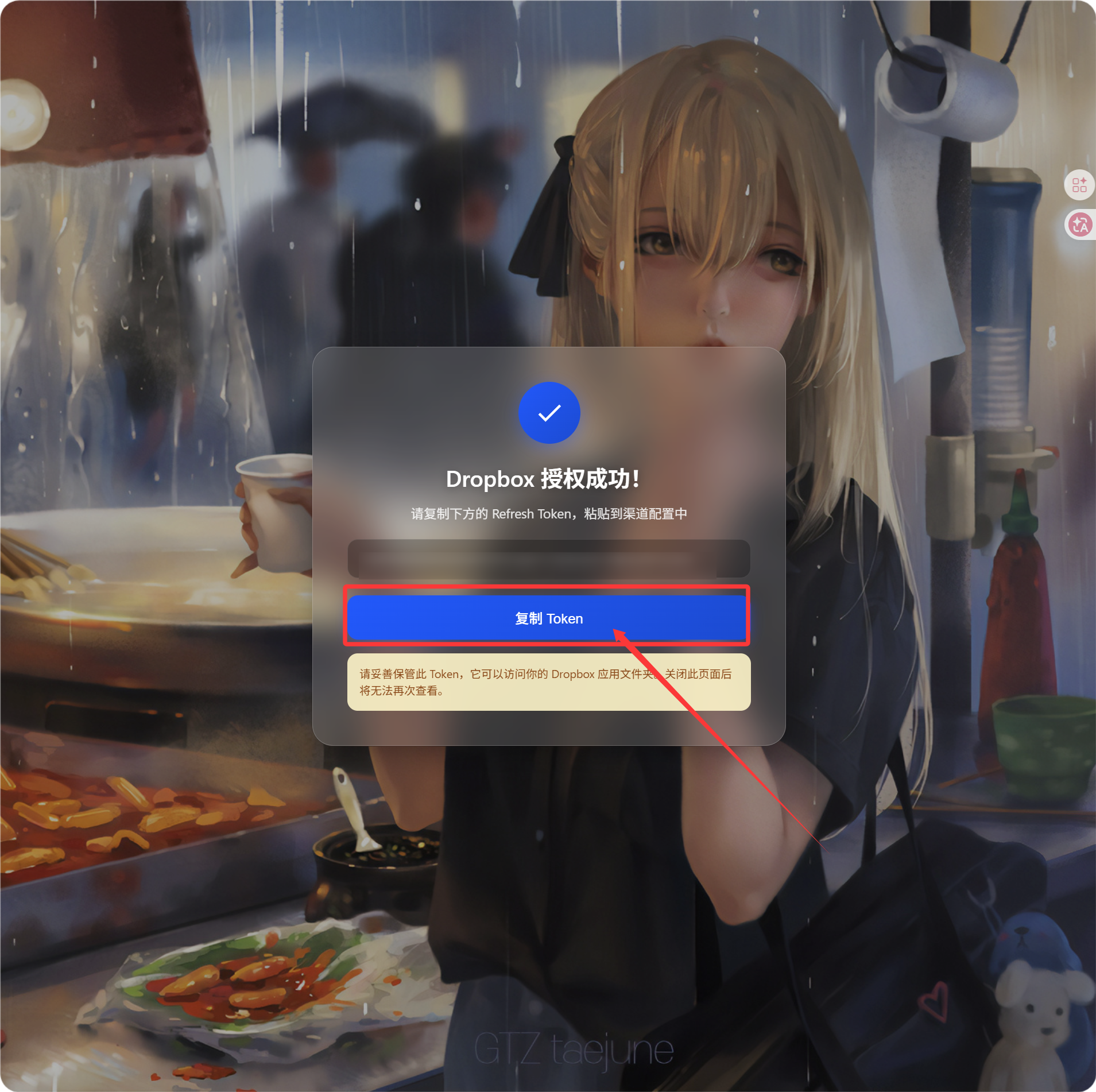
- Callback page sẽ hiển thị
Refresh Token. - Sao chép token đó.
- Quay lại ImgHost và dán vào trường
Refresh Token.
Cách kiểm tra
| Kiểm tra | Kết quả mong đợi |
|---|---|
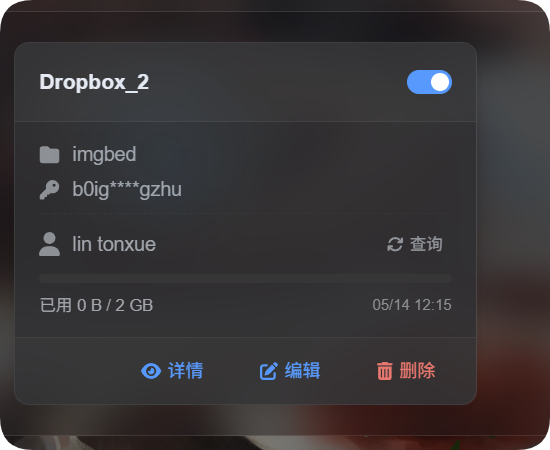
| Channel card | Dropbox channel xuất hiện sau khi save. |
| Channel switch | Channel có thể bật. |
| Token đã lưu | Trang chi tiết hiển thị Refresh Token đã được lưu. |
| Upload test | Test image xuất hiện trong Dropbox app folder. |
Nếu bật quota limits, nhấn quota query. Sau khi query thành công, channel card sẽ hiển thị used space, total space và last update time.
Khắc phục sự cố
| Sự cố | Cách sửa |
|---|---|
| ImgHost báo configuration chưa đầy đủ | Kiểm tra App Key, App Secret và Refresh Token đã điền đủ chưa. |
Authorization thành công nhưng không thấy Refresh Token | Nhấn Get Token lại và đảm bảo offline authorization flow được dùng. |
Upload lỗi với required scope 'files.content.write' | Enable files.content.write, nhấn Submit, rồi lấy Refresh Token mới. |
| Callback lỗi | Xác nhận redirect URI là https://your-domain.com/api/oauth/dropbox/callback. |
| Không tìm thấy files | Xác nhận Dropbox app được tạo ở mode App folder. |
Luồng nhanh
text
Open Dropbox App Console
-> Create an app
-> Choose App folder access
-> Add https://your-domain.com/api/oauth/dropbox/callback
-> Enable account_info.read / files.metadata.read / files.metadata.write / files.content.write
-> Optionally enable files.content.read
-> Click Submit
-> Copy App Key and App Secret
-> Fill them into ImgHost
-> Click Get Token
-> Copy the Refresh Token from the callback page
-> Paste it back into ImgHost and save
Tài liệu tham khảo
- Dropbox App Console: https://www.dropbox.com/developers/apps
- Dropbox OAuth Guide: https://developers.dropbox.com/oauth-guide
- Dropbox Developer Guide: https://www.dropbox.com/developers/reference/developer-guide