Blog
Tính năng blog thêm một trang blog độc lập vào trang ImgHost của bạn.
Sau khi bật, khách truy cập có thể mở:
text
https://your-domain.com/blog/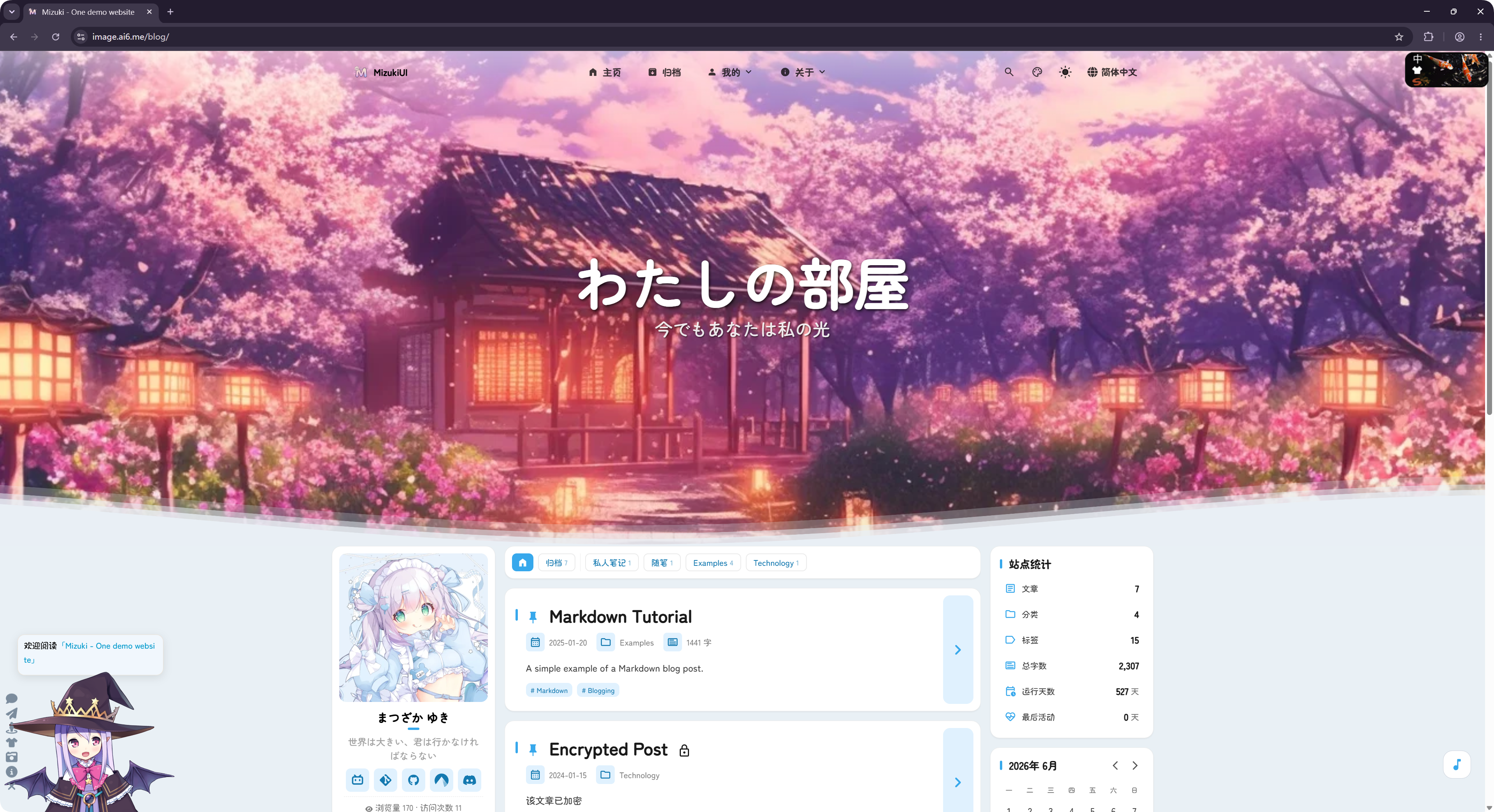
Blog được điều chỉnh từ dự án mã nguồn mở LyraVoid/Mizuki. ImgHost viết lại và tích hợp với Vue để blog có thể chạy như một phần của trang lưu trữ ảnh.
Cấu Hình Ở Đâu
Cài đặt blog nằm tại:
text
System Settings -> Other Settings -> Blog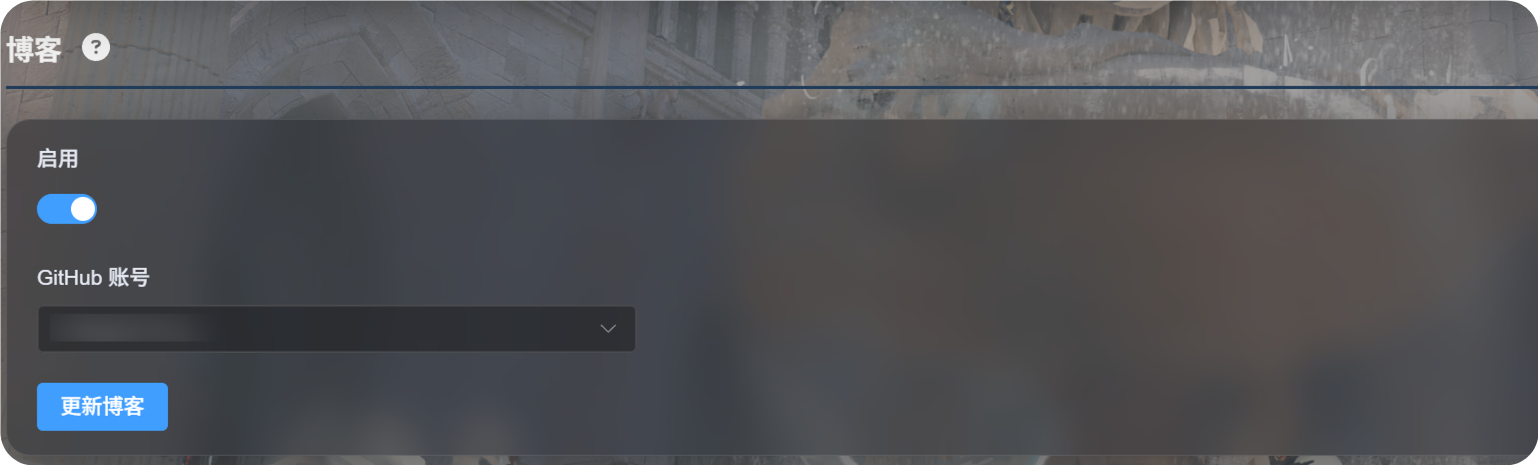
Thiết Lập Lần Đầu
- Bật
Enable. - Chọn tài khoản GitHub dùng để lưu cấu hình blog.
- Nhấp
Update Blog. - Chờ thông báo thành công.
- Mở
https://your-domain.com/blog/để xem blog.
Ở lần dùng đầu tiên, ImgHost sẽ chuẩn bị một kho GitHub riêng tư trong tài khoản đã chọn:
text
imgbed-blog-configKho này lưu cài đặt blog và nội dung bài viết.
Viết Bài
Chỉnh sửa bài blog trong kho GitHub riêng tư của bạn:
text
imgbed-blog-configQuy trình thông thường:
- Mở GitHub.
- Vào kho riêng tư
imgbed-blog-config. - Chỉnh sửa hoặc thêm tệp bài viết.
- Tạo commit cho các thay đổi.
- Quay lại bảng quản trị ImgHost và nhấp
Update Blog, hoặc nhấp ba lần vào logo ở góc trên bên trái của trang chủ blog để kích hoạt cập nhật blog.
Update Blog không ghi đè nội dung bạn đã viết. Nó khởi tạo kho khi cần và làm mới bộ nhớ đệm blog.
Tính Năng Được Hỗ Trợ
Blog hỗ trợ các tính năng blog phổ biến như danh sách bài viết, danh mục, thẻ, lưu trữ, tìm kiếm, chế độ tối và chuyển đổi ngôn ngữ.
Nó cũng hỗ trợ bình luận và thống kê lượt truy cập.
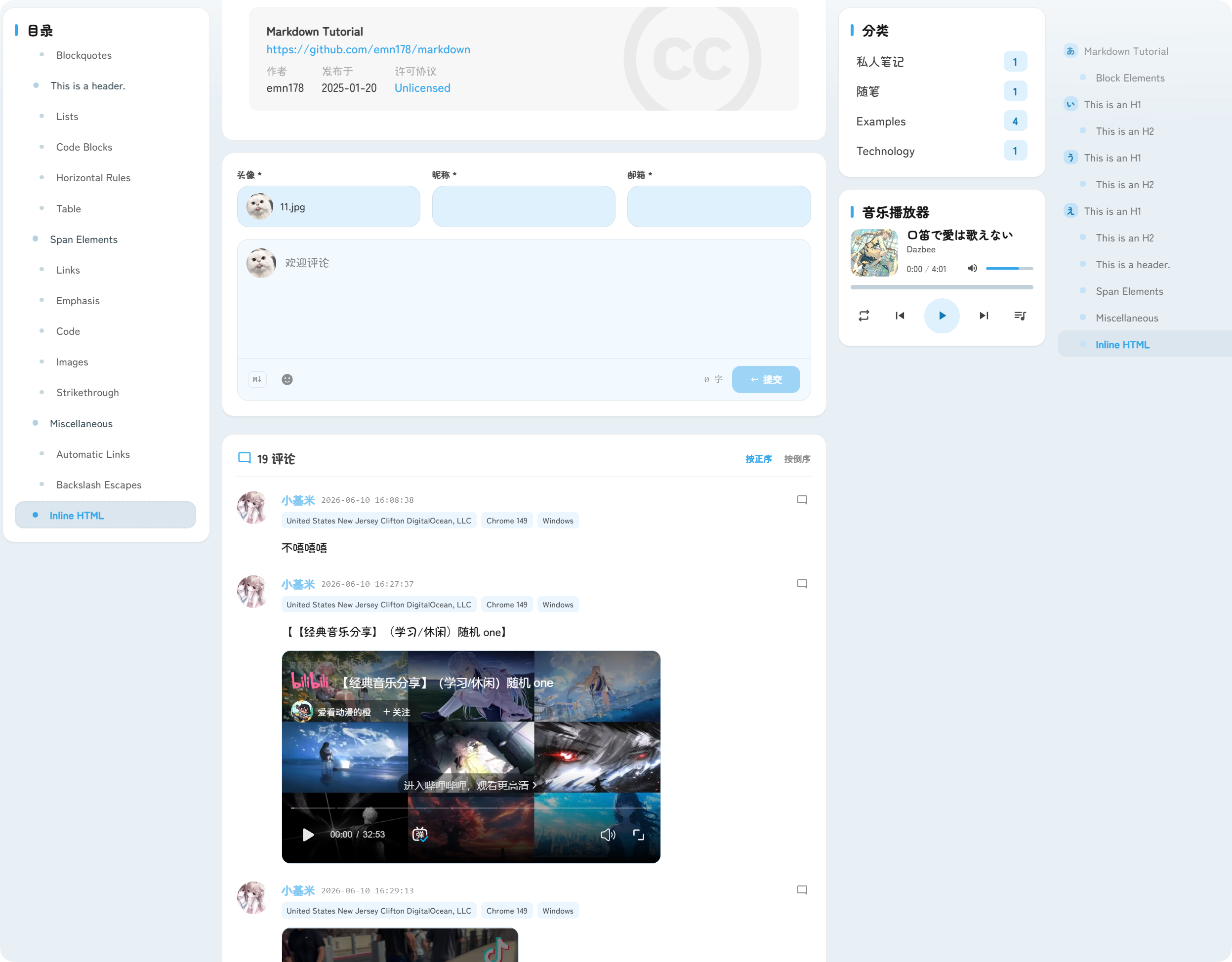
Bình luận xuất hiện bên dưới bài viết. Khách truy cập có thể gửi ảnh đại diện, biệt danh, email và nội dung bình luận.
Thống kê truy cập hiển thị lượt xem bài viết và lượt truy cập trang, giúp bạn hiểu lưu lượng blog.
Địa Chỉ URL
Blog luôn nằm dưới đường dẫn /blog/.
Ví dụ, nếu tên miền ImgHost của bạn là:
text
https://image.example.comURL blog là:
text
https://image.example.com/blog/Sau khi tắt blog, khách truy cập sẽ không thể truy cập trang blog nữa.