بلاگ
بلاگ کی خصوصیت آپ کی ImgHost سائٹ میں ایک الگ بلاگ صفحہ شامل کرتی ہے۔
فعال ہونے کے بعد وزیٹر یہ کھول سکتے ہیں:
text
https://your-domain.com/blog/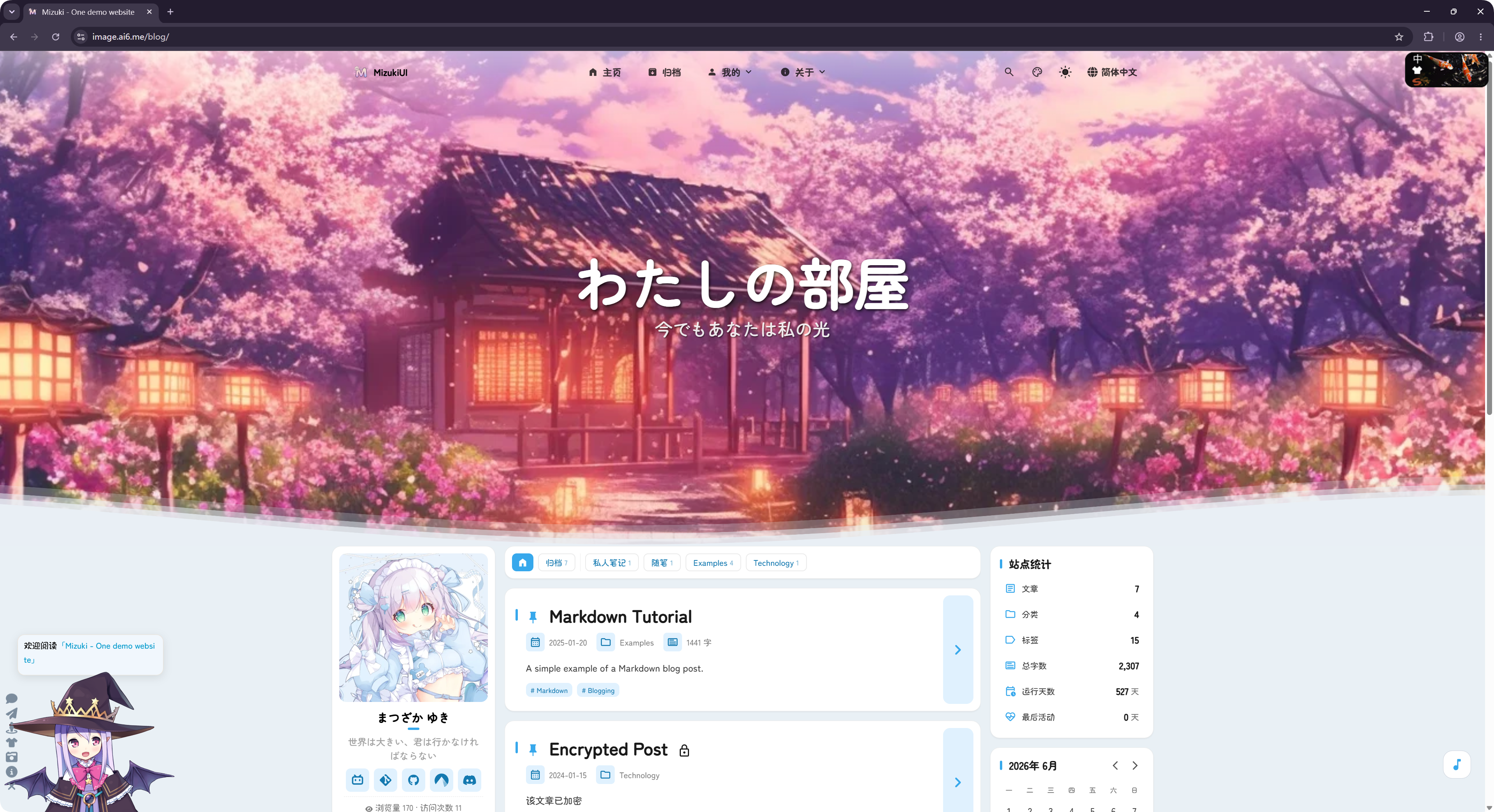
بلاگ اوپن سورس LyraVoid/Mizuki منصوبے سے اخذ کیا گیا ہے۔ ImgHost اسے Vue کے ساتھ دوبارہ لکھ کر ضم کرتا ہے تاکہ یہ تصویر ہوسٹنگ سائٹ کے حصے کے طور پر چل سکے۔
کہاں ترتیب دیں
بلاگ کی ترتیبات یہاں ہیں:
text
System Settings -> Other Settings -> Blog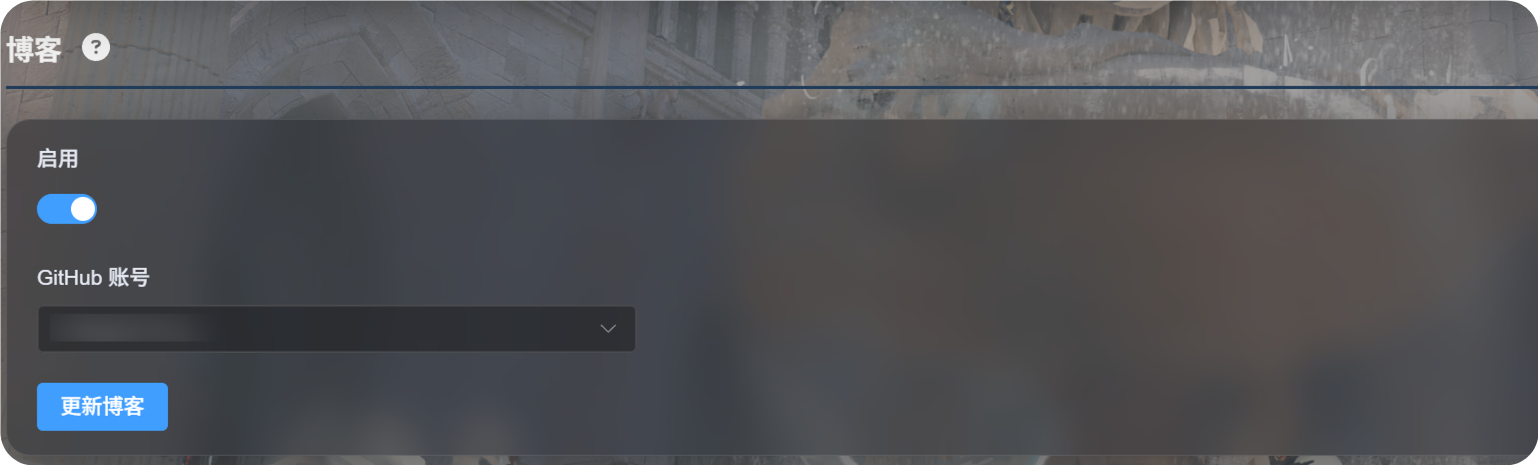
پہلی بار ترتیب
Enableآن کریں۔- وہ GitHub اکاؤنٹ منتخب کریں جس میں بلاگ ترتیب محفوظ ہو گی۔
Update Blogپر کلک کریں۔- کامیابی کے پیغام کا انتظار کریں۔
- بلاگ دیکھنے کے لیے
https://your-domain.com/blog/کھولیں۔
پہلی بار استعمال پر ImgHost منتخب اکاؤنٹ کے تحت ایک نجی GitHub ریپوزٹری تیار کرتا ہے:
text
imgbed-blog-configیہ ریپوزٹری بلاگ ترتیبات اور مضامین کا مواد محفوظ کرتی ہے۔
پوسٹس لکھنا
بلاگ پوسٹس اپنی نجی GitHub ریپوزٹری میں ترمیم کریں:
text
imgbed-blog-configعام طریقہ کار:
- GitHub کھولیں۔
- نجی
imgbed-blog-configریپوزٹری میں جائیں۔ - پوسٹ فائلیں ترمیم کریں یا نئی شامل کریں۔
- تبدیلیاں محفوظ کر کے کمٹ کریں۔
- ImgHost ایڈمن پینل میں واپس جا کر
Update Blogپر کلک کریں، یا بلاگ ہوم پیج کے اوپر بائیں کونے میں لوگو کو تین بار کلک کر کے بلاگ اپ ڈیٹ شروع کریں۔
Update Blog آپ کے لکھے ہوئے مواد کو نہیں بدلتا۔ یہ ضرورت پڑنے پر ریپوزٹری شروع کرتا ہے اور بلاگ کیش تازہ کرتا ہے۔
معاون خصوصیات
بلاگ عام بلاگ خصوصیات، جیسے پوسٹ فہرستیں، زمرے، ٹیگز، آرکائیوز، تلاش، ڈارک موڈ اور زبان تبدیل کرنا، کی حمایت کرتا ہے۔
یہ تبصروں اور وزٹ شماریات کی بھی حمایت کرتا ہے۔
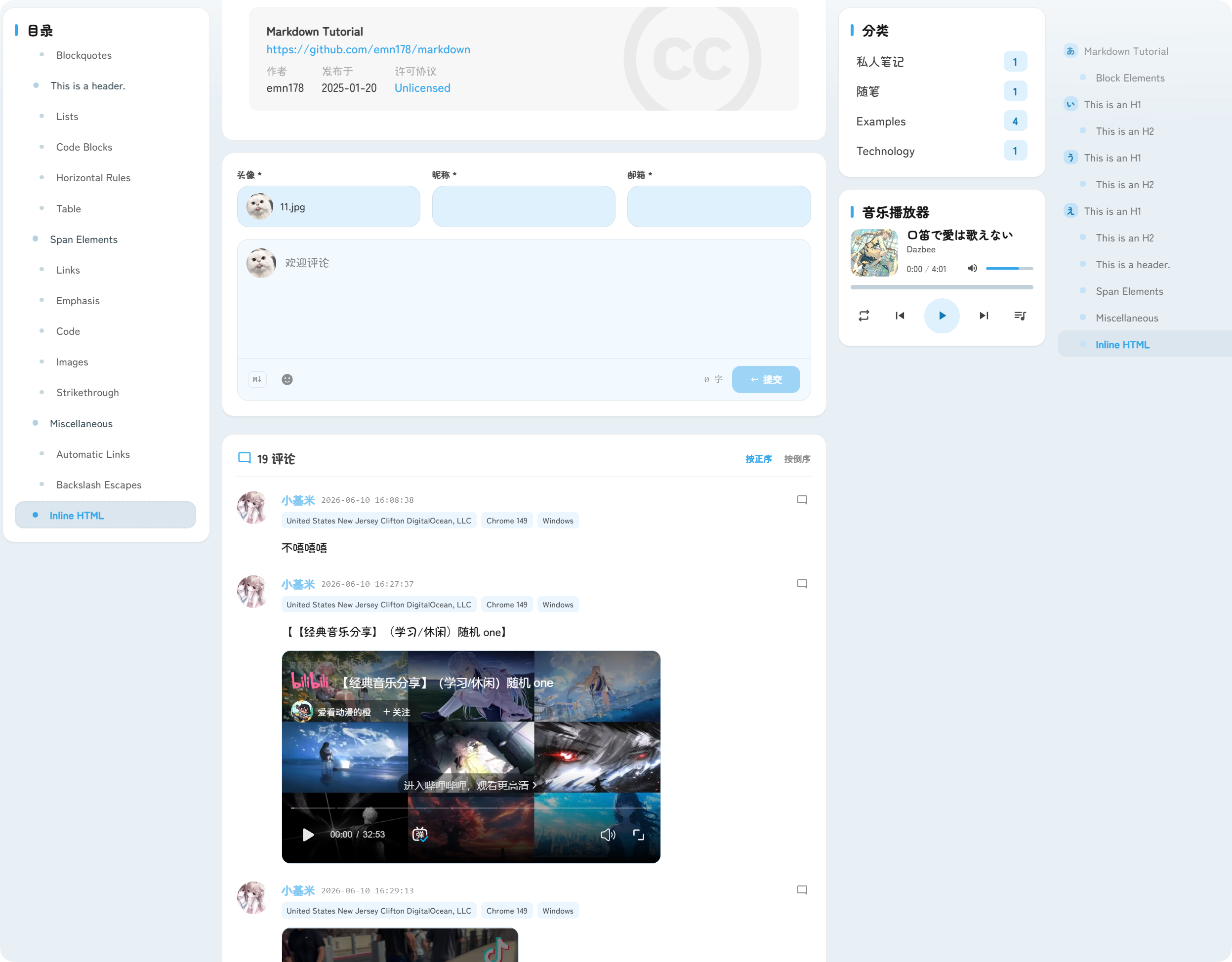
تبصرے پوسٹس کے نیچے ظاہر ہوتے ہیں۔ وزیٹر اوتار، عرفی نام، ای میل اور تبصرہ مواد جمع کر سکتے ہیں۔
وزٹ شماریات پوسٹ ویوز اور سائٹ وزٹس دکھاتی ہیں، جس سے بلاگ ٹریفک سمجھنے میں مدد ملتی ہے۔
بلاگ کا پتہ
بلاگ ہمیشہ /blog/ راستے کے تحت فراہم کیا جاتا ہے۔
مثال کے طور پر اگر آپ کا ImgHost ڈومین ہے:
text
https://image.example.comتو بلاگ کا پتہ یہ ہے:
text
https://image.example.com/blog/بلاگ بند ہونے کے بعد وزیٹر بلاگ صفحے تک رسائی حاصل نہیں کر سکیں گے۔