ဘလော့ဂ်
ဘလော့ဂ်လုပ်ဆောင်ချက်သည် သင့် ImgHost ဆိုက်ထဲသို့ သီးခြား ဘလော့ဂ်စာမျက်နှာတစ်ခု ထည့်ပေးသည်။
ဖွင့်ပြီးနောက် ဧည့်သည်များသည် အောက်ပါလိပ်စာကို ဖွင့်နိုင်သည်။
text
https://your-domain.com/blog/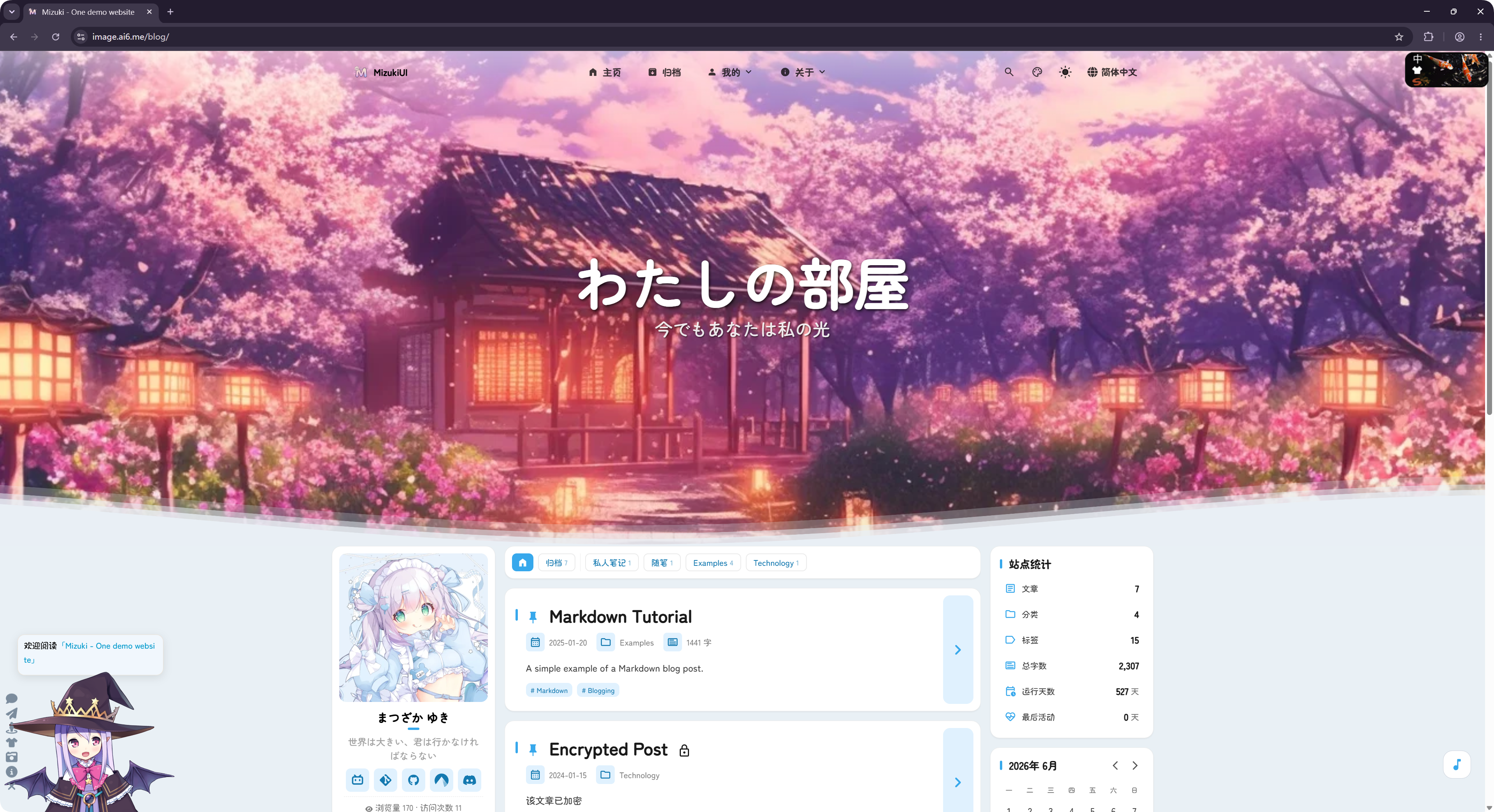
ဤဘလော့ဂ်ကို အဖွင့်ရင်းမြစ် LyraVoid/Mizuki ပရောဂျက်မှ ပြုပြင်အသုံးပြုထားသည်။ ImgHost သည် ၎င်းကို Vue ဖြင့် ပြန်ရေးပြီး ပုံလက်ခံသိမ်းဆည်းရေး ဆိုက်၏ အစိတ်အပိုင်းအဖြစ် လည်ပတ်နိုင်စေရန် ပေါင်းစည်းထားသည်။
မည်သည့်နေရာတွင် သတ်မှတ်ရမည်နည်း
ဘလော့ဂ်ဆက်တင်များသည် အောက်ပါနေရာတွင် ရှိသည်။
text
System Settings -> Other Settings -> Blog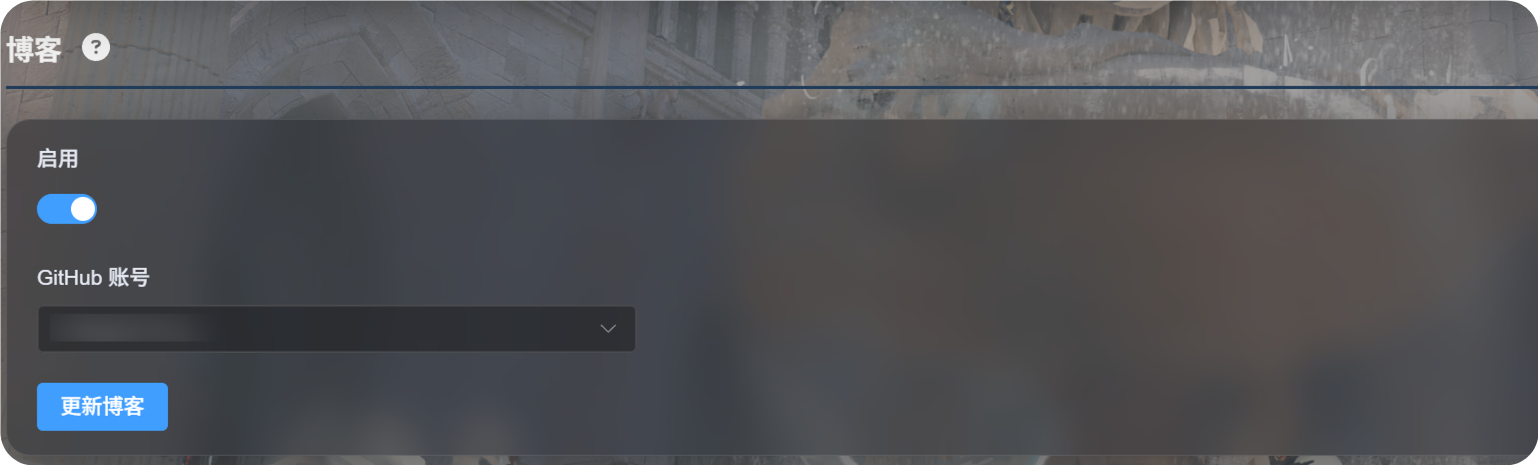
ပထမဆုံး သတ်မှတ်ခြင်း
Enableကို ဖွင့်ပါ။- ဘလော့ဂ်ဖွဲ့စည်းမှုကို သိမ်းမည့် GitHub အကောင့်ကို ရွေးပါ။
Update Blogကို နှိပ်ပါ။- အောင်မြင်ကြောင်း မက်ဆေ့ခ်ျကို စောင့်ပါ။
- ဘလော့ဂ်ကို ကြည့်ရန်
https://your-domain.com/blog/ကို ဖွင့်ပါ။
ပထမဆုံးအသုံးပြုချိန်တွင် ImgHost သည် ရွေးထားသောအကောင့်အောက်တွင် GitHub ၏ သီးသန့်သိုလှောင်ရုံတစ်ခုကို ပြင်ဆင်ပေးသည်။
text
imgbed-blog-configဤသိုလှောင်ရုံသည် ဘလော့ဂ်ဆက်တင်များနှင့် ဆောင်းပါးအကြောင်းအရာများကို သိမ်းဆည်းသည်။
ပို့စ်များ ရေးသားခြင်း
ဘလော့ဂ်ပို့စ်များကို သင့် GitHub သီးသန့်သိုလှောင်ရုံထဲတွင် တည်းဖြတ်ပါ။
text
imgbed-blog-configပုံမှန်လုပ်ငန်းစဉ်:
- GitHub ကို ဖွင့်ပါ။
- သီးသန့်
imgbed-blog-configသိုလှောင်ရုံထဲသို့ ဝင်ပါ။ - ပို့စ်ဖိုင်များကို တည်းဖြတ်ပါ သို့မဟုတ် ထည့်ပါ။
- ပြောင်းလဲမှုများကို commit လုပ်ပါ။
- ImgHost စီမံခန့်ခွဲရေးပန်နယ်သို့ ပြန်သွားပြီး
Update Blogကို နှိပ်ပါ။ သို့မဟုတ် ဘလော့ဂ်ပင်မစာမျက်နှာ ဘယ်ဘက်အပေါ်ထောင့်ရှိ လိုဂိုကို သုံးကြိမ်နှိပ်၍ ဘလော့ဂ်အပ်ဒိတ်ကို စတင်နိုင်သည်။
Update Blog သည် သင်ရေးထားသော အကြောင်းအရာများကို အစားထိုးရေးသားမည် မဟုတ်ပါ။ လိုအပ်သောအခါ သိုလှောင်ရုံကို စတင်ပြင်ဆင်ပြီး ဘလော့ဂ်ကက်ရှ်ကို ပြန်လည်အသစ်လုပ်သည်။
ထောက်ပံ့ထားသော လုပ်ဆောင်ချက်များ
ဘလော့ဂ်သည် ပို့စ်စာရင်းများ၊ အမျိုးအစားများ၊ တဂ်များ၊ သိမ်းဆည်းထားသော ပို့စ်များ၊ ရှာဖွေမှု၊ အမှောင်မုဒ်နှင့် ဘာသာစကားပြောင်းခြင်းကဲ့သို့သော သာမန်ဘလော့ဂ်လုပ်ဆောင်ချက်များကို ထောက်ပံ့သည်။
မှတ်ချက်များနှင့် လည်ပတ်မှုစာရင်းအင်းများကိုလည်း ထောက်ပံ့သည်။
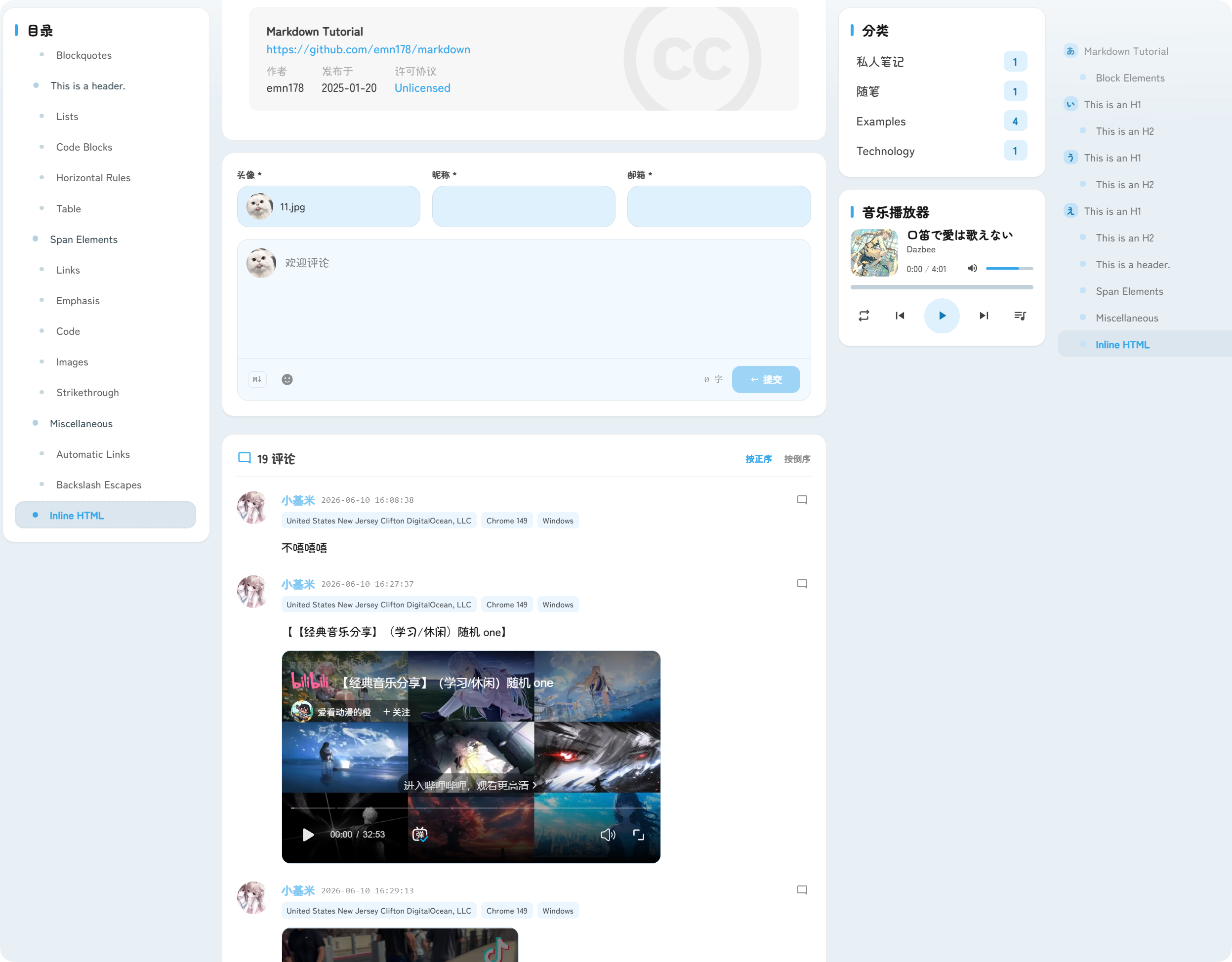
မှတ်ချက်များသည် ပို့စ်များအောက်တွင် ပေါ်လာသည်။ ဧည့်သည်များသည် ကိုယ်စားပြုပုံ၊ အမည်ပြောင်၊ အီးမေးလ်နှင့် မှတ်ချက်အကြောင်းအရာကို ပေးပို့နိုင်သည်။
လည်ပတ်မှုစာရင်းအင်းများသည် ပို့စ်ကြည့်ရှုမှုများနှင့် ဆိုက်လည်ပတ်မှုများကို ပြသပြီး ဘလော့ဂ်လည်ပတ်မှုအခြေအနေကို နားလည်ရန် ကူညီသည်။
URL
ဘလော့ဂ်ကို အမြဲ /blog/ လမ်းကြောင်းအောက်တွင် ဖော်ပြသည်။
ဥပမာ သင့် ImgHost ဒိုမိန်းသည် အောက်ပါအတိုင်းဖြစ်လျှင်:
text
https://image.example.comဘလော့ဂ် URL သည်:
text
https://image.example.com/blog/ဘလော့ဂ်ကို ပိတ်ပြီးနောက် ဧည့်သည်များသည် ဘလော့ဂ်စာမျက်နှာကို မဝင်ရောက်နိုင်တော့ပါ။