ब्लॉग
ब्लॉग सुविधा आपकी ImgHost साइट में एक स्वतंत्र ब्लॉग पेज जोड़ती है।
इसे चालू करने के बाद, आगंतुक यह खोल सकते हैं:
text
https://your-domain.com/blog/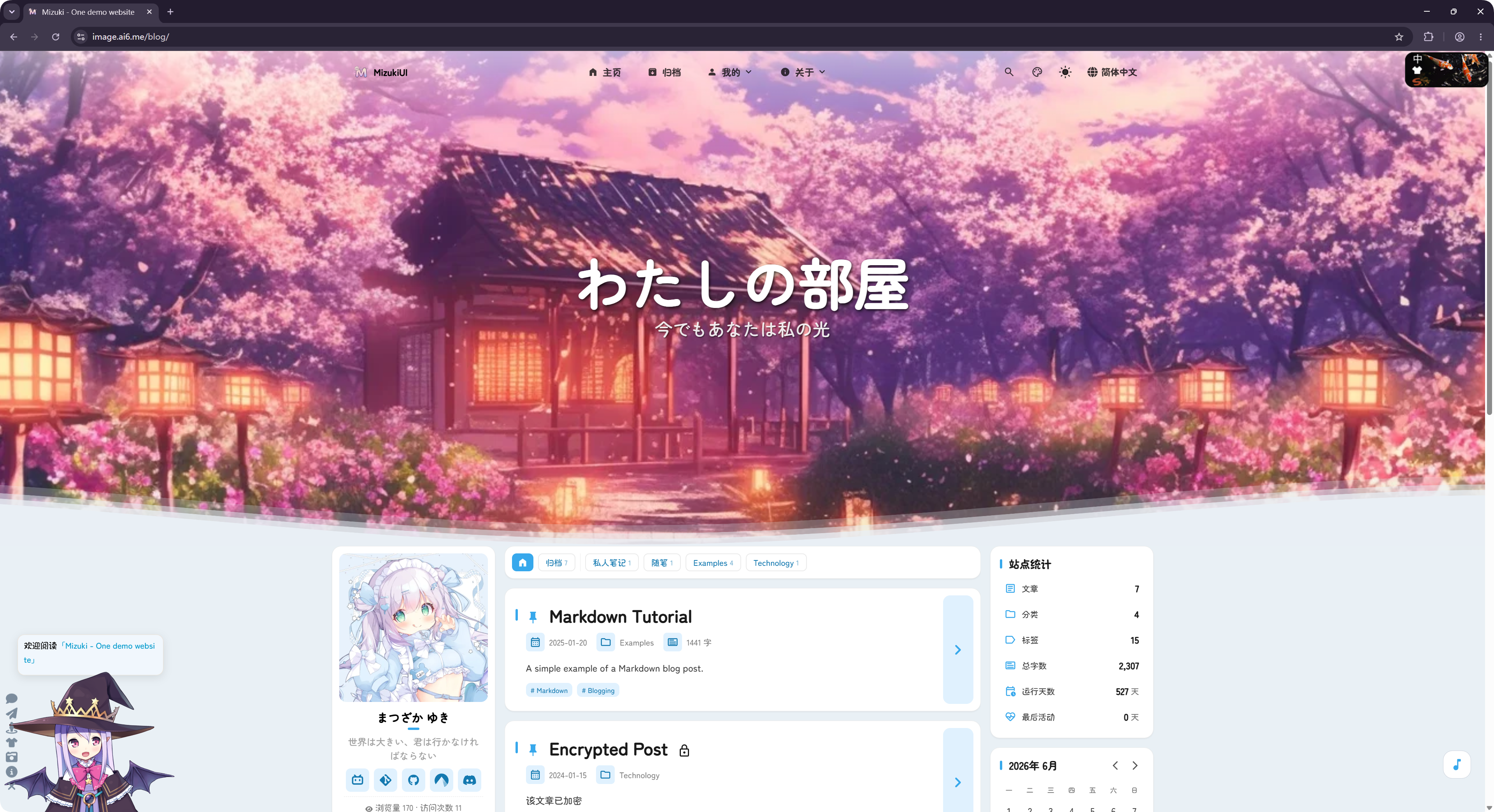
ब्लॉग को ओपन-सोर्स LyraVoid/Mizuki प्रोजेक्ट से रूपांतरित किया गया है। ImgHost इसे Vue के साथ दोबारा लिखकर एकीकृत करता है, ताकि यह इमेज होस्टिंग साइट के हिस्से के रूप में चल सके।
इसे कहाँ कॉन्फ़िगर करें
ब्लॉग सेटिंग्स यहाँ हैं:
text
System Settings -> Other Settings -> Blog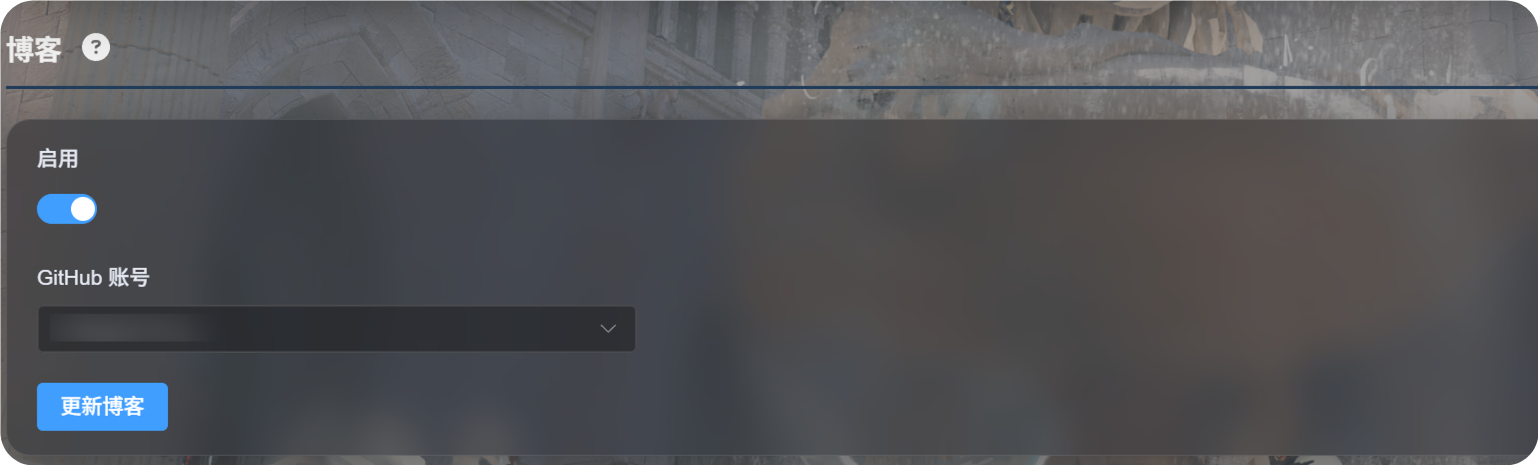
पहली बार सेटअप
Enableचालू करें।- ब्लॉग कॉन्फ़िगरेशन सहेजने के लिए उपयोग किया जाने वाला GitHub खाता चुनें।
Update Blogपर क्लिक करें।- सफलता संदेश आने तक प्रतीक्षा करें।
- ब्लॉग देखने के लिए
https://your-domain.com/blog/खोलें।
पहली बार उपयोग करने पर, ImgHost चुने गए खाते के अंतर्गत एक निजी GitHub रिपॉज़िटरी तैयार करता है:
text
imgbed-blog-configयह रिपॉज़िटरी ब्लॉग सेटिंग्स और लेख सामग्री सहेजती है।
पोस्ट लिखना
ब्लॉग पोस्ट अपनी निजी GitHub रिपॉज़िटरी में संपादित करें:
text
imgbed-blog-configसामान्य कार्यप्रवाह:
- GitHub खोलें।
- निजी
imgbed-blog-configरिपॉज़िटरी में जाएँ। - पोस्ट फ़ाइलें संपादित करें या नई फ़ाइलें जोड़ें।
- बदलाव कमिट करें।
- ImgHost एडमिन पैनल पर लौटकर
Update Blogपर क्लिक करें, या ब्लॉग होमपेज के ऊपर बाएँ कोने में लोगो पर तीन बार क्लिक करके ब्लॉग अपडेट ट्रिगर करें।
Update Blog आपकी लिखी हुई सामग्री को अधिलेखित नहीं करता। यह आवश्यकता होने पर रिपॉज़िटरी को आरंभ करता है और ब्लॉग कैश को रिफ़्रेश करता है।
समर्थित सुविधाएँ
ब्लॉग पोस्ट सूची, श्रेणियाँ, टैग, आर्काइव, खोज, डार्क मोड और भाषा स्विचिंग जैसी सामान्य ब्लॉग सुविधाओं का समर्थन करता है।
यह टिप्पणियों और विज़िट आँकड़ों का भी समर्थन करता है।
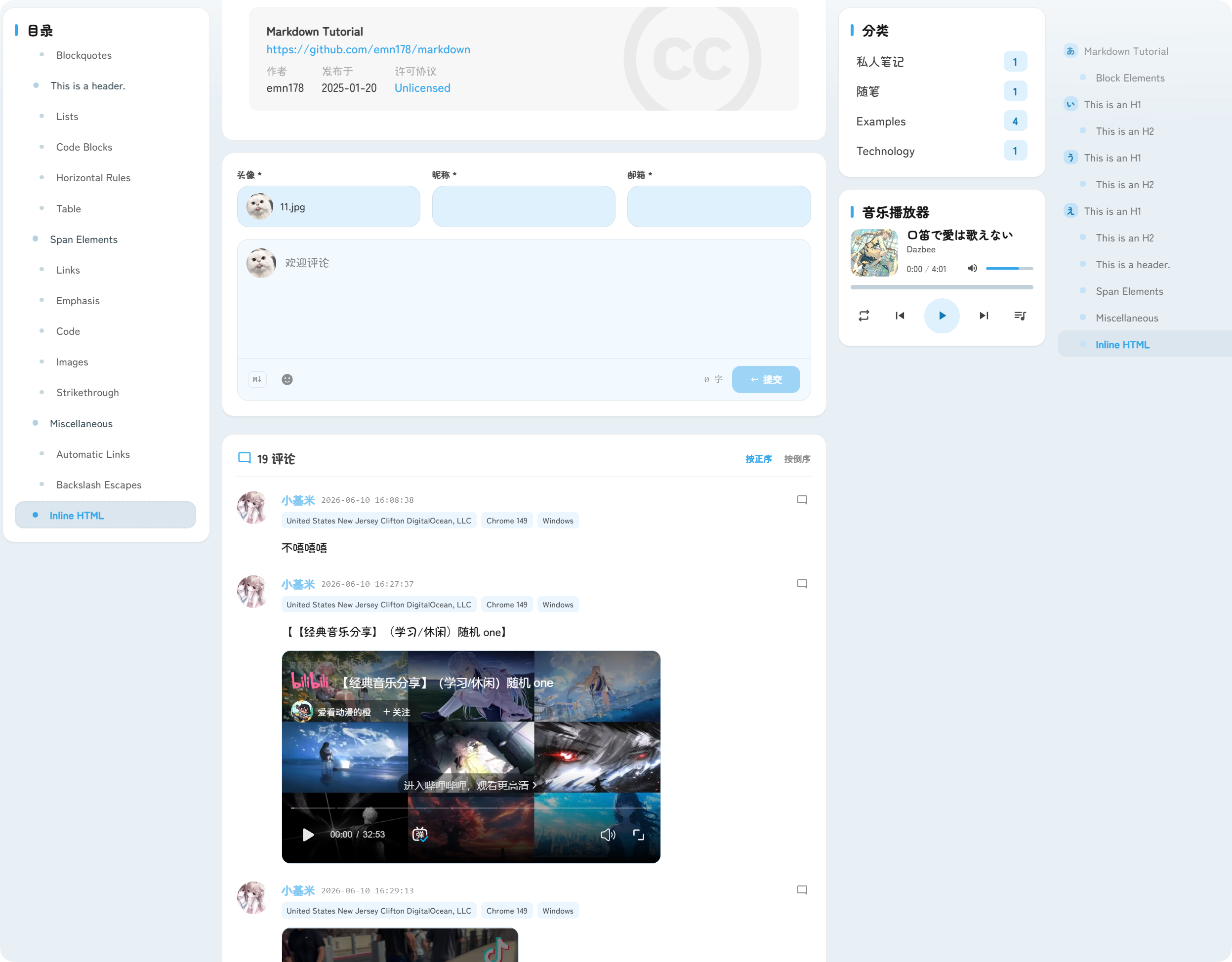
टिप्पणियाँ पोस्ट के नीचे दिखाई देती हैं। आगंतुक अवतार, उपनाम, ईमेल और टिप्पणी सामग्री भेज सकते हैं।
विज़िट आँकड़े पोस्ट व्यू और साइट विज़िट दिखाते हैं, जिससे आपको ब्लॉग ट्रैफ़िक समझने में मदद मिलती है।
URL
ब्लॉग हमेशा /blog/ के अंतर्गत उपलब्ध रहता है।
उदाहरण के लिए, यदि आपका ImgHost डोमेन है:
text
https://image.example.comतो ब्लॉग URL है:
text
https://image.example.com/blog/ब्लॉग बंद करने के बाद आगंतुक ब्लॉग पेज तक पहुँच नहीं पाएँगे।