บล็อก
ฟีเจอร์บล็อกเพิ่มหน้าบล็อกแบบแยกต่างหากให้กับไซต์ ImgHost ของคุณ
หลังจากเปิดใช้งาน ผู้เยี่ยมชมสามารถเปิดได้ที่:
text
https://your-domain.com/blog/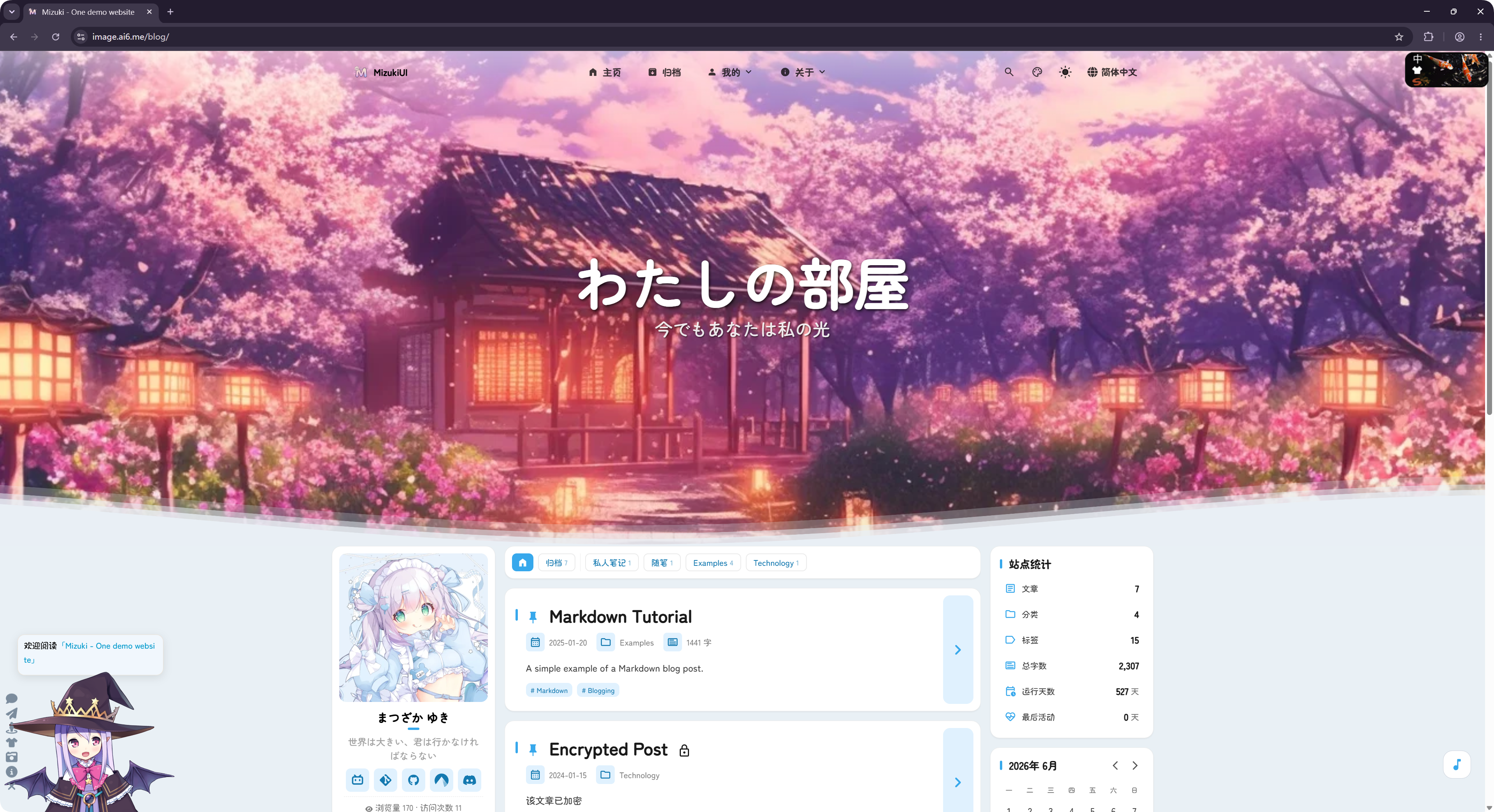
บล็อกนี้ดัดแปลงจากโครงการโอเพนซอร์ส LyraVoid/Mizuki ImgHost เขียนใหม่และผสานกับ Vue เพื่อให้ทำงานเป็นส่วนหนึ่งของไซต์ฝากรูปได้
ตั้งค่าที่ไหน
การตั้งค่าบล็อกอยู่ที่:
text
System Settings -> Other Settings -> Blog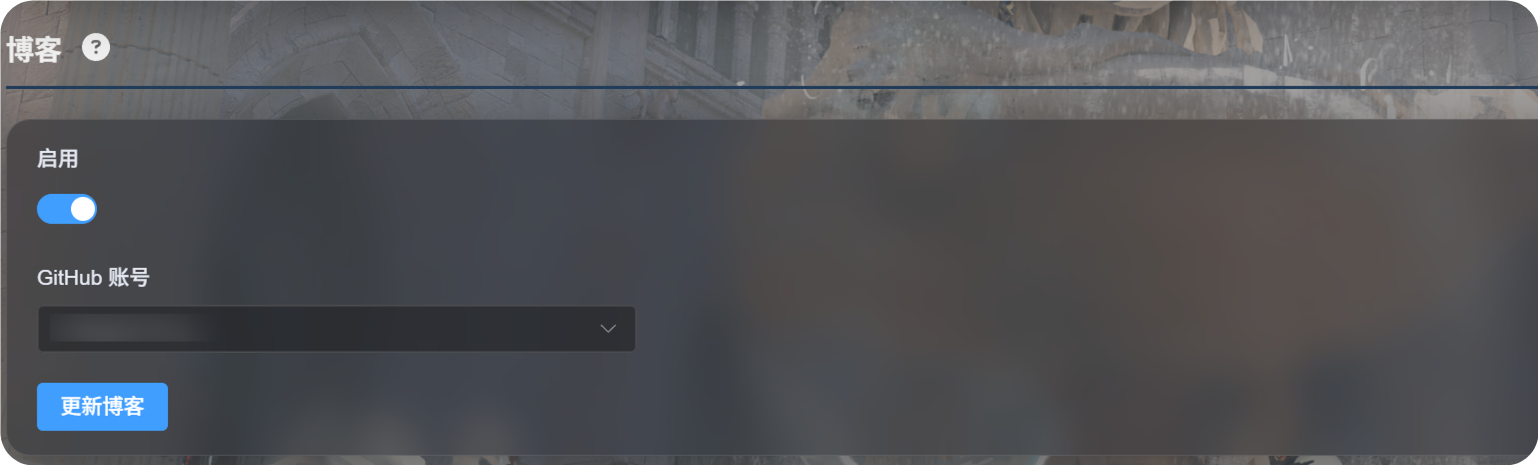
การตั้งค่าครั้งแรก
- เปิด
Enable - เลือกบัญชี GitHub ที่ใช้จัดเก็บการตั้งค่าบล็อก
- คลิก
Update Blog - รอข้อความสำเร็จ
- เปิด
https://your-domain.com/blog/เพื่อดูบล็อก
เมื่อใช้งานครั้งแรก ImgHost จะเตรียมคลังส่วนตัวของ GitHub ในบัญชีที่เลือก:
text
imgbed-blog-configคลังนี้ใช้เก็บการตั้งค่าบล็อกและเนื้อหาบทความ
การเขียนโพสต์
แก้ไขโพสต์บล็อกในคลังส่วนตัวของ GitHub:
text
imgbed-blog-configขั้นตอนทั่วไป:
- เปิด GitHub
- เข้าไปยังคลังส่วนตัว
imgbed-blog-config - แก้ไขหรือเพิ่มไฟล์โพสต์
- คอมมิตการเปลี่ยนแปลง
- กลับไปที่แผงผู้ดูแลของ ImgHost แล้วคลิก
Update Blogหรือคลิกโลโก้มุมซ้ายบนของหน้าแรกบล็อกสามครั้งเพื่อเริ่มอัปเดตบล็อก
Update Blog จะไม่เขียนทับเนื้อหาที่คุณเขียนไว้ ฟังก์ชันนี้ใช้เริ่มต้นคลังเมื่อจำเป็นและรีเฟรชแคชของบล็อก
ฟีเจอร์ที่รองรับ
บล็อกรองรับฟีเจอร์บล็อกทั่วไป เช่น รายการโพสต์ หมวดหมู่ แท็ก คลังบทความ การค้นหา โหมดมืด และการสลับภาษา
ยังรองรับความคิดเห็นและสถิติการเข้าชมด้วย
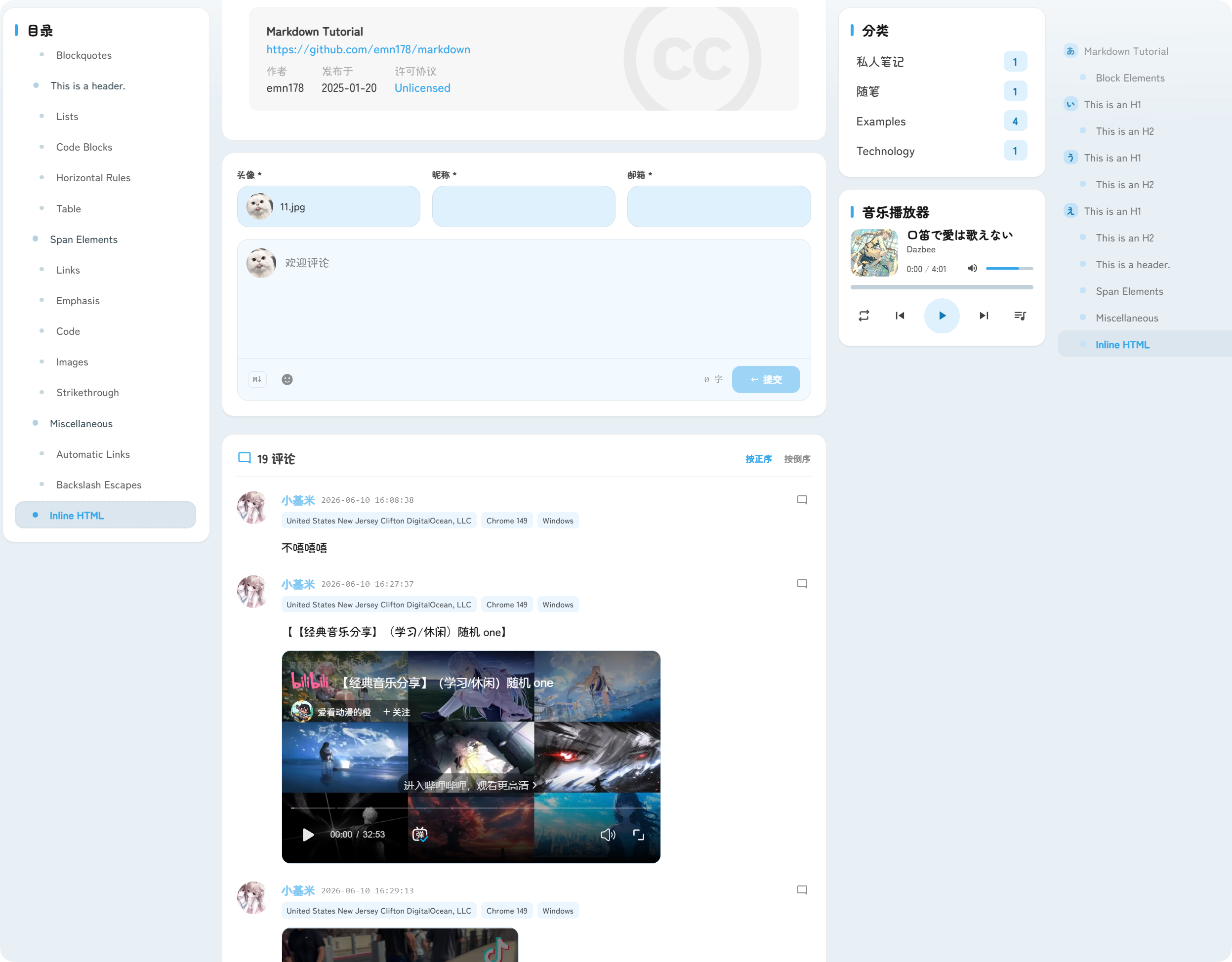
ความคิดเห็นจะแสดงใต้โพสต์ ผู้เยี่ยมชมสามารถส่งอวาตาร์ ชื่อเล่น อีเมล และเนื้อหาความคิดเห็นได้
สถิติการเข้าชมจะแสดงจำนวนการดูโพสต์และการเข้าชมไซต์ ช่วยให้เข้าใจทราฟฟิกของบล็อก
ที่อยู่บล็อก
บล็อกจะให้บริการภายใต้เส้นทาง /blog/ เสมอ
ตัวอย่างเช่น หากโดเมน ImgHost ของคุณคือ:
text
https://image.example.comที่อยู่ของบล็อกคือ:
text
https://image.example.com/blog/หลังจากปิดใช้งานบล็อก ผู้เยี่ยมชมจะไม่สามารถเข้าถึงหน้าบล็อกได้อีก