การโอนผ่านลิงก์แม่เหล็ก
การโอนผ่านลิงก์แม่เหล็กจะดาวน์โหลดไฟล์จากลิงก์แม่เหล็ก แล้วอัปโหลดไปยังช่องทางพื้นที่จัดเก็บบนคลาวด์ที่คุณเลือกโดยอัตโนมัติ
เหมาะสำหรับโอนตอนอนิเมะ วิดีโอ ไฟล์บีบอัด และไฟล์ลักษณะใกล้เคียง เพียงวางลิงก์แม่เหล็ก แล้ว ImgHost จะสร้างงานดาวน์โหลดเบื้องหลัง เมื่อดาวน์โหลดเสร็จ ไฟล์จะถูกอัปโหลดไปยัง ImgHost และลิงก์สุดท้ายจะปรากฏในรายการอัปโหลด
ใช้งานที่ไหน
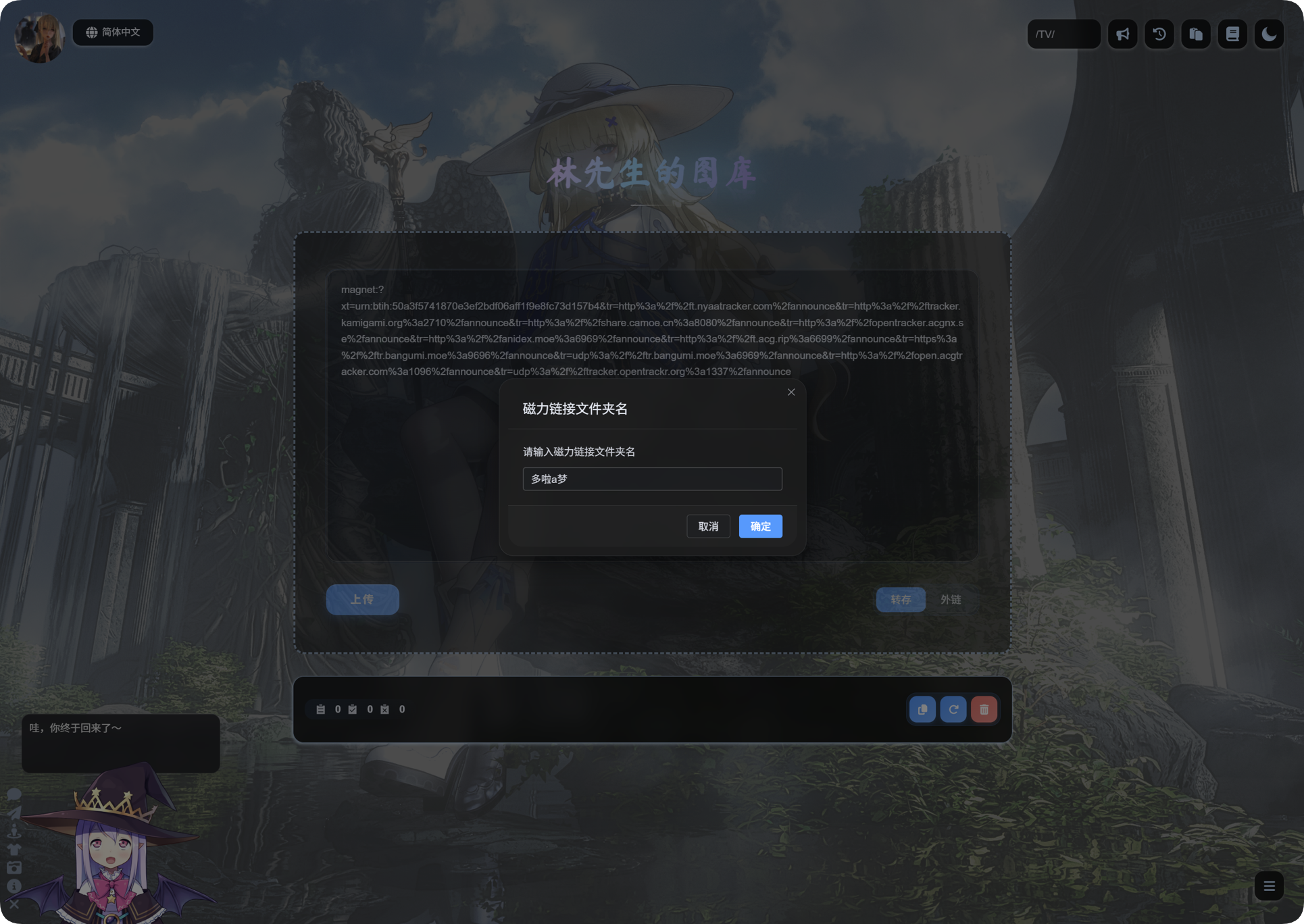
ทางเข้าการโอนผ่านลิงก์แม่เหล็กอยู่ในพื้นที่อัปโหลดของหน้าแรก
วางลิงก์แม่เหล็กลงในช่องป้อนข้อมูล เลือก Transfer แล้วอัปโหลด
ก่อนใช้งานครั้งแรก
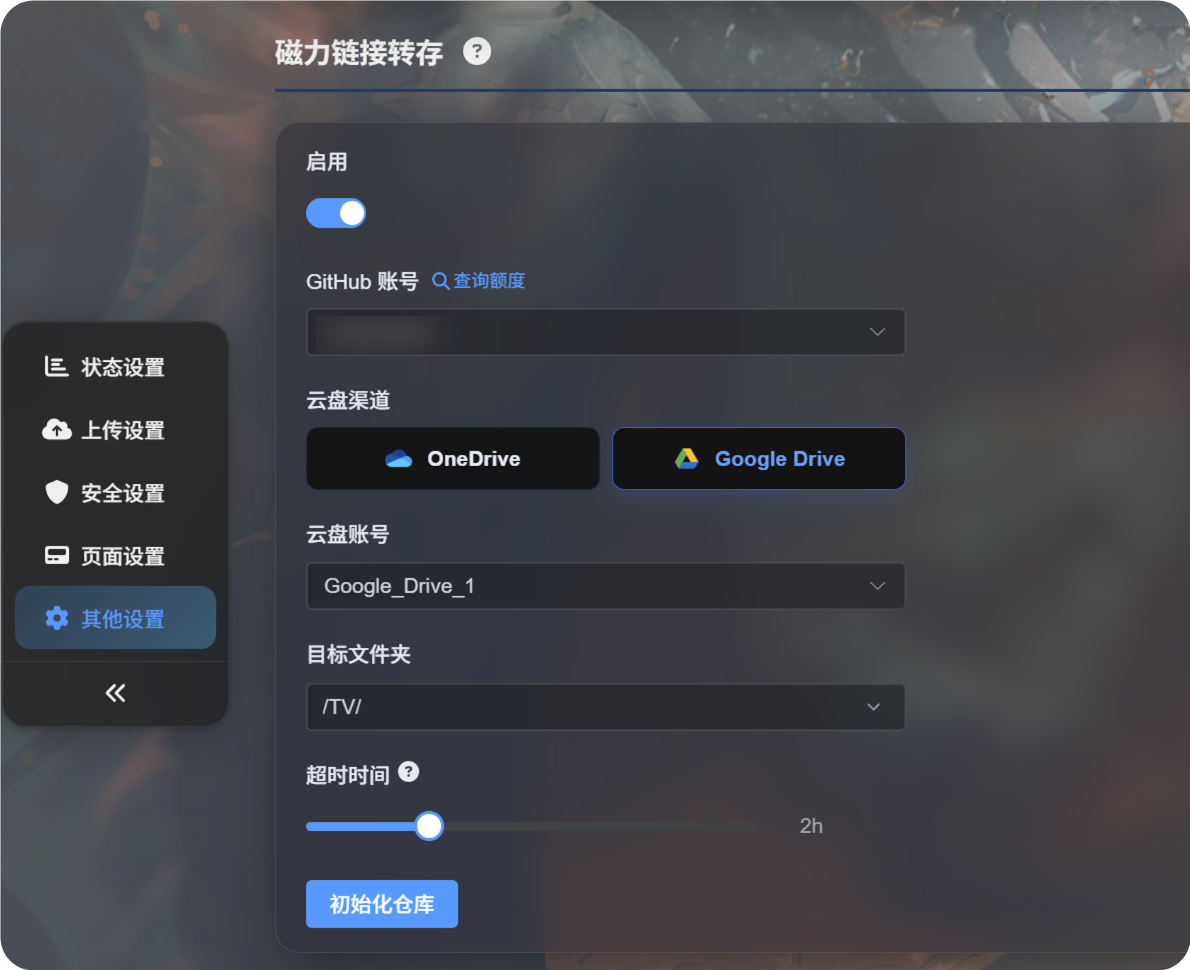
ให้ตั้งค่าการโอนผ่านลิงก์แม่เหล็กในแผงผู้ดูแลก่อน
โดยทั่วไปต้องมี:
- บัญชี GitHub สำหรับเรียกใช้งานดาวน์โหลด
- ช่องทางอัปโหลดบนคลาวด์ เช่น Google Drive หรือ OneDrive
- ไดเรกทอรีปลายทางสำหรับอัปโหลด
- ระยะหมดเวลาของงาน
เมื่อการตั้งค่าพร้อมแล้ว ให้กลับไปที่หน้าแรกและวางลิงก์แม่เหล็กเพื่อเริ่มโอน
การอัปโหลดลิงก์แม่เหล็ก
- วางลิงก์แม่เหล็กลงในช่องอัปโหลดของหน้าแรก
- ตรวจสอบว่าโหมดตั้งเป็น
Transfer - คลิกอัปโหลด
- รอให้ ImgHost สร้างงานลิงก์แม่เหล็ก
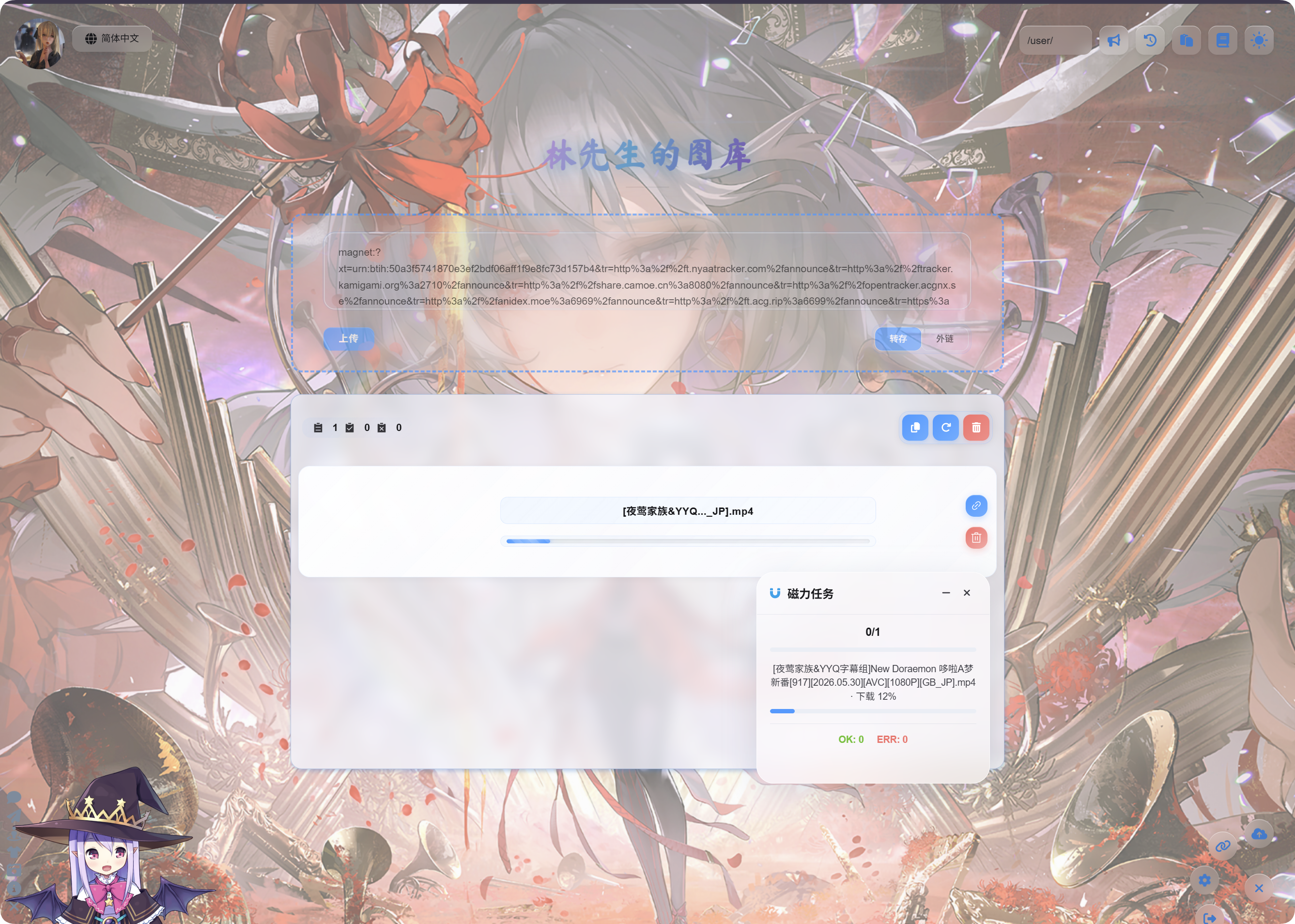
- หลังงานเริ่มแล้ว ให้ใช้แผงแบบลอย
Magnet Tasksที่มุมขวาล่างเพื่อตรวจสอบความคืบหน้า
การดาวน์โหลดและอัปโหลดอาจใช้เวลา ความเร็วขึ้นอยู่กับทรัพยากรของลิงก์แม่เหล็ก สภาพแวดล้อมรันไทม์ของ GitHub และช่องทางพื้นที่จัดเก็บบนคลาวด์ที่เลือก
หลังเสร็จสิ้น
หลังงานเสร็จ รายการอัปโหลดจะแสดงชื่อไฟล์และลิงก์
วิดีโอจะแสดงตัวอย่างวิดีโอ รูปภาพจะแสดงตัวอย่างรูปภาพ และไฟล์อื่นจะแสดงไอคอนไฟล์ปกติ
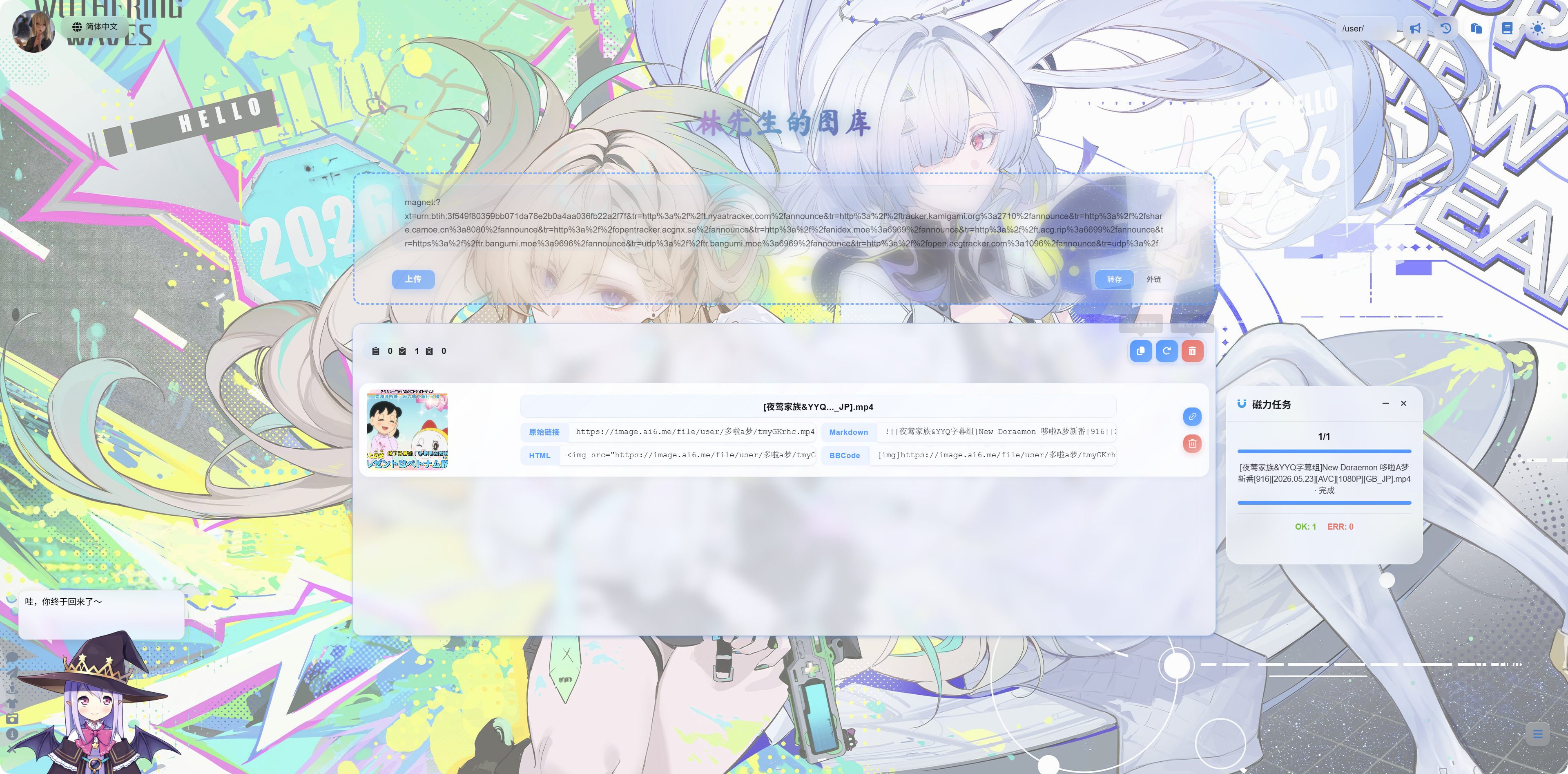
คุณสามารถคัดลอก:
| ประเภทลิงก์ | กรณีใช้งาน |
|---|---|
| ลิงก์ต้นฉบับ | เข้าถึงไฟล์โดยตรง |
| Markdown | โพสต์หรือบันทึก Markdown |
| HTML | โค้ดหน้าเว็บ |
| BBCode | ฟอรัมที่รองรับ BBCode |
แผงงานลิงก์แม่เหล็ก
แผงงานลิงก์แม่เหล็กที่มุมขวาล่างจะแสดงจำนวนงาน ชื่องาน ความคืบหน้า และสถานะสุดท้าย
สถานะทั่วไป:
| สถานะ | ความหมาย |
|---|---|
| รอ | งานถูกสร้างแล้วและรอเรียกใช้ |
| กำลังดาวน์โหลด | กำลังดาวน์โหลดทรัพยากรของลิงก์แม่เหล็ก |
| กำลังอัปโหลด | ดาวน์โหลดไฟล์เสร็จแล้วและกำลังอัปโหลดไปยังพื้นที่จัดเก็บบนคลาวด์ |
| เสร็จสมบูรณ์ | อัปโหลดสำเร็จและสามารถคัดลอกลิงก์ได้ |
| ล้มเหลว | งานไม่เสร็จสมบูรณ์ ตรวจสอบข้อความแล้วลองอีกครั้ง |
เคล็ดลับ
- หากลิงก์แม่เหล็กมีหลายไฟล์ ImgHost จะให้ความสำคัญกับไฟล์หลักที่เสร็จแล้วสำหรับการแสดงผล
- ไฟล์ขนาดใหญ่ใช้เวลานานกว่า รอให้งานเสร็จก่อนรีเฟรชหน้า
- หากทรัพยากรของลิงก์แม่เหล็กไม่มีเพียร์ที่พร้อมใช้งาน อาจช้ามากหรือล้มเหลว
- หากบัญชีคลาวด์โควตาหมด การอนุญาตหมดอายุ หรือไดเรกทอรีอัปโหลดไม่ถูกต้อง งานอาจล้มเหลว
- ตัวอย่างวิดีโออาจใช้เวลาสองสามวินาทีหลังอัปโหลดเสร็จ
คำถามที่พบบ่อย
วางลิงก์แม่เหล็กแล้วไม่มีอะไรเริ่มทำงาน
ยืนยันว่าเปิดใช้การโอนผ่านลิงก์แม่เหล็กในแผงผู้ดูแลแล้ว และเลือกบัญชี GitHub กับช่องทางคลาวด์ที่ใช้งานได้แล้ว
ดาวน์โหลดช้าเสมอ
ความเร็วของลิงก์แม่เหล็กขึ้นอยู่กับทรัพยากรนั้นเอง หากไม่มีเพียร์ที่พร้อมใช้งาน การดาวน์โหลดอาจช้ามากหรือทำไม่ได้
อัปโหลดแล้วไม่มีตัวอย่าง
ก่อนอื่นให้ยืนยันว่าลิงก์ไฟล์เปิดได้ ไฟล์วิดีโออาจต้องใช้เวลาสั้นๆ ในการโหลดในเบราว์เซอร์ หรือคุณสามารถเปิดลิงก์โดยตรง
ควรตรวจอะไรหากงานล้มเหลว?
ตรวจสอบว่าลิงก์แม่เหล็กถูกต้องหรือไม่ ช่องทางคลาวด์ใช้งานได้หรือไม่ และไดเรกทอรีอัปโหลดถูกต้องหรือไม่ จากนั้นส่งงานอีกครั้ง