வலைப்பதிவு
வலைப்பதிவு அம்சம் உங்கள் ImgHost தளத்தில் தனி வலைப்பதிவு பக்கத்தை சேர்க்கிறது.
இதை இயக்கிய பிறகு, பார்வையாளர்கள் இதை திறக்கலாம்:
text
https://your-domain.com/blog/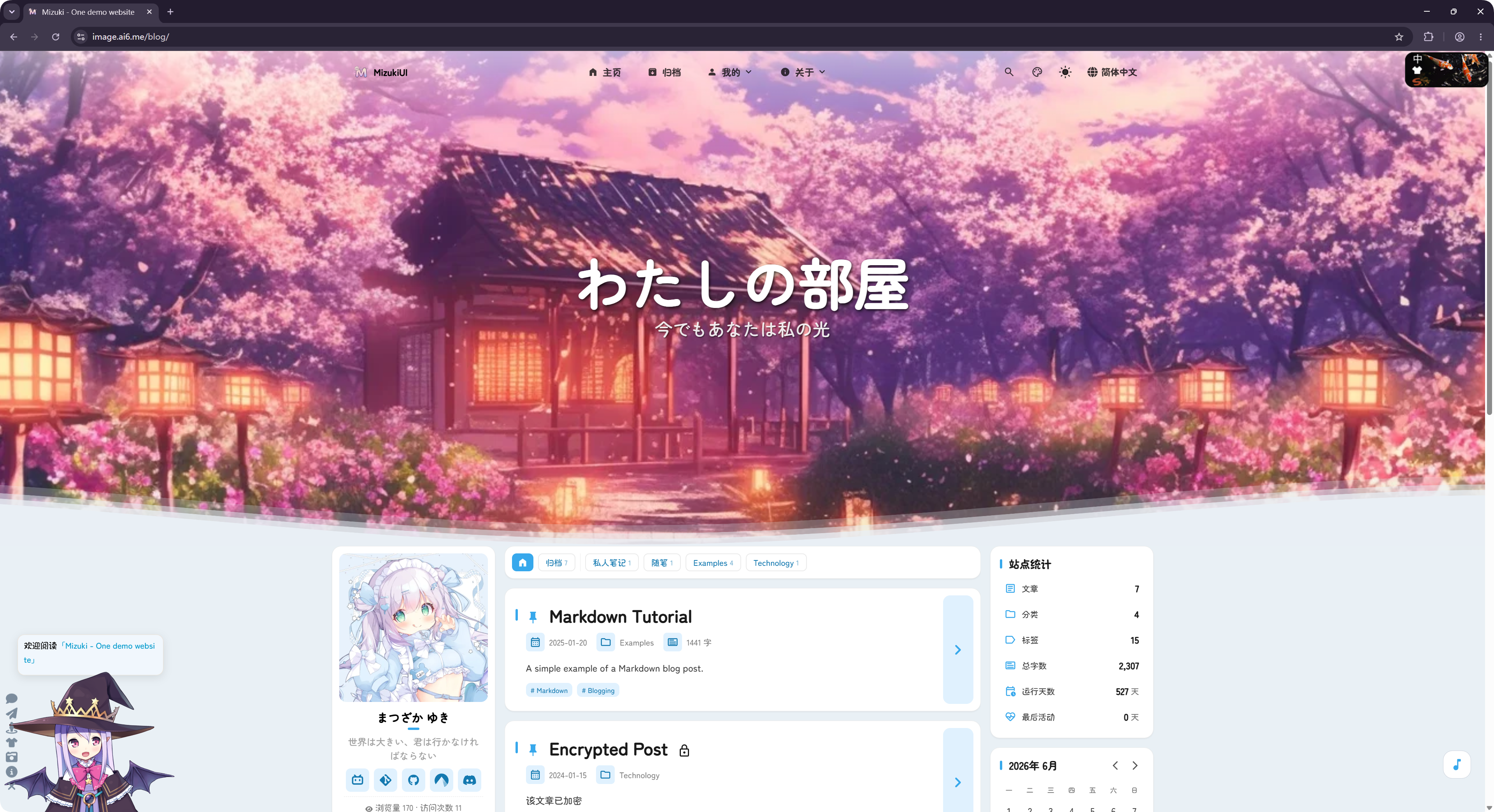
வலைப்பதிவு திறந்த மூல LyraVoid/Mizuki திட்டத்தை அடிப்படையாகக் கொண்டு மாற்றப்பட்டுள்ளது. ImgHost அதை Vue உடன் மறுஎழுதி ஒருங்கிணைக்கிறது, அதனால் அது பட ஹோஸ்டிங் தளத்தின் ஒரு பகுதியாக இயங்க முடியும்.
எங்கு அமைப்பது
வலைப்பதிவு அமைப்புகள் இங்கு உள்ளன:
text
System Settings -> Other Settings -> Blog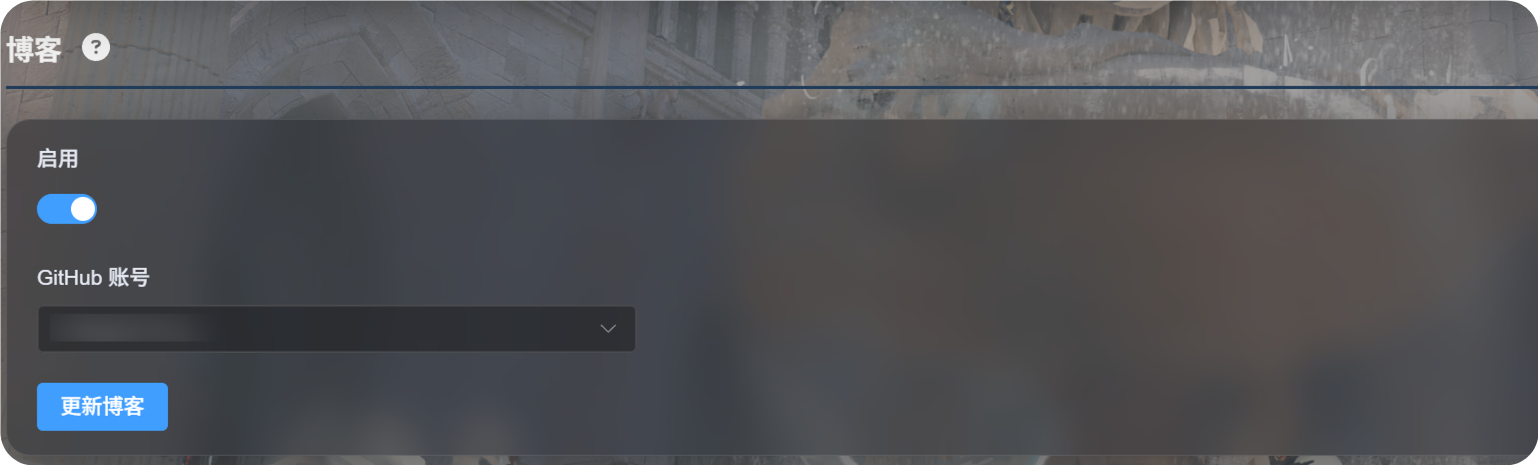
முதல் முறை அமைப்பு
Enable-ஐ இயக்கவும்.- வலைப்பதிவு அமைப்புகளை சேமிக்க பயன்படுத்தப்படும் GitHub கணக்கை தேர்வு செய்யவும்.
Update Blogகிளிக் செய்யவும்.- வெற்றிச் செய்தி வரும் வரை காத்திருக்கவும்.
- வலைப்பதிவைப் பார்க்க
https://your-domain.com/blog/திறக்கவும்.
முதல் முறையாக பயன்படுத்தும்போது, தேர்ந்தெடுத்த கணக்கின் கீழ் ImgHost ஒரு தனிப்பட்ட GitHub களஞ்சியத்தை தயார் செய்கிறது:
text
imgbed-blog-configஇந்த களஞ்சியம் வலைப்பதிவு அமைப்புகளையும் கட்டுரை உள்ளடக்கத்தையும் சேமிக்கிறது.
பதிவுகள் எழுதுதல்
உங்கள் தனிப்பட்ட GitHub களஞ்சியத்தில் வலைப்பதிவு பதிவுகளை திருத்தவும்:
text
imgbed-blog-configவழக்கமான நடைமுறை:
- GitHub திறக்கவும்.
- தனிப்பட்ட
imgbed-blog-configகளஞ்சியத்துக்குள் செல்லவும். - பதிவு கோப்புகளை திருத்தவும் அல்லது சேர்க்கவும்.
- மாற்றங்களை commit செய்யவும்.
- ImgHost நிர்வாக பலகைக்கு திரும்பி
Update Blogகிளிக் செய்யவும். அல்லது வலைப்பதிவு முகப்பின் மேல் இடது மூலையில் உள்ள லோகோவை மூன்று முறை கிளிக் செய்து வலைப்பதிவு புதுப்பிப்பை தொடங்கவும்.
Update Blog நீங்கள் எழுதிய உள்ளடக்கத்தை மேலெழுதாது. தேவையானபோது களஞ்சியத்தை தொடக்க நிலைப்படுத்தி, வலைப்பதிவு கேஷை புதுப்பிக்கும்.
ஆதரிக்கப்படும் அம்சங்கள்
வலைப்பதிவு பதிவுப் பட்டியல், வகைகள், குறிச்சொற்கள், காப்பகங்கள், தேடல், இருண்ட முறை மற்றும் மொழி மாற்றம் போன்ற பொதுவான வலைப்பதிவு அம்சங்களை ஆதரிக்கிறது.
கருத்துகள் மற்றும் வருகை புள்ளிவிவரங்களையும் ஆதரிக்கிறது.
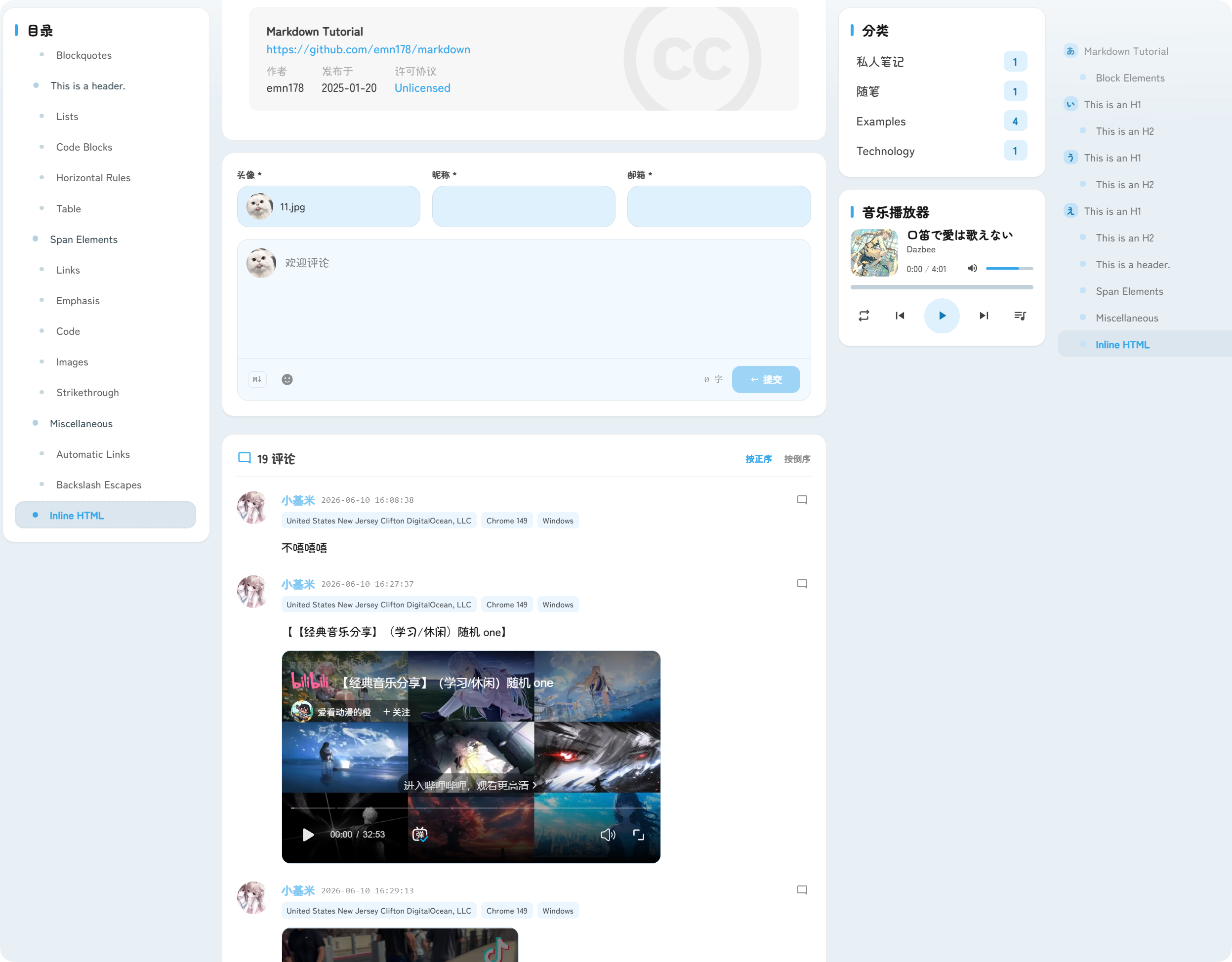
கருத்துகள் பதிவுகளின் கீழே தோன்றும். பார்வையாளர்கள் அவதார், புனைப்பெயர், மின்னஞ்சல் மற்றும் கருத்து உள்ளடக்கத்தை சமர்ப்பிக்கலாம்.
வருகை புள்ளிவிவரங்கள் பதிவு பார்வைகளையும் தள வருகைகளையும் காட்டுகின்றன; இது வலைப்பதிவு போக்குவரத்தை புரிந்துகொள்ள உதவும்.
அணுகல் முகவரி
வலைப்பதிவு எப்போதும் /blog/ பாதையின் கீழ் வழங்கப்படும்.
உதாரணமாக, உங்கள் ImgHost டொமைன்:
text
https://image.example.comவலைப்பதிவு முகவரி:
text
https://image.example.com/blog/வலைப்பதிவை முடக்கிய பிறகு, பார்வையாளர்கள் வலைப்பதிவு பக்கத்தை அணுக முடியாது.