Yandex சேனல் சேர்க்கவும்
முதலில் தேவையானவை
| தேவை | ஏன் தேவை |
|---|---|
| Yandex கணக்கு | உள்நுழைய செய்து Yandex Disk authorize செய்ய |
| Yandex OAuth செயலி | Client ID மற்றும் Client Secret உருவாக்க |
| உங்கள் ImgHost டொமைன் | OAuth redirect URI-க்கு |
| கிடைக்கும் Yandex Disk சேமிப்பு | உண்மையான கோப்பு சேமிப்பு location ஆக |
அமைப்பு படிகள்
படி 1: Yandex OAuth செயலி உருவாக்கவும்
- Yandex OAuth செயலி creation page திறக்கவும்:
text
https://oauth.yandex.com/client/new- உள்நுழைய page-க்கு redirect ஆனால் முதலில் Yandex கணக்கு-ல் உள்நுழைய செய்யவும்.
- புதிய செயலி உருவாக்கவும்.
- செயலி-க்கு அறியக்கூடிய பெயர் கொடுக்கவும், உதா.
imgbed-yandex. - callback அல்லது redirect URL settings கண்டறியவும்.
- உள்ளிடவும்:
text
https://your-domain.com/api/oauth/yandex/callbackபடி 2: அனுமதிகளை உறுதிப்படுத்தவும்
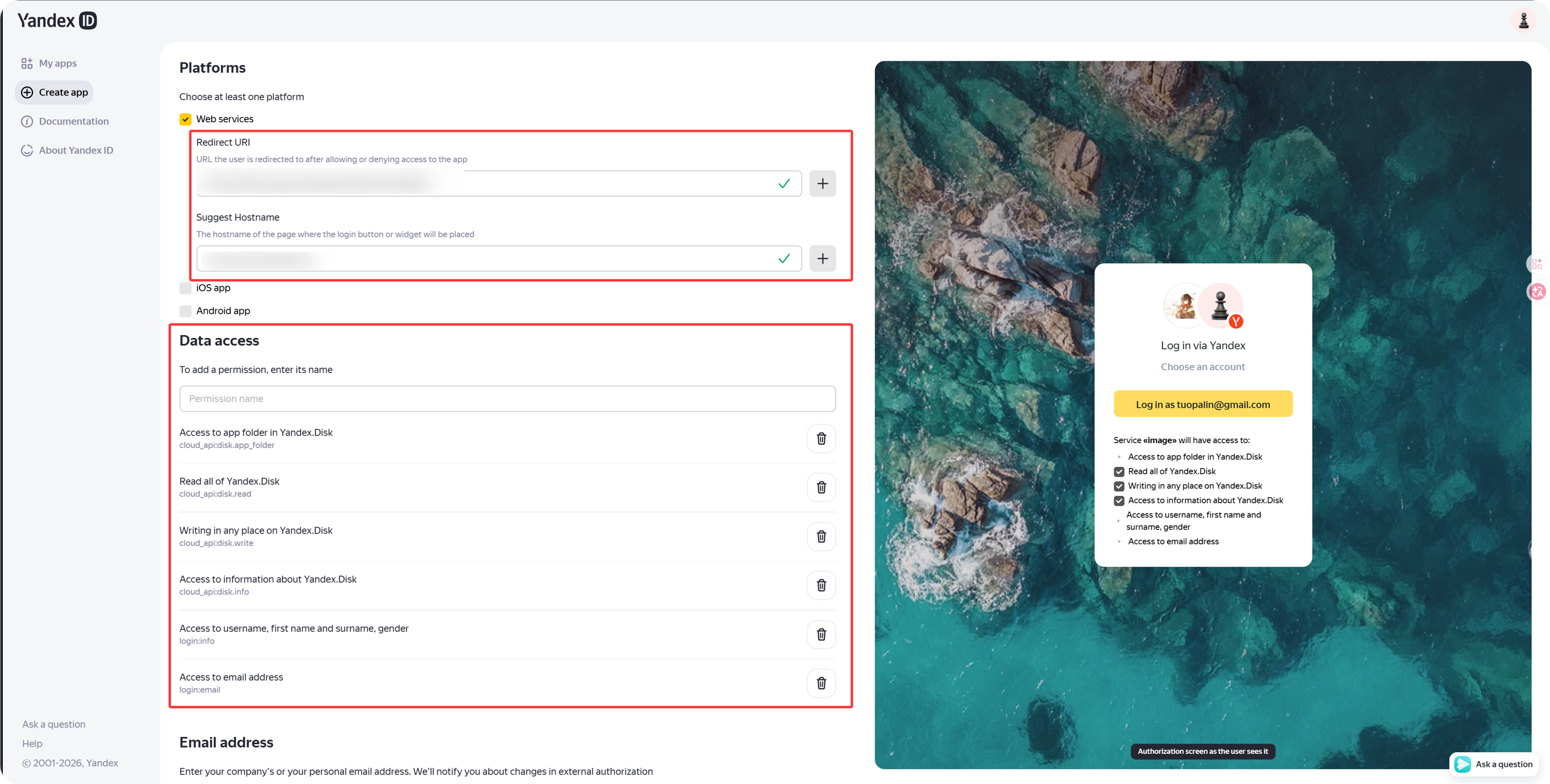
தற்போதைய ImgHost Yandex integration-க்கு Yandex.Disk REST API கீழ் இந்த permissions வேண்டும்:
| அனுமதி | நோக்கம் |
|---|---|
cloud_api:disk.app_folder | ImgHost செயலி folder-ல் கோப்புகள் சேமிக்க அனுமதிக்கிறது |
cloud_api:disk.read | கோப்புகள் மற்றும் download links படிக்கிறது |
cloud_api:disk.write | கோப்புகளைப் பதிவேற்ற, folders உருவாக்க, கோப்புகளை நீக்க அனுமதிக்கிறது |
Access to information about Yandex.Disk | disk quota மற்றும் used space படிக்கிறது |
Yandex ID API கீழ் இவை தெரிந்தால் விருப்பமான:
| அனுமதி உரை | பரிந்துரை |
|---|---|
Access to username, first name and surname, gender | விருப்பத்தேர்வு |
Access to email address | விருப்பத்தேர்வு |
core பதிவேற்றம், download, deletion, quota அம்சங்கள் மேலே உள்ள நான்கு Yandex.Disk REST API permissions-ஐ சார்ந்தவை.
படி 3: செயலி சான்றுகளை நகலெடுக்கவும்
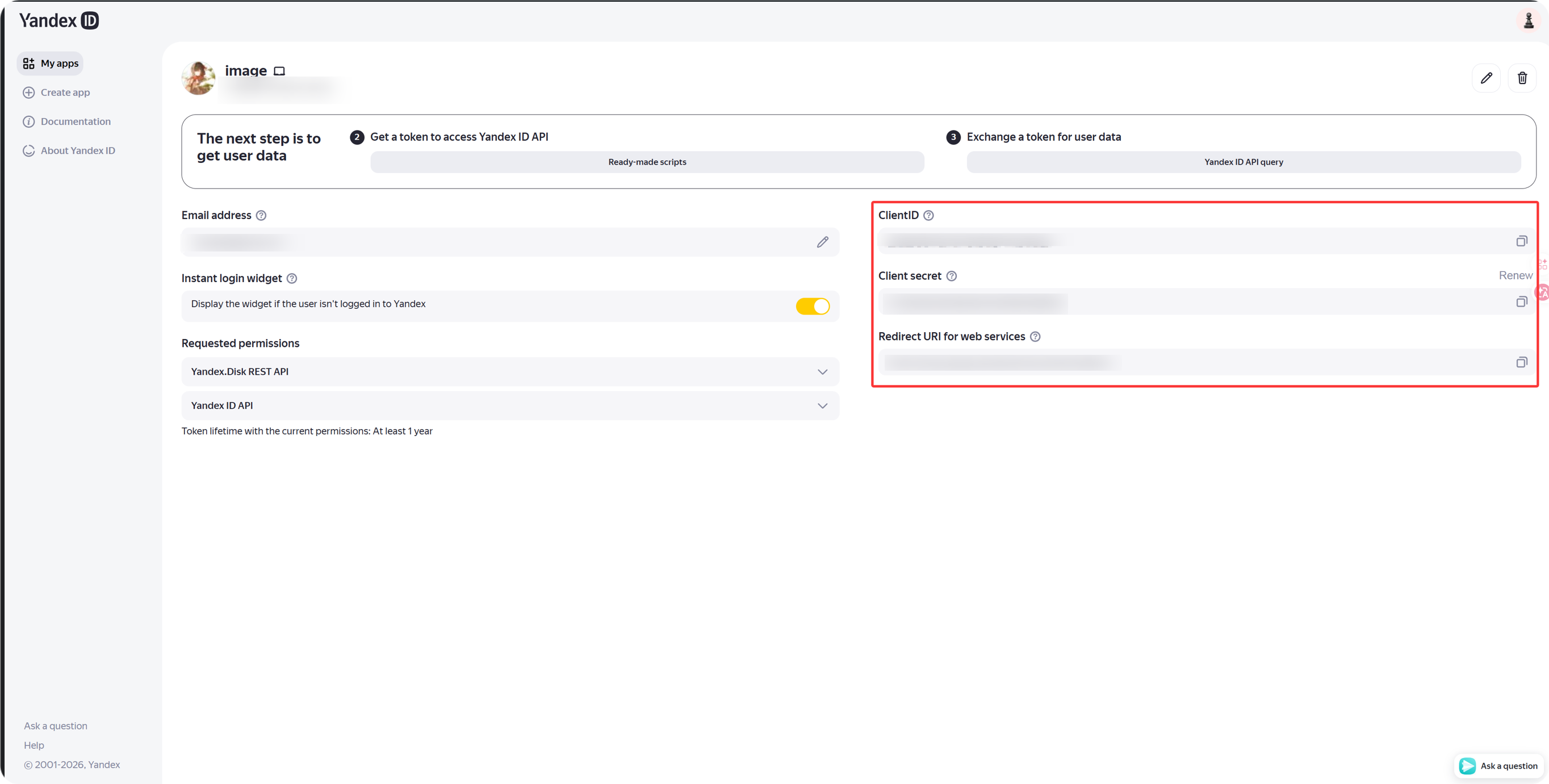
செயலி உருவான பிறகு:
| Yandex புலம் | ImgHost புலம் |
|---|---|
Client ID | Client ID |
Client Secret | Client Secret |
படி 4: ImgHost-ல் Yandex சேனல் நிரப்பவும்
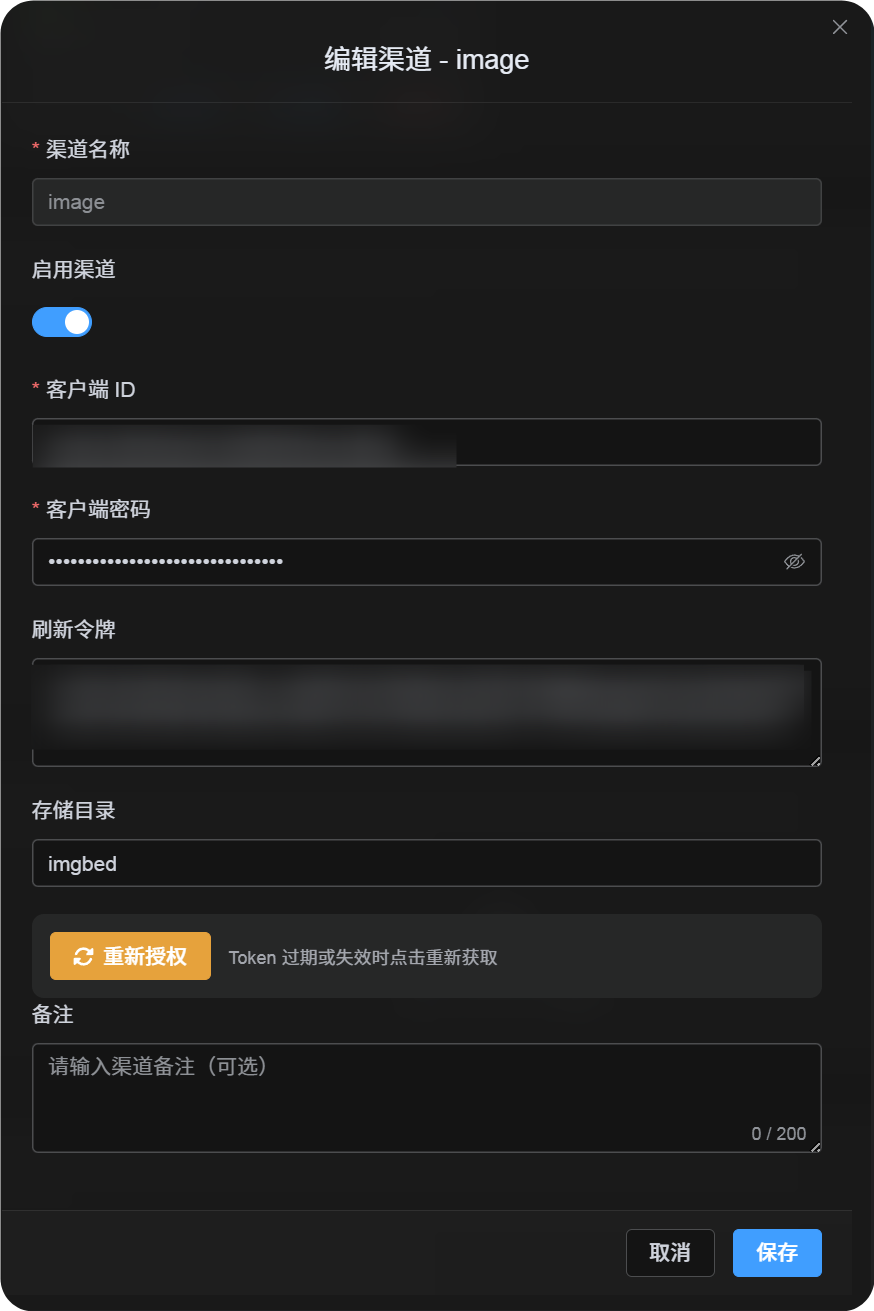
பதிவேற்ற அமைப்புகள்-ல் Yandex தேர்வு செய்து:
| ImgHost புலம் | எதை உள்ளிட வேண்டும் |
|---|---|
| சேனல் பெயர் | அறியக்கூடிய பெயர், உதா. Main Yandex |
| Client ID | Yandex செயலி Client ID |
| Client Secret | Yandex செயலி Client Secret |
| Refresh டோக்கன் | இப்போது காலியாக விடவும் |
| வேர் அடைவு | விருப்பத்தேர்வு. இயல்புநிலை imgbed. |
படி 5: Refresh டோக்கன் பெறவும்
- ImgHost-ல்
Get Tokenகிளிக் செய்யவும். - இணைக்க வேண்டிய Yandex கணக்கில் உள்நுழையவும்.
- authorization prompt-ஐ அனுமதிக்கவும்.
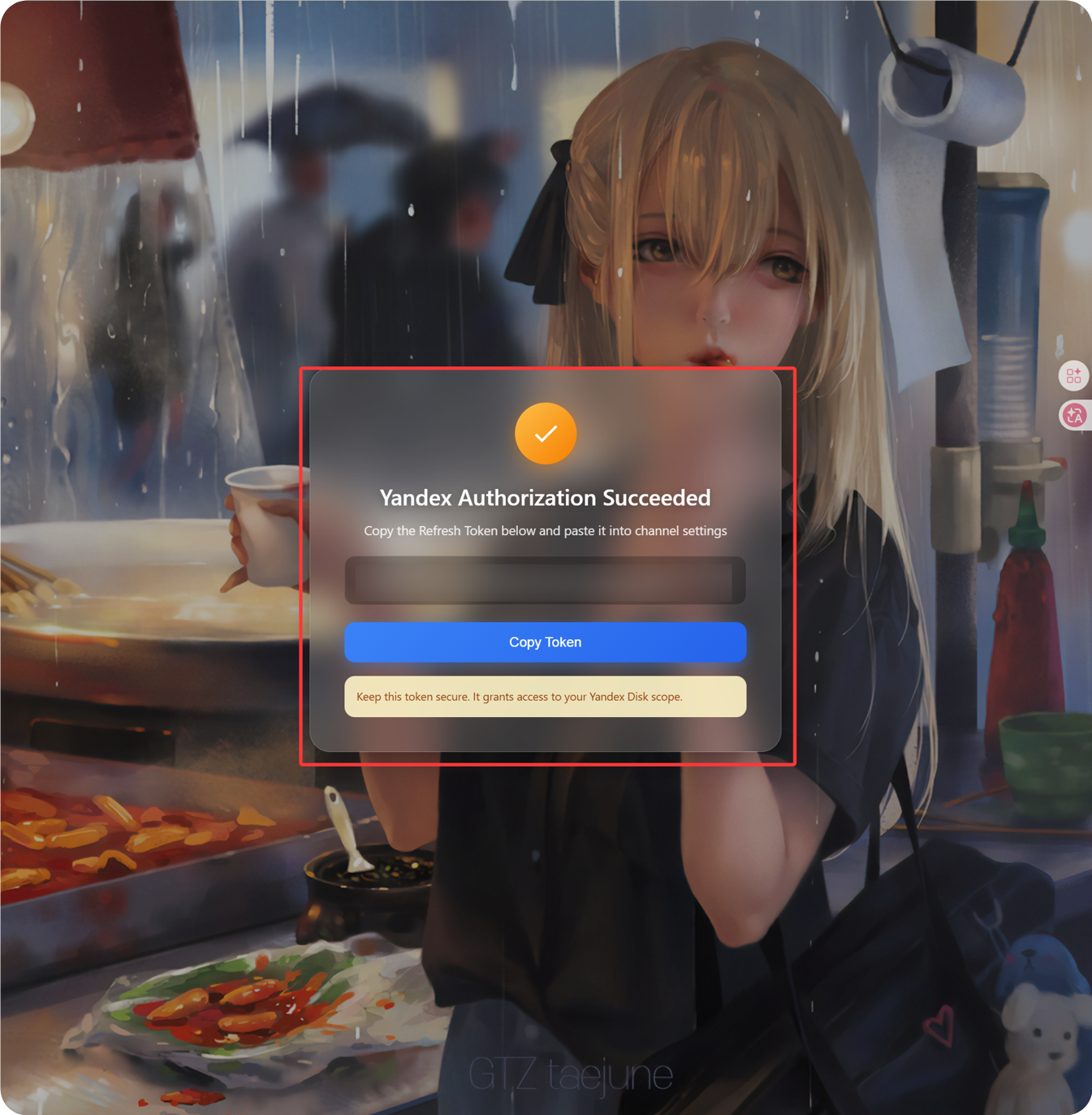
- callback பக்கம்
Refresh Tokenகாட்டும். - அதை நகலெடுக்கவும்.
- ImgHost-க்கு திரும்பி, அதை
Refresh Tokenபுலத்தில் ஒட்டவும்.
படி 6: சேனல் சேமி செய்யவும்
அனைத்து புலங்களையும் நிரப்பிய பிறகு சேனலை சேமிக்கவும்.
விரைவு ஓட்டம்
text
Open Yandex OAuth Console
-> Create an app
-> Add https://your-domain.com/api/oauth/yandex/callback
-> Confirm Yandex Disk permissions
-> Copy Client ID and Client Secret
-> Fill Client ID / Client Secret into ImgHost
-> Click Get Token
-> Copy the Refresh Token from the callback page
-> Paste it back into ImgHost and save
மேற்கோள்கள்
- Yandex செயலியை பதிவு செய்யவும்: https://yandex.com/dev/id/doc/en/register-client
- URL மூலம் authorization code பெறவும்: https://yandex.com/dev/id/doc/en/codes/code-url
- Yandex OAuth டோக்கன் endpoint: https://yandex.com/dev/id/doc/en/tokens/token