د Yandex چینل اضافه کول
مخکې څه ته اړتیا لرئ
| اړتیا | ولې ورته اړتیا ده |
|---|---|
| Yandex حساب | ننوځئ او Yandex Disk authorize کولو لپاره |
| Yandex OAuth اپ | د Client ID او Client Secret جوړولو لپاره |
| ستاسو ImgHost ډومېن | د OAuth ریډایرکټ URI لپاره |
| کافي Yandex Disk زېرمه | د فایلونو اصلي زېرمه ځای |
د تنظیم پړاوونه
1 ګام: Yandex OAuth اپ جوړ کړئ
- د Yandex OAuth اپ جوړولو پاڼه پرانیزئ:
text
https://oauth.yandex.com/client/new- که ننوځئ ته ولېږدول شوئ، لومړی خپل Yandex حساب ته ننوځئ وکړئ.
- نوی اپ جوړ کړئ.
- اپ ته داسې نوم ورکړئ چې وپېژندل شي، لکه
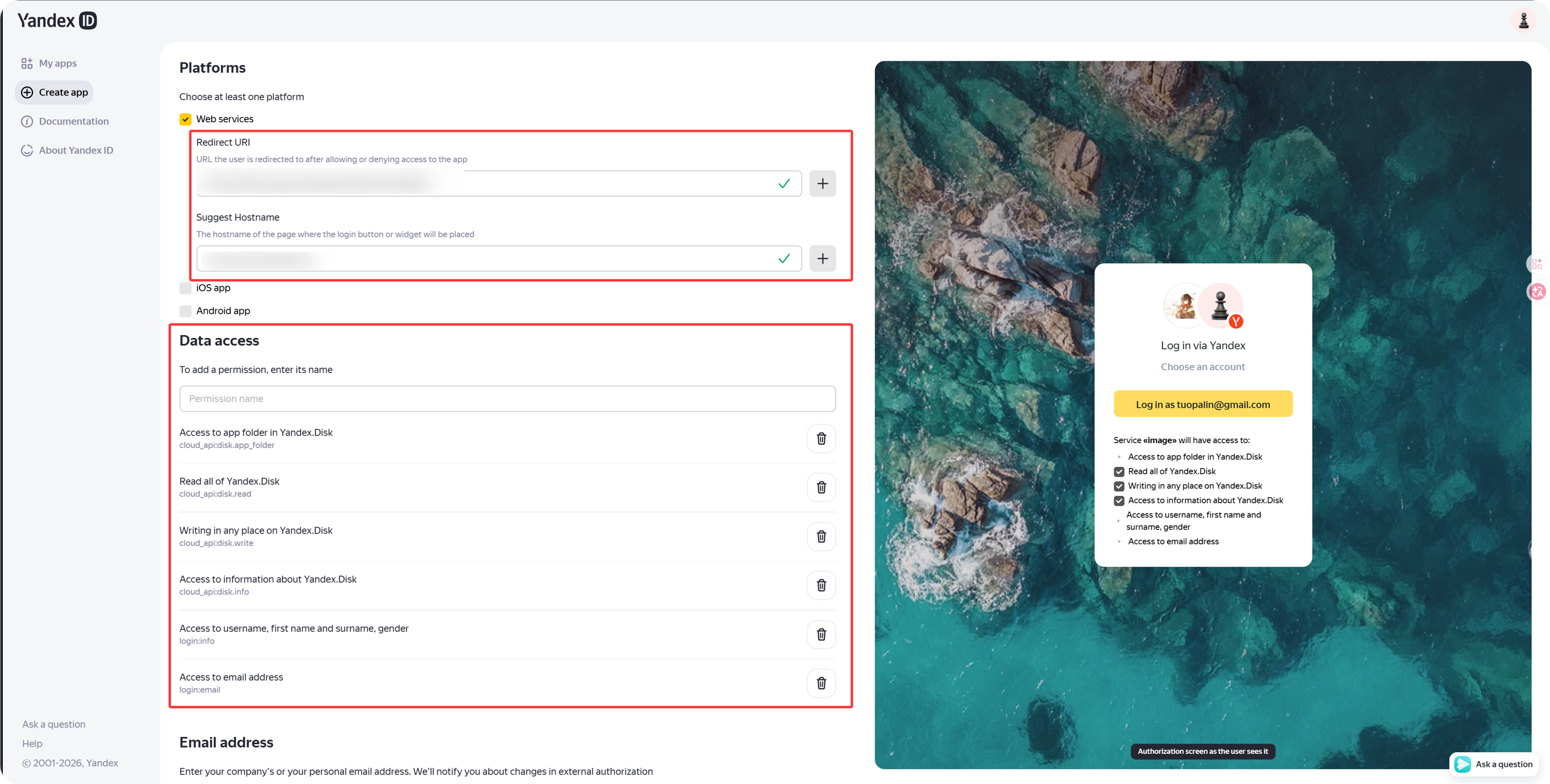
imgbed-yandex. - د کالبک یا ریډایرکټ URL settings ومومئ.
- دا ولیکئ:
text
https://your-domain.com/api/oauth/yandex/callback2 ګام: اجازهs تایید کړئ
د اوسني ImgHost Yandex integration لپاره، د Yandex.Disk REST API لاندې دا څلور permissions وساتئ:
| اجازه | موخه |
|---|---|
cloud_api:disk.app_folder | ImgHost ته اجازه ورکوي چې فایلونه په اپ folder کې وساتي |
cloud_api:disk.read | فایلونه او download links لولي |
cloud_api:disk.write | فایلونه اپلوډ کوي، folders جوړوي او فایلونه ړنګوي |
Access to information about Yandex.Disk | disk کوټه او used space لولي |
که د Yandex ID API لاندې دا permissions هم ښکاره شي، اختیاري دي:
| د اجازې متن | سپارښتنه |
|---|---|
Access to username, first name and surname, gender | اختیاري |
Access to email address | اختیاري |
د اپلوډ، download، deletion او کوټه اصلي ځانګړنې تر ډېره پر همدې پورته څلورو Yandex.Disk REST API permissions ولاړې دي.
3 ګام: اپ اعتبارلیکونه کاپي کړئ
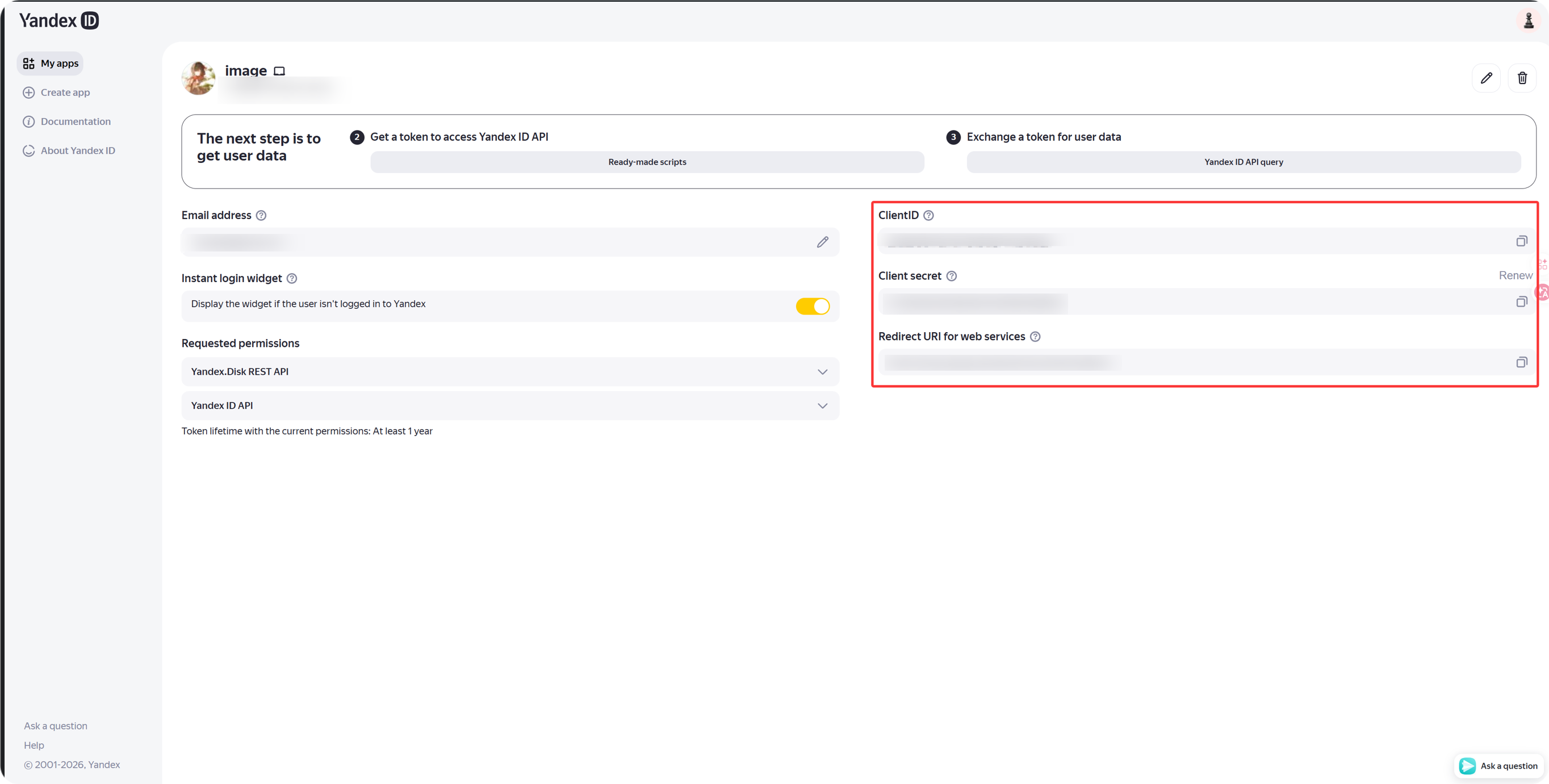
کله چې اپ جوړ شو، دا کاپي کړئ:
| د Yandex فیلډ | د ImgHost فیلډ |
|---|---|
Client ID | Client ID |
Client Secret | Client Secret |
4 ګام: د Yandex چینل ډک کړئ
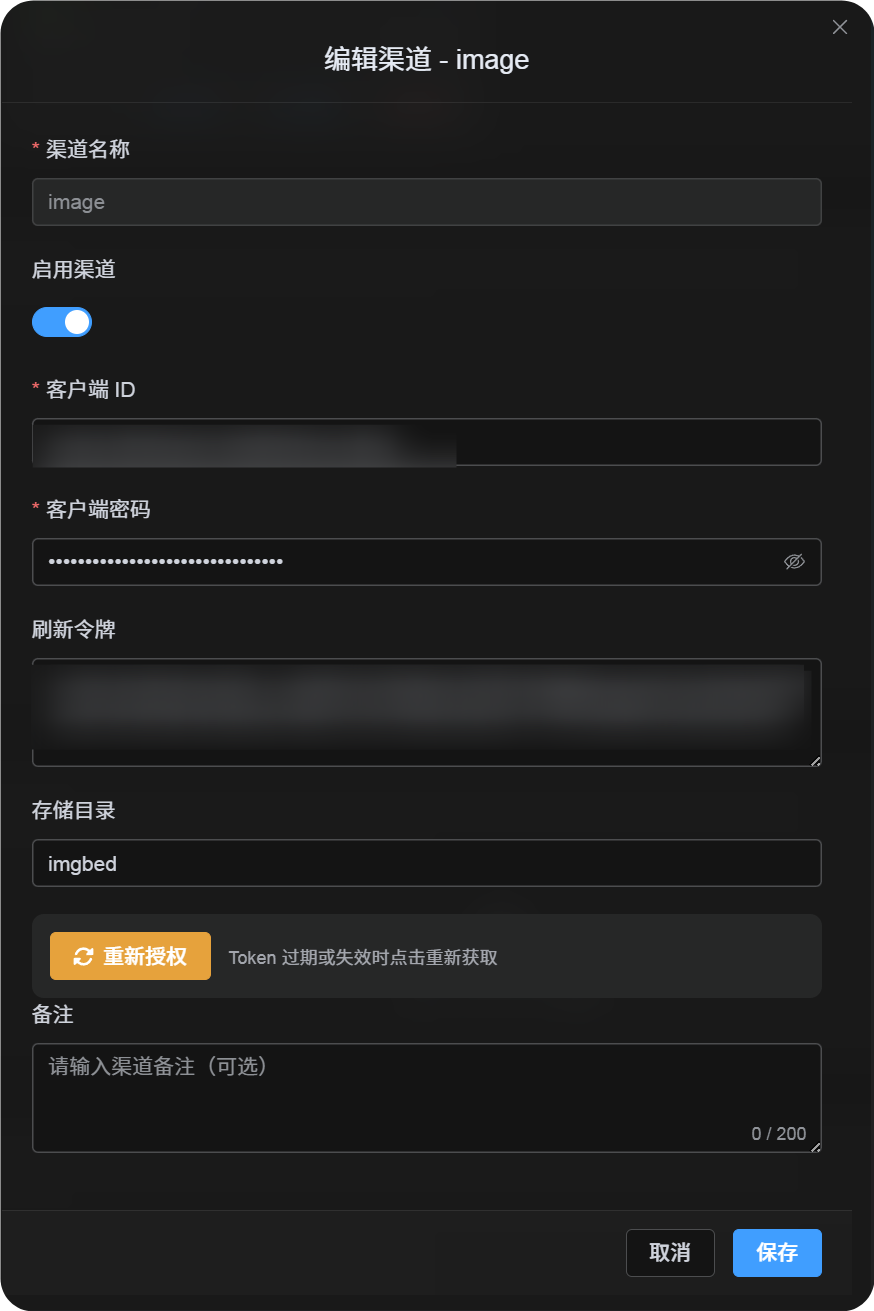
په د اپلوډ تنظیمات کې Yandex وټاکئ او دا fields ډک کړئ:
| د ImgHost فیلډ | څه ولیکئ |
|---|---|
| د چینل نوم | داسې نوم چې وپېژندل شي، لکه Main Yandex |
| Client ID | د Yandex اپ Client ID |
| Client Secret | د Yandex اپ Client Secret |
| Refresh ټوکن | اوس یې تش پرېږدئ |
| اصلي ډایرکټري | اختیاري. اصلي یې imgbed دی. |
5 ګام: Refresh ټوکن واخلئ
- په ImgHost کې
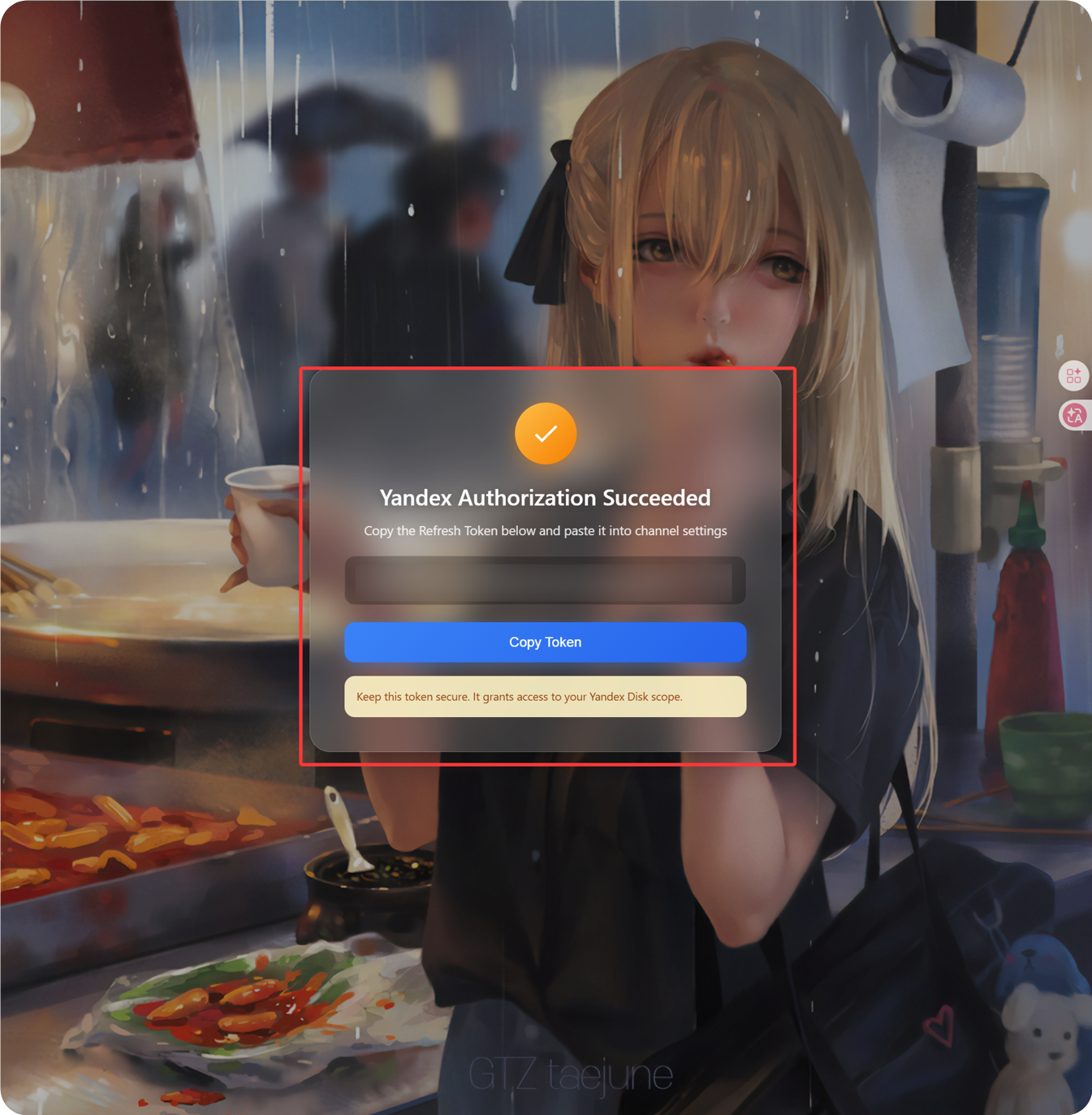
Get Tokenکلیک کړئ. - هغه Yandex حساب ته ننوځئ وکړئ چې نښلول یې غواړئ.
- د authorization غوښتنه اپrove کړئ.
- کالبک page به
Refresh Tokenښکاره کړي. - هغه کاپي کړئ.
- بېرته ImgHost ته راشئ او د
Refresh Tokenفیلډ کې یې پیسټ کړئ.
6 ګام: چینل خوندي کړئ
کله چې ټول fields ډک شول، چینل خوندي کړئ.
چټک بهیر
text
Open Yandex OAuth Console
-> Create an app
-> Add https://your-domain.com/api/oauth/yandex/callback
-> Confirm Yandex Disk permissions
-> Copy Client ID and Client Secret
-> Fill Client ID / Client Secret into ImgHost
-> Click Get Token
-> Copy the Refresh Token from the callback page
-> Paste it back into ImgHost and save
ماخذونه
- Register a Yandex اپ: https://yandex.com/dev/id/doc/en/register-client
- Get an authorization code through URL: https://yandex.com/dev/id/doc/en/codes/code-url
- Yandex OAuth ټوکن endpoint: https://yandex.com/dev/id/doc/en/tokens/token