Yandex Channel شامل کریں
پہلے کیا چاہیے
| ضرورت | وجہ |
|---|---|
| Yandex account | sign in اور Yandex Disk authorize کرنے کے لیے |
| Yandex OAuth app | Client ID اور Client Secret generate کرنے کے لیے |
| آپ کا ImgHost domain | OAuth redirect URI کے لیے |
| دستیاب Yandex Disk storage | اصل file storage location کے طور پر |
سیٹ اپ کے مراحل
مرحلہ 1: Yandex OAuth App بنائیں
- Yandex OAuth app creation صفحہ کھولیں:
text
https://oauth.yandex.com/client/new- اگر sign in صفحہ پر redirect ہو جائیں، پہلے اپنے Yandex account سے sign in کریں۔
- نیا app بنائیں۔
- app کو قابل شناخت نام دیں، مثلاً
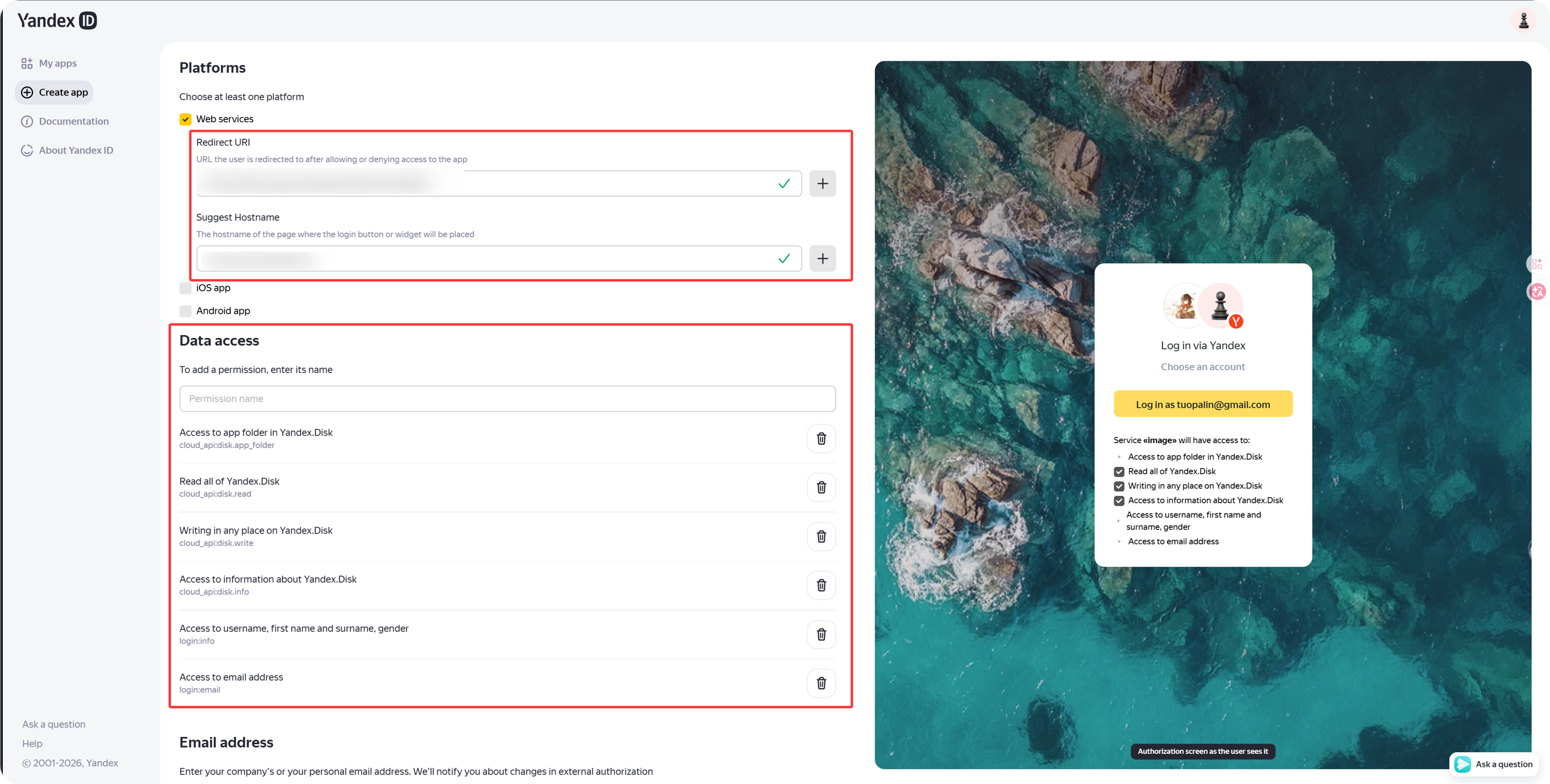
imgbed-yandex۔ - callback یا redirect URL settings تلاش کریں۔
- درج کریں:
text
https://your-domain.com/api/oauth/yandex/callbackمرحلہ 2: اجازتوں کی تصدیق کریں
موجودہ ImgHost Yandex integration کے لیے Yandex.Disk REST API کے تحت یہ چار permissions رکھیں:
| اجازت | مقصد |
|---|---|
cloud_api:disk.app_folder | ImgHost کو app folder میں files store کرنے دیتا ہے |
cloud_api:disk.read | files اور download links پڑھتا ہے |
cloud_api:disk.write | files upload کرتا ہے، folders بناتا ہے، اور files delete کرتا ہے |
Access to information about Yandex.Disk | disk quota اور used space پڑھتا ہے |
اگر Yandex ID API کے تحت یہ permissions بھی نظر آئیں تو اختیاری ہیں:
| اجازت کا متن | تجویز |
|---|---|
Access to username, first name and surname, gender | اختیاری |
Access to email address | اختیاری |
Core upload، download، deletion، اور quota features کا انحصار اوپر والی چار Yandex.Disk REST API permissions پر ہے۔
مرحلہ 3: App Credentials کاپی کریں
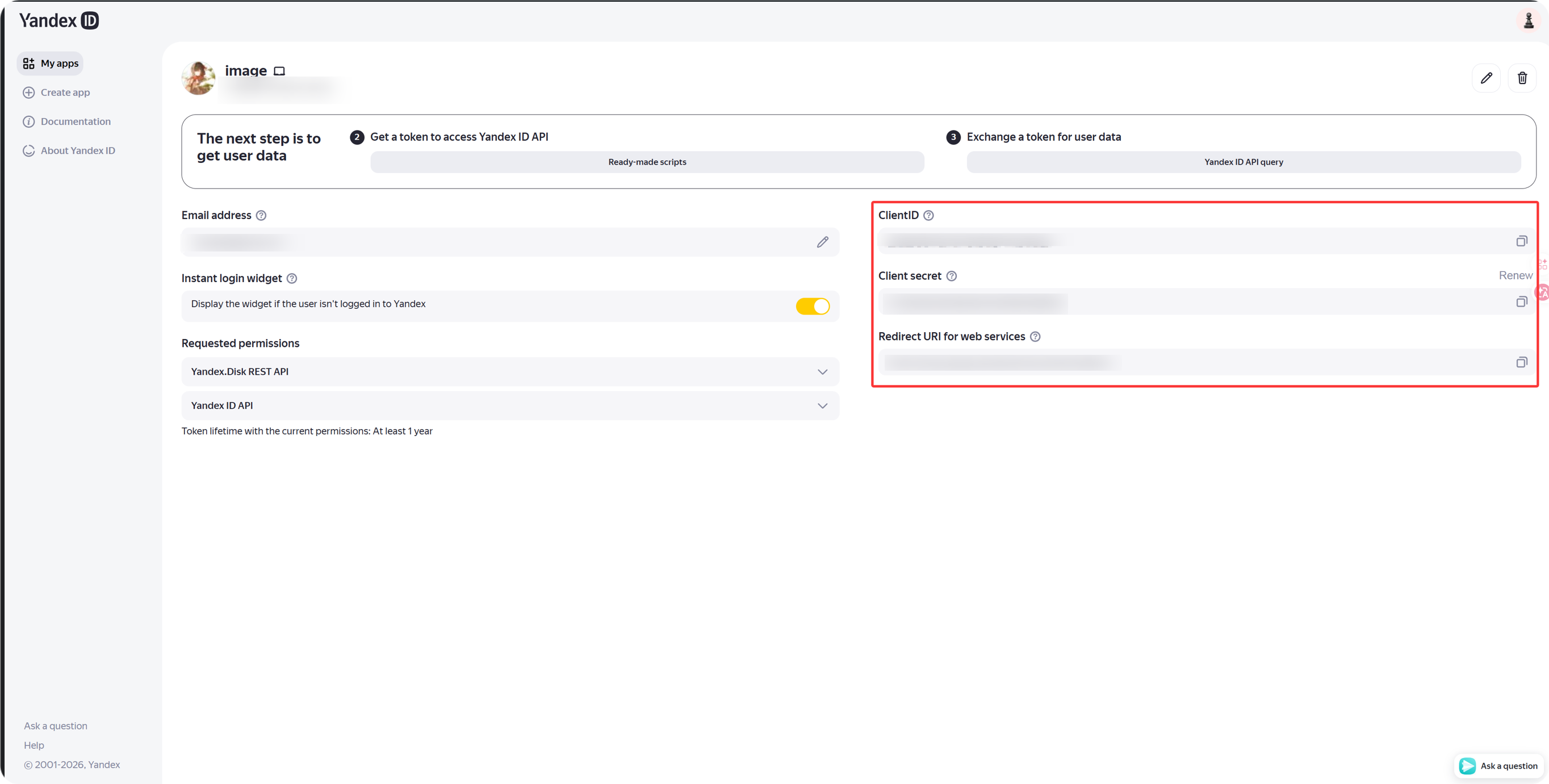
app بننے کے بعد کاپی کریں:
| Yandex فیلڈ | ImgHost فیلڈ |
|---|---|
Client ID | Client ID |
Client Secret | Client Secret |
مرحلہ 4: ImgHost میں Yandex Channel بھریں
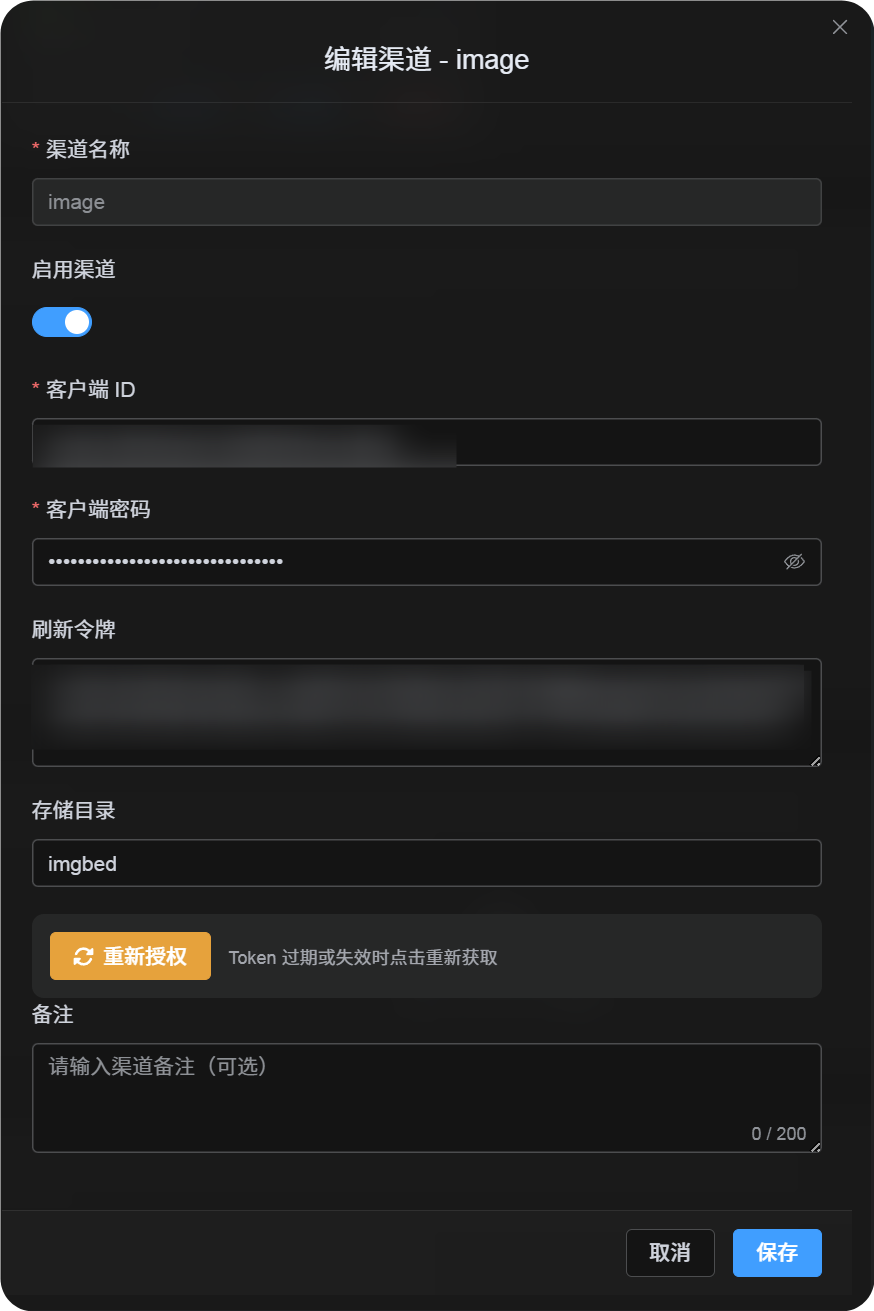
اپ لوڈ سیٹنگز میں Yandex منتخب کریں اور یہ فیلڈز بھریں:
| ImgHost فیلڈ | کیا درج کریں |
|---|---|
| Channel name | قابل شناخت نام، مثلاً Main Yandex |
| Client ID | Yandex app کا Client ID |
| Client Secret | Yandex app کا Client Secret |
| Refresh Token | ابھی خالی چھوڑ دیں |
| Root directory | اختیاری۔ ڈیفالٹ imgbed ہے۔ |
مرحلہ 5: Refresh Token حاصل کریں
- ImgHost میں
Get Tokenپر کلک کریں۔ - جس Yandex account کو منسلک کرنا ہے اس میں سائن ان کریں۔
- authorization prompt منظور کریں۔
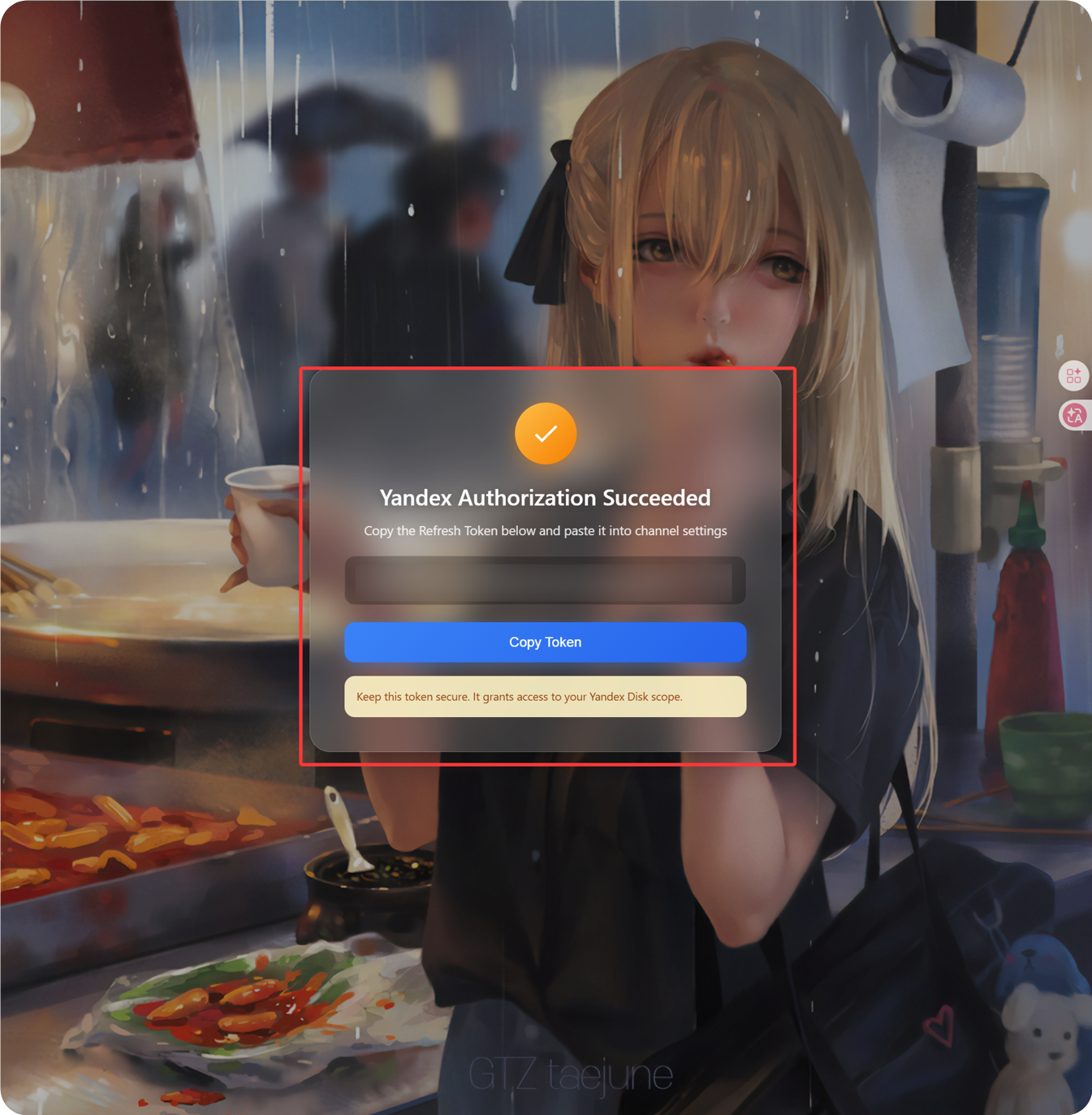
- callback صفحہ ایک
Refresh Tokenدکھائے گا۔ - اسے کاپی کریں۔
- ImgHost پر واپس آ کر
Refresh Tokenفیلڈ میں چسپاں کریں۔
مرحلہ 6: چینل محفوظ کریں
تمام فیلڈز بھرنے کے بعد channel save کریں۔
فوری بہاؤ
text
Open Yandex OAuth Console
-> Create an app
-> Add https://your-domain.com/api/oauth/yandex/callback
-> Confirm Yandex Disk permissions
-> Copy Client ID and Client Secret
-> Fill Client ID / Client Secret into ImgHost
-> Click Get Token
-> Copy the Refresh Token from the callback page
-> Paste it back into ImgHost and save
حوالہ جات
- Register a Yandex app: https://yandex.com/dev/id/doc/en/register-client
- URL کے ذریعے authorization code حاصل کریں: https://yandex.com/dev/id/doc/en/codes/code-url
- Yandex OAuth token endpoint: https://yandex.com/dev/id/doc/en/tokens/token