Yandex 채널 추가
먼저 필요한 항목
| 요구 사항 | 필요한 이유 |
|---|---|
| Yandex 계정 | 로그인하고 Yandex Disk를 승인하는 데 사용합니다. |
| Yandex OAuth 앱 | Client ID와 Client Secret을 생성하는 데 사용합니다. |
| ImgHost 도메인 | OAuth redirect URI에 사용합니다. |
| 사용 가능한 Yandex Disk 저장 공간 | 실제 파일 저장 위치로 사용합니다. |
설정 단계
단계 1: Yandex OAuth 앱 만들기
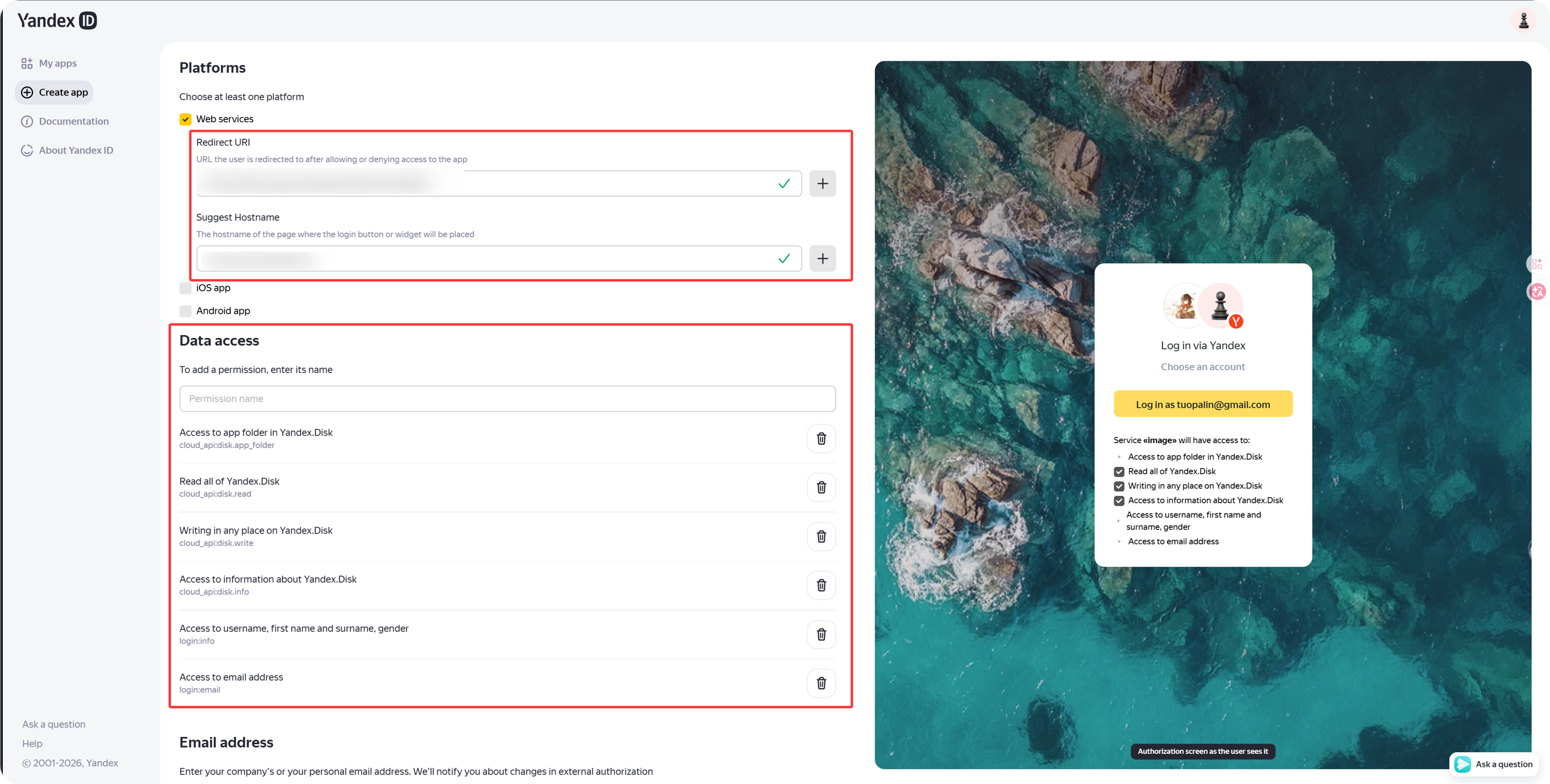
- Yandex OAuth 앱 생성 페이지를 엽니다.
text
https://oauth.yandex.com/client/new- 로그인으로 리디렉션되면 먼저 Yandex 계정으로 로그인합니다.
- 새 앱을 만듭니다.
- 앱에 알아보기 쉬운 이름을 지정합니다. 예:
imgbed-yandex. - callback 또는 redirect URL 설정을 찾습니다.
- 다음을 입력합니다.
text
https://your-domain.com/api/oauth/yandex/callback단계 2: 권한 확인
현재 ImgHost Yandex 연동에서는 Yandex.Disk REST API 아래의 다음 네 권한을 유지합니다.
| 권한 | 목적 |
|---|---|
cloud_api:disk.app_folder | ImgHost가 app folder에 파일을 저장할 수 있게 합니다. |
cloud_api:disk.read | 파일과 다운로드 링크를 읽습니다. |
cloud_api:disk.write | 파일 업로드, 폴더 생성, 파일 삭제를 수행합니다. |
Access to information about Yandex.Disk | disk quota와 사용 공간을 읽습니다. |
Yandex ID API 아래에 다음 권한도 보인다면 선택 사항입니다.
| 권한 텍스트 | 권장 사항 |
|---|---|
Access to username, first name and surname, gender | 선택 사항 |
Access to email address | 선택 사항 |
업로드, 다운로드, 삭제, 쿼터 기능의 핵심은 주로 위 네 가지 Yandex.Disk REST API 권한에 의존합니다.
단계 3: 앱 자격 증명 복사
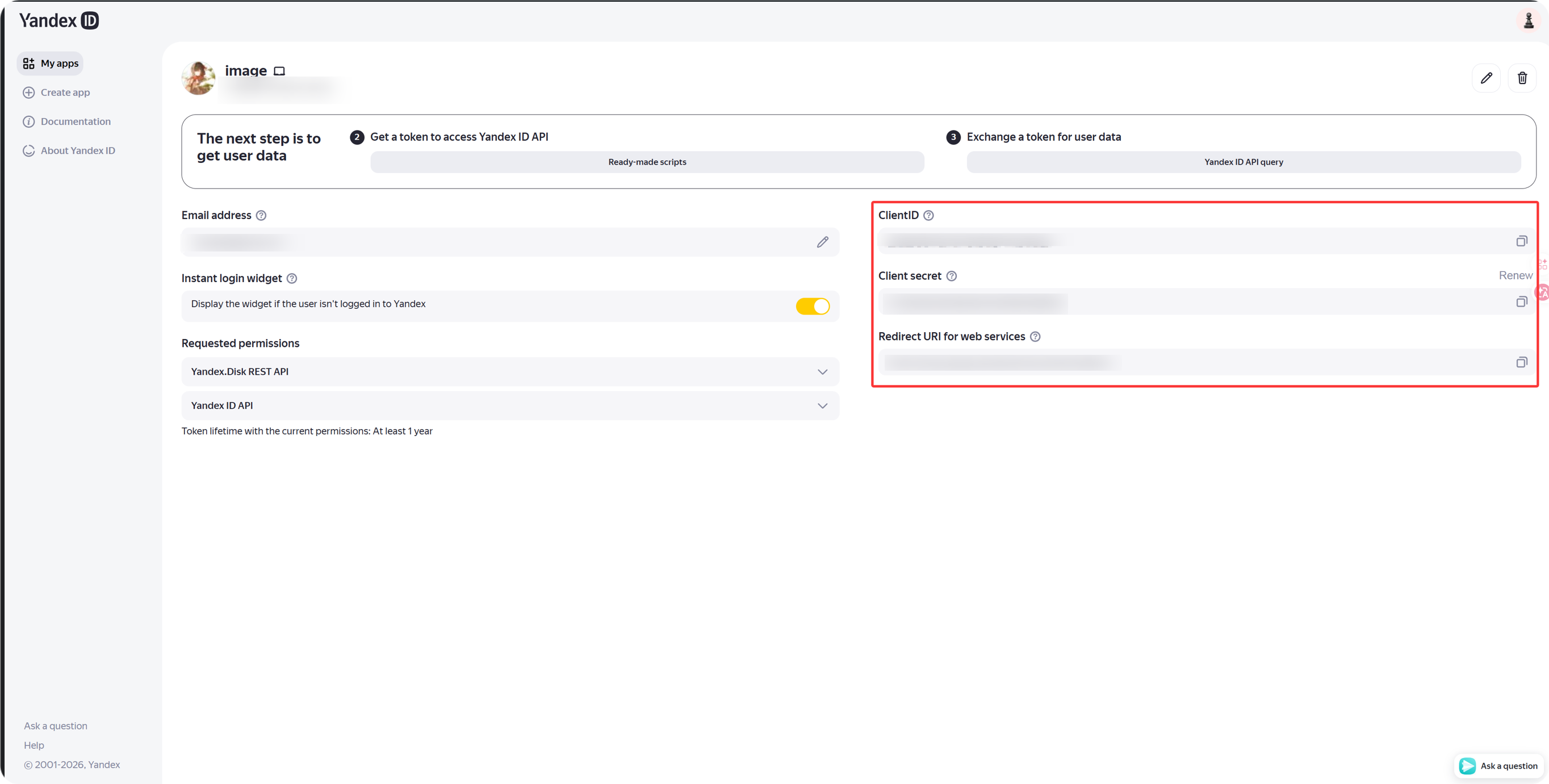
앱이 생성되면 다음을 복사합니다.
| Yandex 필드 | ImgHost 필드 |
|---|---|
Client ID | Client ID |
Client Secret | Client Secret |
단계 4: Yandex 채널 입력
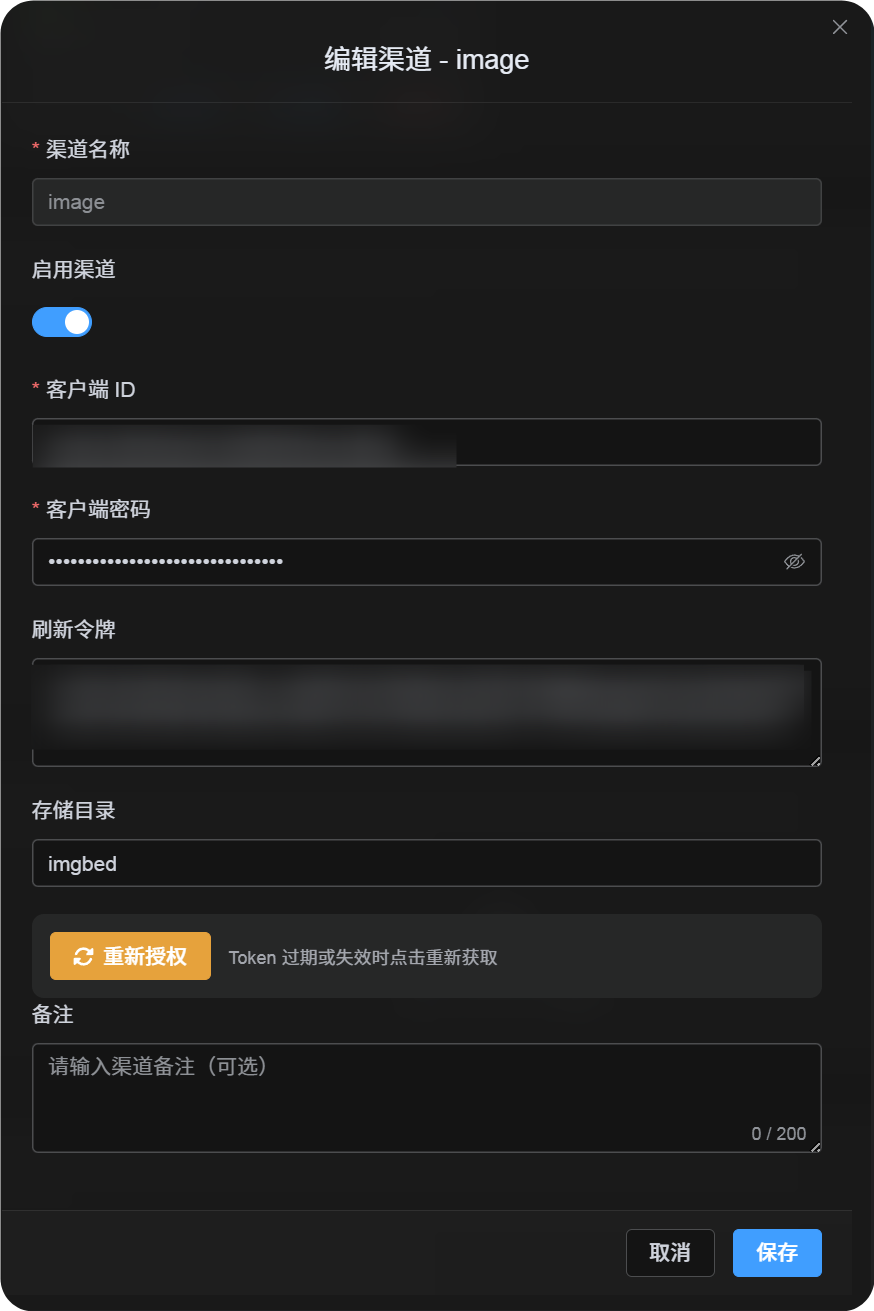
업로드 설정에서 Yandex를 선택하고 다음을 입력합니다.
| ImgHost 필드 | 입력할 내용 |
|---|---|
| 채널 이름 | 알아보기 쉬운 이름. 예: Main Yandex |
| Client ID | Yandex 앱 Client ID |
| Client Secret | Yandex 앱 Client Secret |
| Refresh Token | 지금은 비워 둡니다. |
| Root directory | 선택 사항. 기본값은 imgbed입니다. |
단계 5: Refresh Token 받기
- ImgHost에서
Get Token을 클릭합니다. - 연결할 Yandex 계정으로 로그인합니다.
- 승인 요청을 허용합니다.
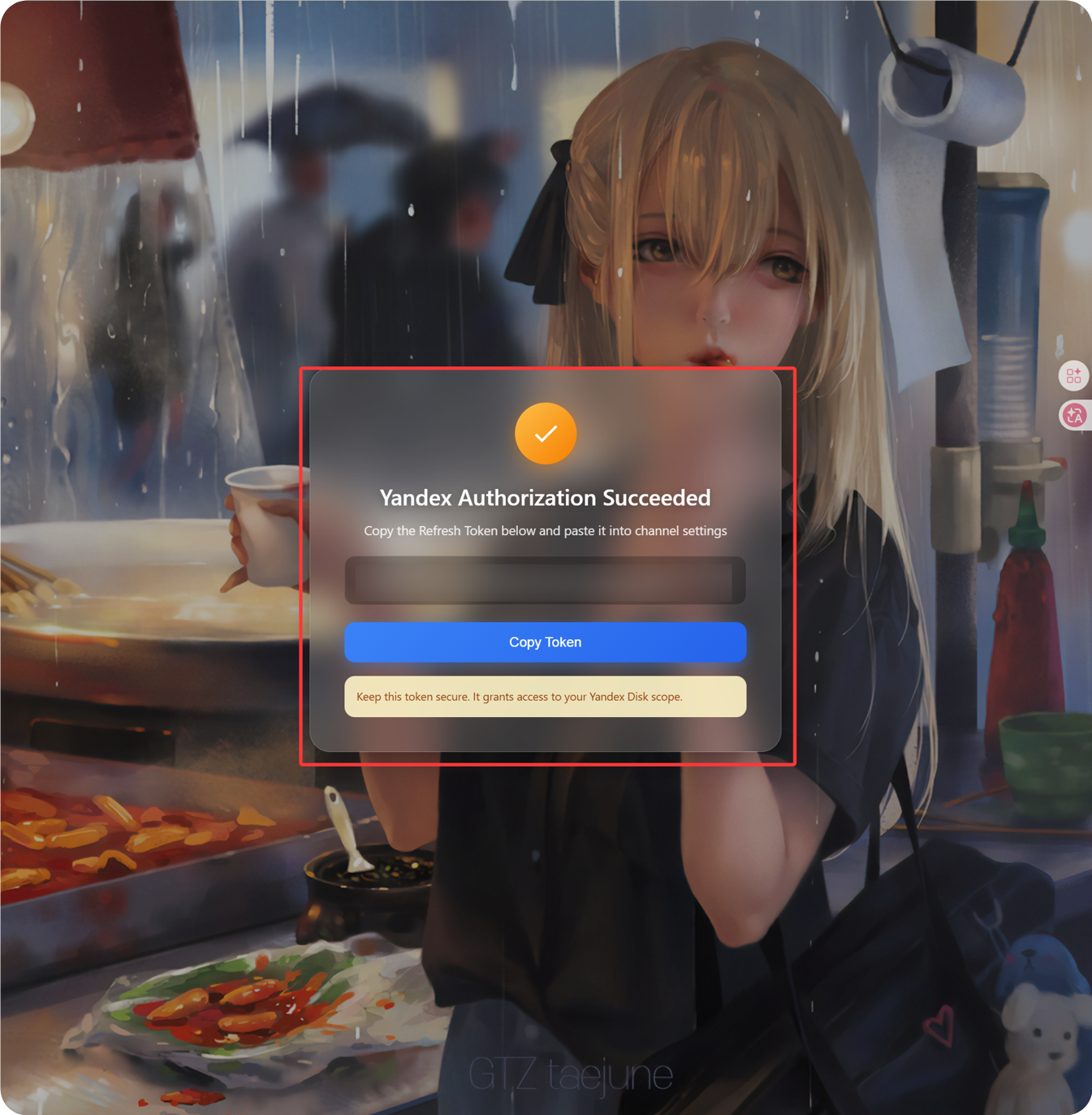
- callback 페이지에
Refresh Token이 표시됩니다. - 복사합니다.
- ImgHost로 돌아가
Refresh Token필드에 붙여 넣습니다.
단계 6: 채널 저장
모든 필드를 입력한 뒤 채널을 저장합니다.
빠른 흐름
text
Open Yandex OAuth Console
-> Create an app
-> Add https://your-domain.com/api/oauth/yandex/callback
-> Confirm Yandex Disk permissions
-> Copy Client ID and Client Secret
-> Fill Client ID / Client Secret into ImgHost
-> Click Get Token
-> Copy the Refresh Token from the callback page
-> Paste it back into ImgHost and save
참고
- Yandex 앱 등록: https://yandex.com/dev/id/doc/en/register-client
- URL로 승인 코드 받기: https://yandex.com/dev/id/doc/en/codes/code-url
- Yandex OAuth token endpoint: https://yandex.com/dev/id/doc/en/tokens/token