Yandex चैनल जोड़ना
पहले क्या चाहिए
| आवश्यकता | क्यों चाहिए |
|---|---|
| Yandex खाता | साइन इन करने और Yandex Disk को अधिकृत करने के लिए |
| Yandex OAuth ऐप्लिकेशन | Client ID और Client Secret बनाने के लिए |
| आपका ImgHost डोमेन | OAuth redirect URI के रूप में |
| Yandex Disk में उपलब्ध स्टोरेज | फ़ाइलों के वास्तविक स्टोरेज स्थान के रूप में |
कॉन्फ़िगरेशन चरण
चरण 1: Yandex OAuth ऐप्लिकेशन बनाएँ
- Yandex OAuth ऐप्लिकेशन बनाने का पेज खोलें:
text
https://oauth.yandex.com/client/new- यदि साइन इन पेज पर भेजा जाए, तो पहले अपने Yandex खाते से साइन इन करें।
- नया ऐप्लिकेशन बनाएँ।
- ऐप्लिकेशन को पहचानने योग्य नाम दें, जैसे
imgbed-yandex। - कॉलबैक या रीडायरेक्ट URL सेटिंग्स खोजें।
- दर्ज करें:
text
https://your-domain.com/api/oauth/yandex/callbackचरण 2: अनुमतियाँ पुष्टि करें
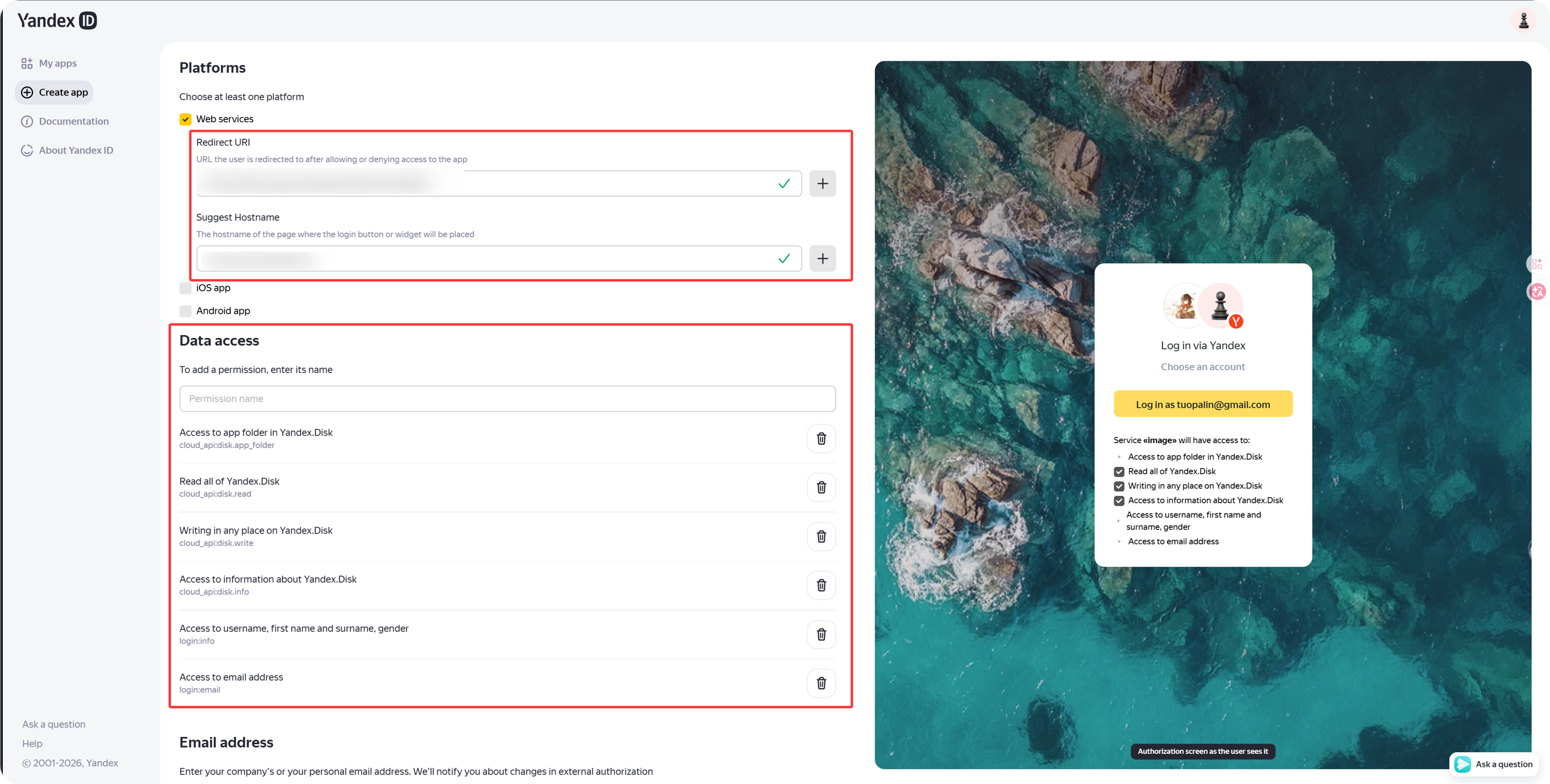
ImgHost के वर्तमान Yandex एकीकरण के लिए Yandex.Disk REST API में ये चार अनुमतियाँ रखें:
| अनुमति | उद्देश्य |
|---|---|
cloud_api:disk.app_folder | ImgHost को ऐप फ़ोल्डर में फ़ाइलें सहेजने देता है |
cloud_api:disk.read | फ़ाइलें और डाउनलोड लिंक पढ़ता है |
cloud_api:disk.write | फ़ाइलें अपलोड करता है, फ़ोल्डर बनाता है और फ़ाइलें हटाता है |
Access to information about Yandex.Disk | डिस्क कोटा और उपयोग की गई जगह पढ़ता है |
यदि ये अनुमतियाँ Yandex ID API में भी दिखें, तो वे वैकल्पिक हैं:
| अनुमति पाठ | सुझाव |
|---|---|
Access to username, first name and surname, gender | वैकल्पिक |
Access to email address | वैकल्पिक |
मुख्य अपलोड, डाउनलोड, हटाने और कोटा सुविधाएँ मुख्य रूप से ऊपर की चार Yandex.Disk REST API अनुमतियों पर निर्भर करती हैं।
चरण 3: ऐप्लिकेशन क्रेडेंशियल कॉपी करें
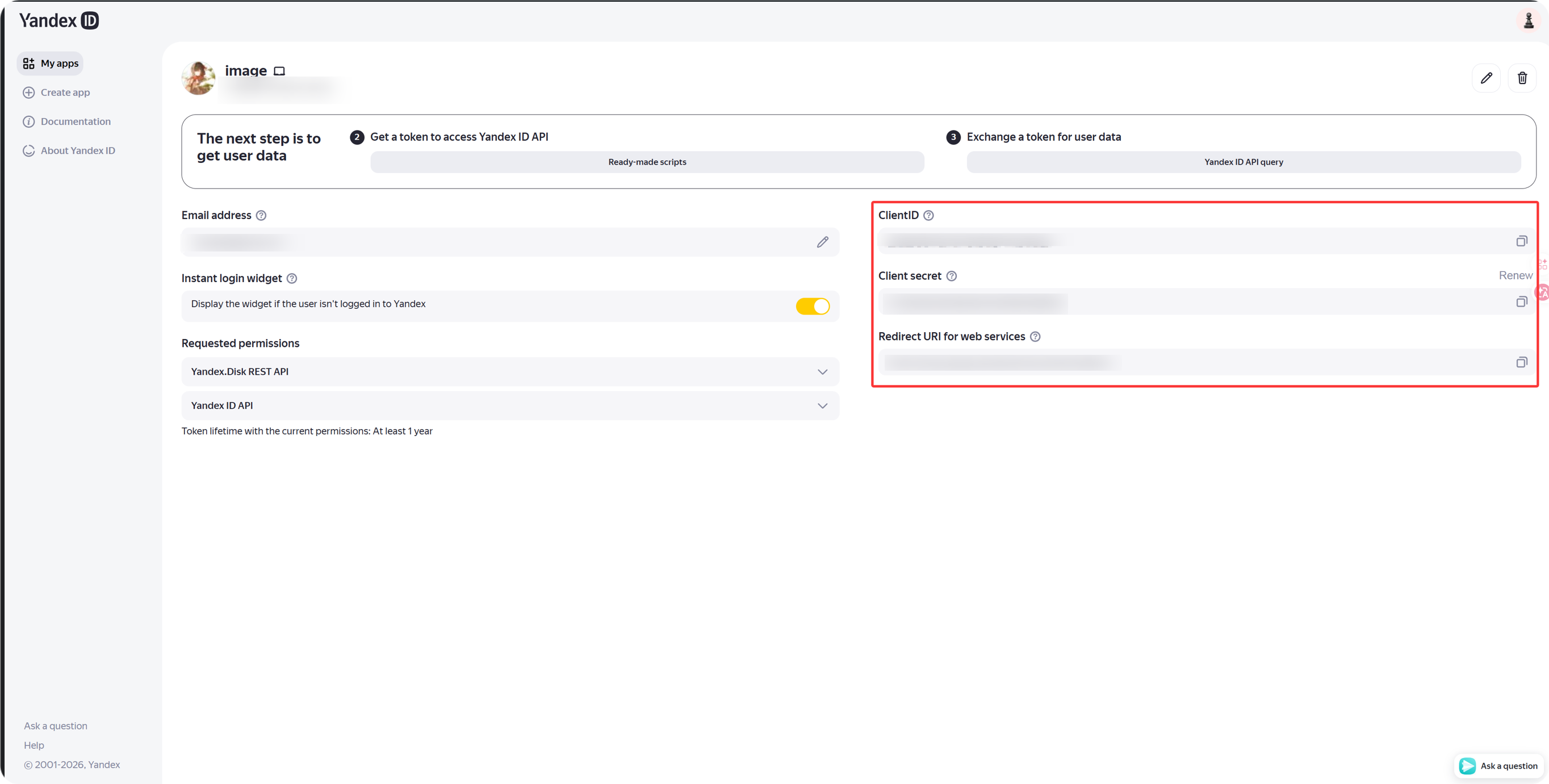
ऐप बनने के बाद कॉपी करें:
| Yandex फ़ील्ड | ImgHost फ़ील्ड |
|---|---|
Client ID | Client ID |
Client Secret | Client Secret |
चरण 4: Yandex चैनल भरें
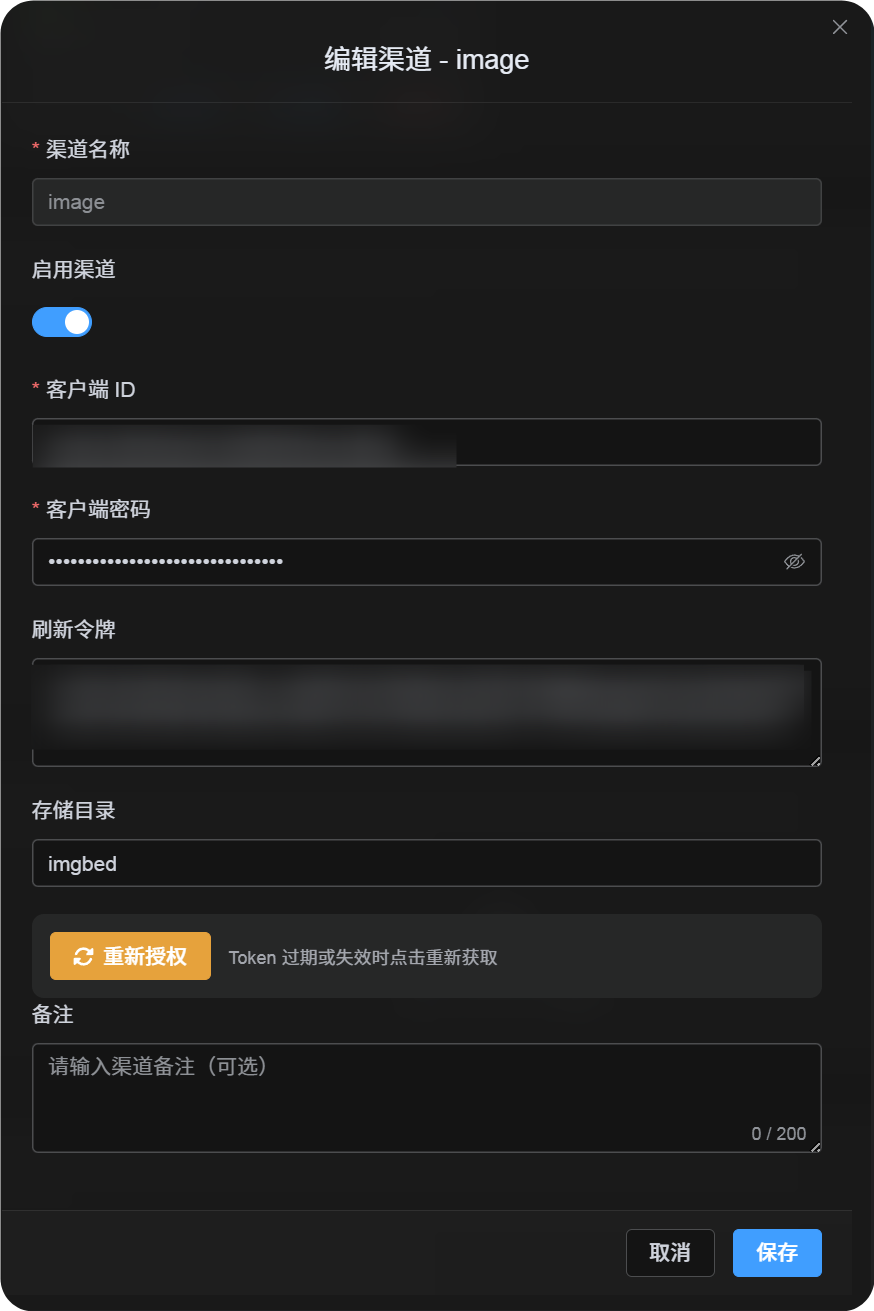
अपलोड सेटिंग्स में Yandex चुनें और भरें:
| ImgHost फ़ील्ड | क्या दर्ज करें |
|---|---|
| चैनल नाम | पहचानने योग्य नाम, जैसे Main Yandex |
| Client ID | Yandex ऐप्लिकेशन का Client ID |
| Client Secret | Yandex ऐप्लिकेशन का Client Secret |
| Refresh Token | अभी खाली छोड़ें |
| रूट डायरेक्टरी | वैकल्पिक। डिफ़ॉल्ट imgbed है। |
चरण 5: Refresh Token प्राप्त करें
- ImgHost में
Get Tokenपर क्लिक करें। - जिस Yandex खाते को जोड़ना है उससे साइन इन करें।
- अधिकरण अनुरोध स्वीकार करें।
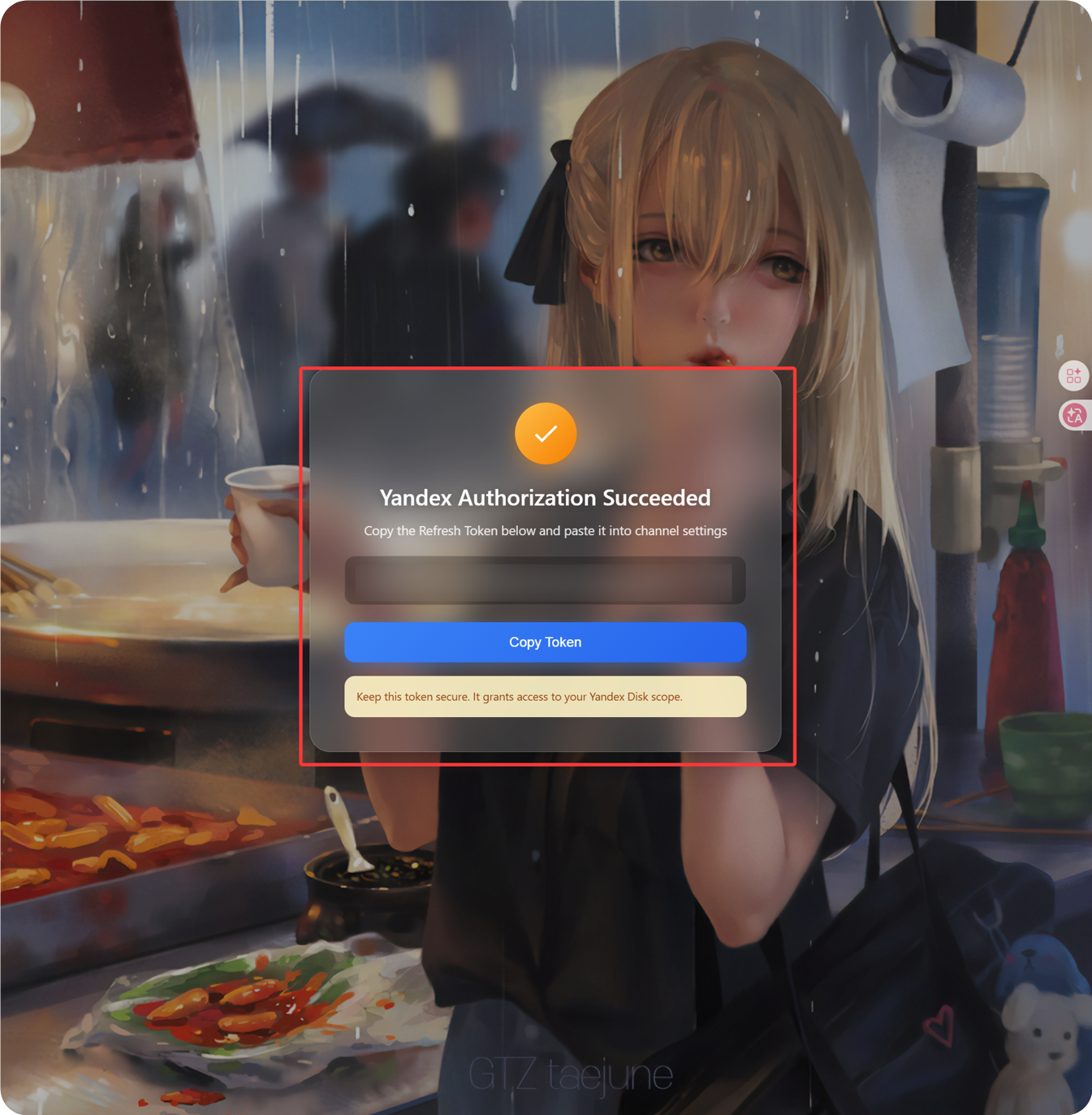
- कॉलबैक पेज
Refresh Tokenदिखाएगा। - इसे कॉपी करें।
- ImgHost में लौटकर
Refresh Tokenफ़ील्ड में पेस्ट करें।
चरण 6: चैनल सहेजें
सभी फ़ील्ड भरने के बाद चैनल सहेजें।
त्वरित प्रवाह
text
Open Yandex OAuth Console
-> Create an app
-> Add https://your-domain.com/api/oauth/yandex/callback
-> Confirm Yandex Disk permissions
-> Copy Client ID and Client Secret
-> Fill Client ID / Client Secret into ImgHost
-> Click Get Token
-> Copy the Refresh Token from the callback page
-> Paste it back into ImgHost and save
संदर्भ
- Yandex ऐप पंजीकृत करें: https://yandex.com/dev/id/doc/en/register-client
- URL के माध्यम से अधिकरण कोड प्राप्त करें: https://yandex.com/dev/id/doc/en/codes/code-url
- Yandex OAuth टोकन एंडपॉइंट: https://yandex.com/dev/id/doc/en/tokens/token