ပုံ စစ်ဆေးထိန်းချုပ်မှုနှင့် ဝင်ရောက်မှု မုဒ်
ပုံ စစ်ဆေးထိန်းချုပ်မှုသည် အပ်လုဒ် လုပ်ထားသော ပုံများကို အသက်အဆင့် သတ်မှတ်ချက်ပေးသည်။ ဝင်ရောက်မှု မုဒ်သည် အများပြည်သူ ဝင်ရောက်မှုမှ မည်သည့်သတ်မှတ်ချက်များကို မြင်နိုင်မည်ကို ထိန်းချုပ်သည်။
ဤအရာသည် အများပြည်သူပြခန်း၊ အများပြည်သူ file URL များနှင့် ကျပန်းပုံ API ကို သက်ရောက်စေသည်။ စီမံခန့်ခွဲမှု ပန်နယ်ကို ကန့်သတ်မည်မဟုတ်ပါ။ စီမံခန့်ခွဲသူများသည် ဖိုင်အားလုံးကို ဆက်လက် ကြည့်ရှု၊ စီမံနိုင်သည်။
သတ်မှတ်ရာနေရာ
စီမံခန့်ခွဲမှု ပန်နယ်ကို ဖွင့်ပြီး အောက်ပါနေရာသို့ သွားပါ။
text
System Settings -> Security Settings -> Upload Management -> Image Moderationအဓိက သတ်မှတ်ချက်များ:
- ဝင်ရောက်မှု မုဒ်
- စစ်ဆေးထိန်းချုပ်မှု ဖွင့်ရန်
- စစ်ဆေးထိန်းချုပ်မှု ပံ့ပိုးသူ
ဝင်ရောက်မှု မုဒ်၏ လုပ်ဆောင်ချက်
ဝင်ရောက်မှု မုဒ်သည် မည်သည့် အသက်အဆင့် သတ်မှတ်ချက်များကို အများပြည်သူထံ ပြသနိုင်မည်ကို ဆုံးဖြတ်သည်။
လက်ရှိ မုဒ်များ:
| ဝင်ရောက်မှု မုဒ် | အများပြည်သူ မြင်နိုင်သော သတ်မှတ်ချက်များ |
|---|---|
| လူကြီး မုဒ် | General, R12, R16, R18 |
| လူငယ် မုဒ် | General, R12, R16 |
| ဆယ်ကျော်သက် မုဒ် | General, R12 |
| ကလေး မုဒ် | General သာ |
မူလတန်ဖိုးသည် လူကြီး မုဒ် ဖြစ်သည်။
ပုဂ္ဂလိက site များ သို့မဟုတ် ရင့်ကျက်သော အကြောင်းအရာပါသော site များအတွက် လူကြီး မုဒ် သင့်တော်နိုင်သည်။ ပိုမို ထိန်းသိမ်းလိုသော အများပြည်သူပြခန်း အတွက် လူငယ်၊ ဆယ်ကျော်သက် သို့မဟုတ် ကလေး မုဒ်ကို ရွေးပါ။
စစ်ဆေးထိန်းချုပ်မှု ဖွင့်ပါက ဖြစ်ပေါ်သည့်အရာ
စစ်ဆေးထိန်းချုပ်မှု ဖွင့်ထားပါက ImgHost သည် အပ်လုဒ် လုပ်သည့်အချိန်တွင် ရွေးထားသော စစ်ဆေးထိန်းချုပ်မှု ပံ့ပိုးသူကို ခေါ်ပြီး တွေ့ရှိသော အသက်အဆင့် သတ်မှတ်ချက်ကို သိမ်းဆည်းသည်။
အဓိက သတ်မှတ်ချက်များ:
| သတ်မှတ်ချက် | အဓိပ္ပါယ် |
|---|---|
| General | အများပြည်သူအတွက် ဘေးကင်းသော အကြောင်းအရာ |
| R12 | အနည်းငယ် ထိခိုက်လွယ်သော အကြောင်းအရာ |
| R16 | ပိုမို ထိခိုက်လွယ်သော အကြောင်းအရာ |
| R18 | လူကြီး အကြောင်းအရာ |
စစ်ဆေးထိန်းချုပ်မှု ရလဒ်ကို အများပြည်သူ ဝင်ရောက်ခွင့် ဆုံးဖြတ်ရာတွင် အသုံးပြုသည်။
စစ်ဆေးထိန်းချုပ်မှု မဖွင့်ထားပါက၊ သို့မဟုတ် ဖိုင်ဟောင်းများတွင် သတ်မှတ်ချက် မရှိပါက၊ ထိုဖိုင်များကို သတ်မှတ်ချက်မရှိသော ဖိုင်များအဖြစ် သတ်မှတ်သည်။ သတ်မှတ်ချက်မရှိသော ဖိုင်များသည် သတ်မှတ်ချက် မရှိသည့်အကြောင်းရင်းတစ်ခုတည်းကြောင့် အများပြည်သူပြခန်း သို့မဟုတ် ကျပန်းပုံ API မှ အလိုအလျောက် ဖယ်ရှားမည်မဟုတ်ပါ။
စစ်ဆေးထိန်းချုပ်မှု ပံ့ပိုးသူ ရွေးခြင်း
အသုံးပြုနိုင်သော ပံ့ပိုးသူများမှာ:
- moderatecontent.com
- nsfwjs
- Sightengine
ပံ့ပိုးသူတိုင်းတွင် လိုအပ်ချက် မတူပါ။
- moderatecontent.com သည် များသောအားဖြင့် API Key လိုအပ်သည်။
- nsfwjs သည် များသောအားဖြင့် API အဆုံးမှတ် URL လိုအပ်သည်။
- Sightengine သည် API user နှင့် API secret လိုအပ်သည်။
အကောင့်၊ ရနိုင်မှုနှင့် စစ်ဆေးအရည်အသွေးအပေါ် မူတည်၍ ရွေးပါ။ စစ်ဆေးထိန်းချုပ်မှု ဖွင့်ထားပြီး မှန်ကန်စွာ သတ်မှတ်ထားပါက ImgHost သည် အပ်လုဒ် အချိန်တွင် ပုံသတ်မှတ်ချက်ကို ရေးရန် ကြိုးစားသည်။
အများပြည်သူပြခန်း အပေါ် သက်ရောက်မှု
Public ပြခန်း သည် ဝင်ရောက်မှု မုဒ်အရ ဖိုင်များကို စစ်ထုတ်သည်။
ဥပမာ:
- လူကြီး မုဒ်: R18 ပုံများ ပေါ်နိုင်သည်။
- လူငယ် မုဒ်: R18 ပုံများကို ဖျောက်ထားသည်။
- ဆယ်ကျော်သက် မုဒ်: R16 နှင့် R18 ပုံများကို ဖျောက်ထားသည်။
- ကလေး မုဒ်: General ပုံများသာ ပြသသည်။
ဤအရာသည် ပုံမှန် အများပြည်သူ ဝင်ရောက်မှုကိုသာ သက်ရောက်စေသည်။ စီမံခန့်ခွဲမှု ပန်နယ်တွင် ဖိုင်အားလုံးကို ဆက်လက် ပြသသည်။
Public File URL များအပေါ် သက်ရောက်မှု
Public file URL များသည် ဧည့်သည်များ ဖွင့်သော တိုက်ရိုက် ပုံ link များဖြစ်သည်။
ဖိုင်သတ်မှတ်ချက်သည် လက်ရှိ ဝင်ရောက်မှု မုဒ်တွင် ခွင့်ပြုထားပါက ImgHost သည် မူရင်းပုံကို ပြန်ပေးသည်။
သတ်မှတ်ချက်သည် ခွင့်ပြုအဆင့်ထက် မြင့်ပါက ပုံမှန် အများပြည်သူ ဝင်ရောက်မှုသည် မူရင်းပုံကို ပြန်မပေးပါ။ အစားထိုးအနေဖြင့် ImgHost သည် သတ်မှတ်ထားသော ပိတ်ဆို့ရလဒ် သို့မဟုတ် ပိတ်ဆို့မှု fallback ပုံကို ပြန်ပေးသည်။
ဥပမာ:
- လက်ရှိ မုဒ်သည် ကလေး မုဒ် ဖြစ်သည်။
- ပုံတစ်ပုံတွင် R18 သတ်မှတ်ချက် ရှိသည်။
- ဧည့်သည်တစ်ဦးသည် public URL ကို တိုက်ရိုက် ဖွင့်သည်။
- ImgHost သည် ထိုဧည့်သည်ထံ R18 မူရင်းပုံကို မပြန်ပေးပါ။
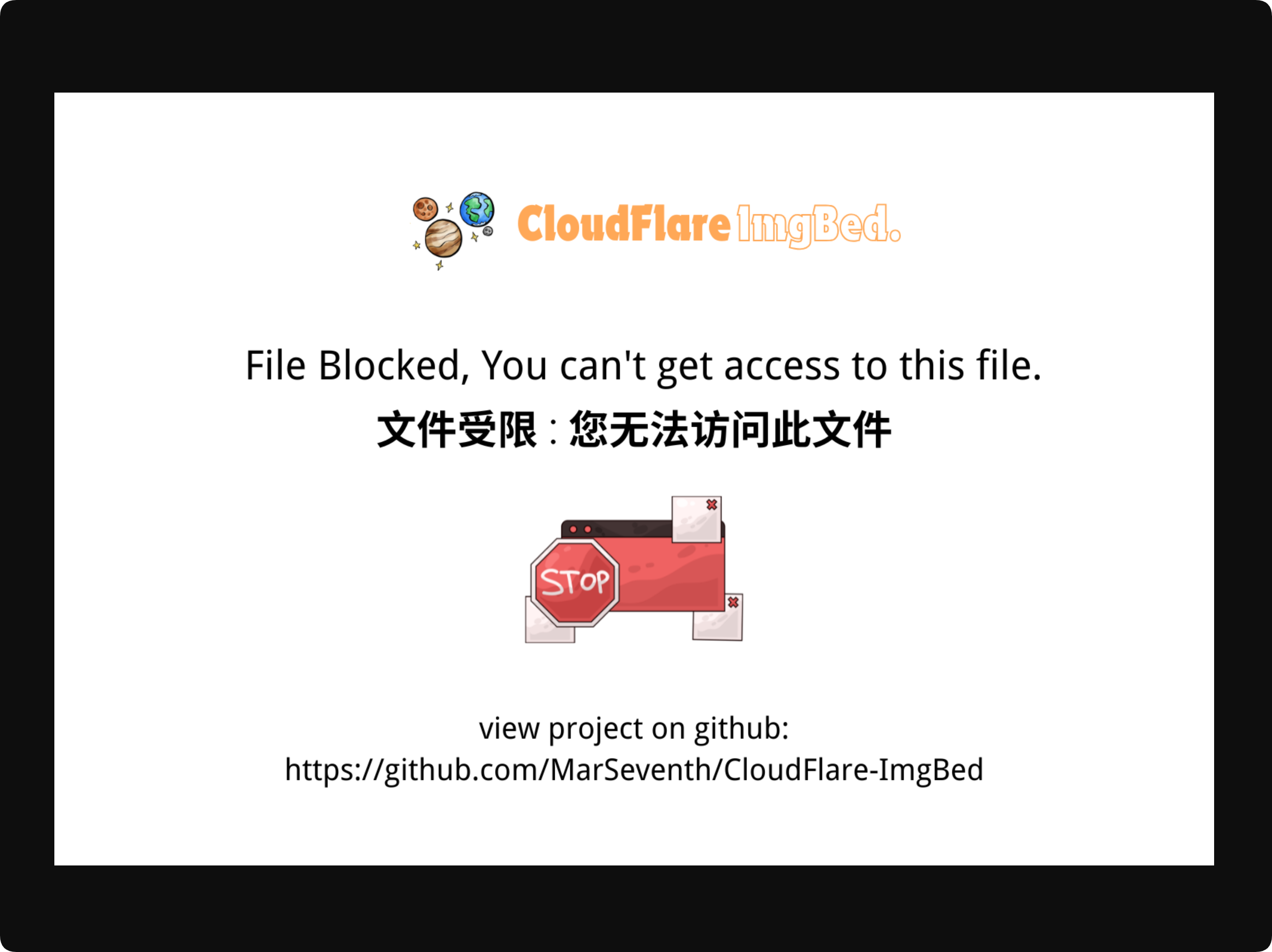
စီမံခန့်ခွဲမှု ပန်နယ်တွင် ဖိုင်များကို ကြည့်သော စီမံခန့်ခွဲသူများသည် ဤကန့်သတ်ချက်၏ သက်ရောက်မှု မခံရပါ။
ကျပန်းပုံ API အပေါ် သက်ရောက်မှု
ကျပန်းပုံ API သည်လည်း ဝင်ရောက်မှု မုဒ်အရ candidate pool ကို စစ်ထုတ်သည်။
ကလေး မုဒ်တွင် random image များကို General သတ်မှတ်ချက်ရှိသော ဖိုင်များမှသာ ရွေးသည်။
လူငယ် မုဒ်တွင် random image များသည် General, R12, R16 ဖိုင်များမှ လာနိုင်သော်လည်း R18 ဖိုင်များမှ မလာပါ။
ဤအရာသည် ကျပန်းပုံ API က အများပြည်သူပြခန်း ကန့်သတ်ချက်များကို ကျော်လွှားခြင်းမှ ကာကွယ်သည်။
စာရင်းစည်းမျဉ်းများနှင့် ဆက်နွယ်မှု
ဝင်ရောက်မှု မုဒ်သည် တစ်ခုတည်းသော အများပြည်သူ ဝင်ရောက်မှု စည်းမျဉ်း မဟုတ်ပါ။ ၎င်းသည် allow list နှင့် block list စည်းမျဉ်းများနှင့် တွဲဖက် အလုပ်လုပ်သည်။
ရိုးရှင်းစွာဆိုရလျှင်:
- Allowlisted content ကို အများပြည်သူအဖြစ် ဦးစားပေးသည်။
- Blocklisted content ကို ပုံမှန် ဧည့်သည်များက တိုက်ရိုက် မမြင်နိုင်ပါ။
- မည်သည့်စာရင်းတွင်မှ မပါသော content များကို ထို့နောက် ဝင်ရောက်မှု မုဒ်အရ စစ်ဆေးသည်။
ပုံတစ်ပုံကို အသက်အဆင့် သတ်မှတ်ချက်နှင့် စာရင်းစည်းမျဉ်းနှစ်ခုလုံးက ကန့်သတ်ထားပါက ပုံမှန် ဧည့်သည်များသည် မူရင်းဖိုင်ကို တိုက်ရိုက် မမြင်နိုင်ပါ။
အကြံပြု သတ်မှတ်ချက်များ
အများပြည်သူ site များအတွက်:
- စစ်ဆေးထိန်းချုပ်မှု ဖွင့်ပါ။
- site ပရိသတ်နှင့် ကိုက်ညီသော ဝင်ရောက်မှု မုဒ်ကို ရွေးပါ။
- အသက်အရွယ်အားလုံးအတွက် ကလေး မုဒ် သို့မဟုတ် ဆယ်ကျော်သက် မုဒ်ကို အသုံးပြုပါ။
- လူကြီး အကြောင်းအရာကို အများပြည်သူထံ မပြချင်ပါက လူကြီး မုဒ်ကို ရှောင်ပါ။
- စီမံခန့်ခွဲမှု ပန်နယ်တွင် ဖိုင်သတ်မှတ်ချက်များကို စစ်ဆေးပြီး လိုအပ်ပါက ကိုယ်တိုင် ပြင်ဆင်ပါ။
ပုဂ္ဂလိက သို့မဟုတ် ကိုယ်ပိုင် site များအတွက်:
- လူကြီး မုဒ်သည် များသောအားဖြင့် လုံလောက်သည်။
- အသုံးဝင်ပါက စစ်ဆေးထိန်းချုပ်မှု ဖွင့်ပါ။
- လိုအပ်သလို စီမံခန့်ခွဲမှု ပန်နယ်တွင် သတ်မှတ်ချက်များကို စစ်ဆေးပြီး ပြင်ဆင်ပါ။
FAQ
ဝင်ရောက်မှု မုဒ် ပြောင်းပါက ဖိုင်များ စီမံခန့်ခွဲမှု ပန်နယ်မှ ပျောက်မလား။
မပျောက်ပါ။
ဝင်ရောက်မှု မုဒ်သည် ပုံမှန် အများပြည်သူ ဝင်ရောက်မှုကိုသာ သက်ရောက်စေသည်။ စီမံခန့်ခွဲမှု ပန်နယ်ကို မသက်ရောက်ပါ။
ကလေး မုဒ်သို့ ပြောင်းပြီးနောက် အများပြည်သူပြခန်း တွင် ပုံနည်းသွားရသည့် အကြောင်းရင်း
ကလေး မုဒ်သည် General သတ်မှတ်ချက်ရှိသော ဖိုင်များကိုသာ အများပြည်သူထံ ပြသခွင့်ပြုသည်။ R12, R16, R18 ဖိုင်များကို စစ်ထုတ်မည်။
Public URL များက လူကြီးပုံများကို ဆက်ဖွင့်နိုင်သလား။
လက်ရှိ ဝင်ရောက်မှု မုဒ်က ထိုသတ်မှတ်ချက်ကို မခွင့်ပြုပါက ပုံမှန် public URL များသည် မူရင်းပုံကို မပြန်ပေးပါ။
ကျပန်းပုံ API သည် ကန့်သတ်ထားသော ပုံများကို ပြန်ပေးနိုင်သလား။
မပြန်ပေးနိုင်ပါ။
ကျပန်းပုံ API သည် လက်ရှိ ဝင်ရောက်မှု မုဒ်အရ candidates များကို စစ်ထုတ်သည်။
သတ်မှတ်ချက်မရှိသော ပုံဟောင်းများ ဘယ်လိုဖြစ်မလဲ။
သတ်မှတ်ချက်မရှိသော ပုံများသည် moderation result မရှိသည့်အကြောင်းရင်းတစ်ခုတည်းကြောင့် အလိုအလျောက် ဖျောက်ထားမည်မဟုတ်ပါ။ နောက်ပိုင်း စီမံခန့်ခွဲမှု ပန်နယ်တွင် သတ်မှတ်ချက်များကို ပြင်ဆင်နိုင်သည်။