Thêm GitHub Releases Channel
Cần chuẩn bị gì trước khi bắt đầu
Bạn chỉ cần ba thứ:
| Yêu cầu | Mục đích |
|---|---|
| GitHub account | Dùng để generate access token và sở hữu repository. |
| GitHub Access Token | ImgHost dùng để access GitHub API, tạo releases và upload files. |
| Repository name | Có thể chỉ nhập repository name, ví dụ image. |
Các bước thiết lập
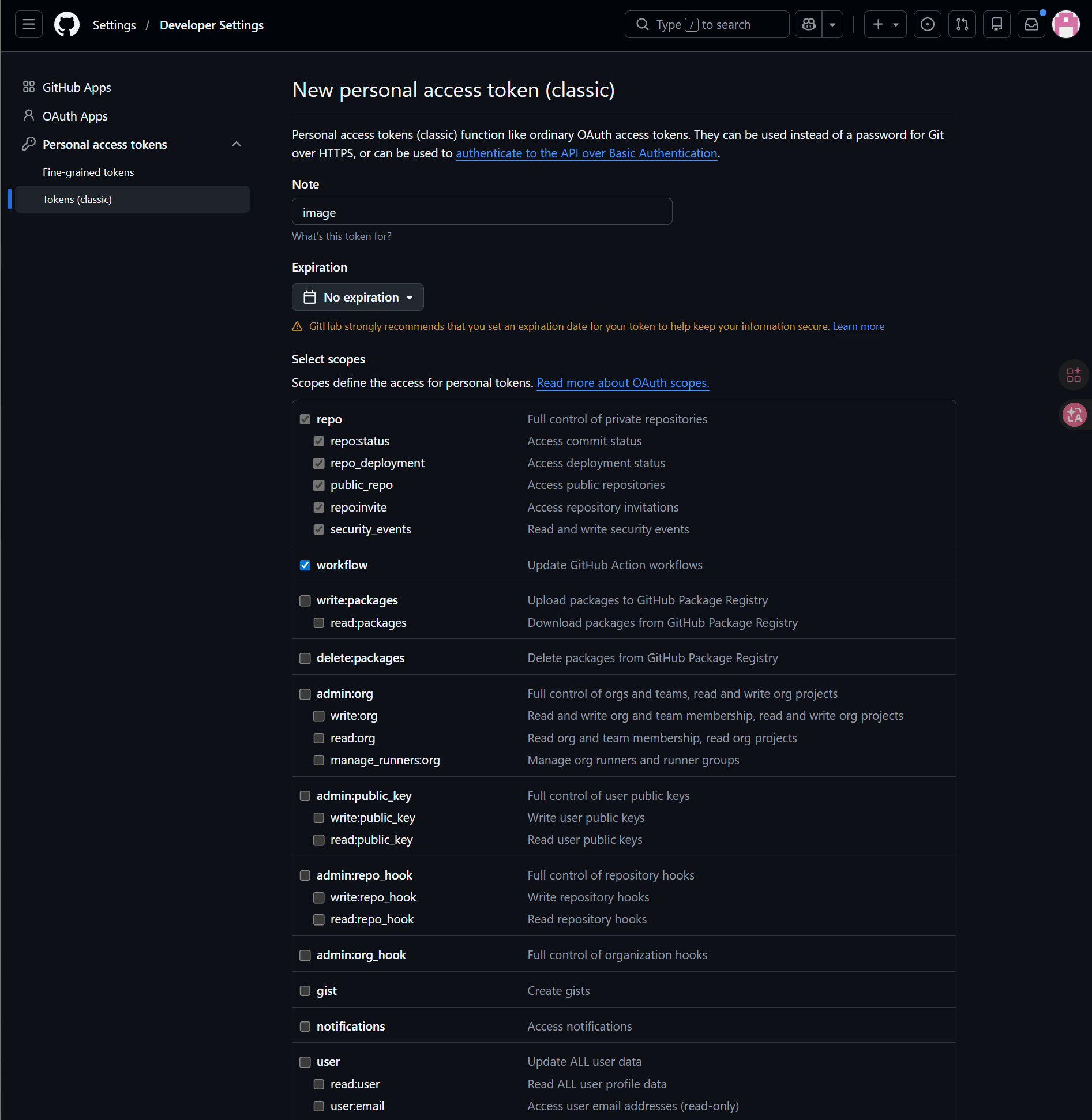
Bước 1: Sign in vào GitHub và tạo Access Token
- Sign in vào GitHub.
- Nhấn avatar ở góc trên bên phải và mở
Settings. - Mở
Developer settingstừ left sidebar. - Mở
Personal access tokens. - Mở
Tokens (classic). - Nhấn
Generate new token (classic). - Đặt tên token dễ nhận biết.
- Chọn expiration date theo cách bạn muốn bảo trì.
- Chọn scopes
repovàworkflow. - Sao chép và lưu token ngay sau khi tạo.
Bước 2: Điền GitHub Releases Channel trong ImgHost
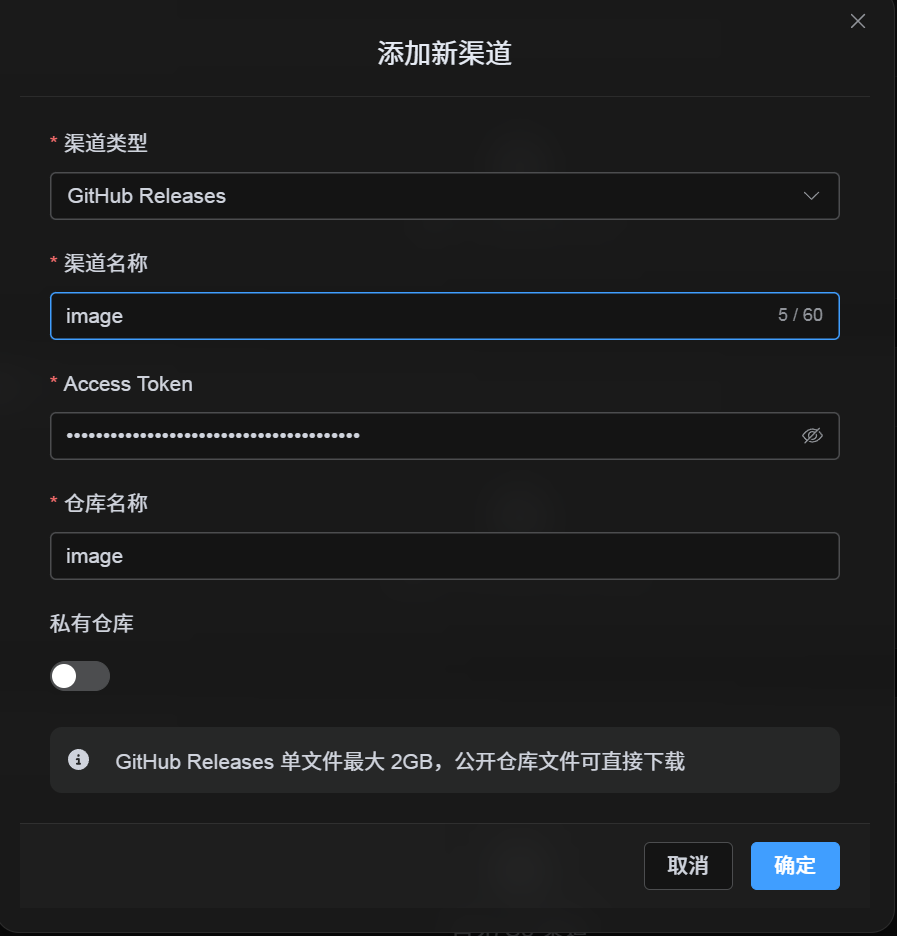
Sau khi chọn GitHub Releases trong Cài đặt tải lên, điền các trường như sau:
| Trường UI | Nhập gì |
|---|---|
| Channel name | Tên bạn chọn, ví dụ GitHubPrimary. |
| Access Token | GitHub Personal Access Token vừa tạo. |
| Repository name | Repo name ngắn như image, hoặc đường dẫn đầy đủ như username/image. |
| Private repository | Bật hoặc tắt theo nhu cầu. |
| Remark | Không bắt buộc, ví dụ Primary upload channel. |
Bước 3: Save Channel
Sau khi điền trường, nhấn Save.
Hệ thống sẽ xử lý các chi tiết sau:
| Hành vi hệ thống | Mô tả |
|---|---|
| Tên repository ngắn | ImgHost xác định GitHub account hiện tại và mở rộng giá trị thành đường dẫn repository đầy đủ. |
| Full repository path | ImgHost dùng path username/repository đúng như bạn nhập. |
| Kiểm tra repository | Nếu dùng đường dẫn personal account hiện tại, ImgHost tự tạo repository khi chưa tồn tại. Nếu nhập đường dẫn đầy đủ thủ công, ImgHost dùng path đó trực tiếp. |
| Public/private state | Repository visibility được sync theo switch hiện tại. |
Danh sách kiểm tra nhanh
GitHub Releases hoạt động theo flow này:
text
Sign in to GitHub
-> Create an Access Token
-> Return to ImgHost and enter the token and repository name
-> Save
-> If only a repo name is entered, ImgHost adds the current username automatically
-> If username/repo is entered, ImgHost uses it as-is
-> Upload a test image