User Rate Limits
User rate limits control how often regular users or visitors can upload files from the homepage. This helps prevent public upload pages from being abused.
This feature only affects homepage uploads. Admin uploads and uploads made with API Tokens are not limited by user rate limits.
Where To Configure It
Open the admin panel, then go to:
text
System Settings -> Security Settings -> Upload Management -> User Rate Limits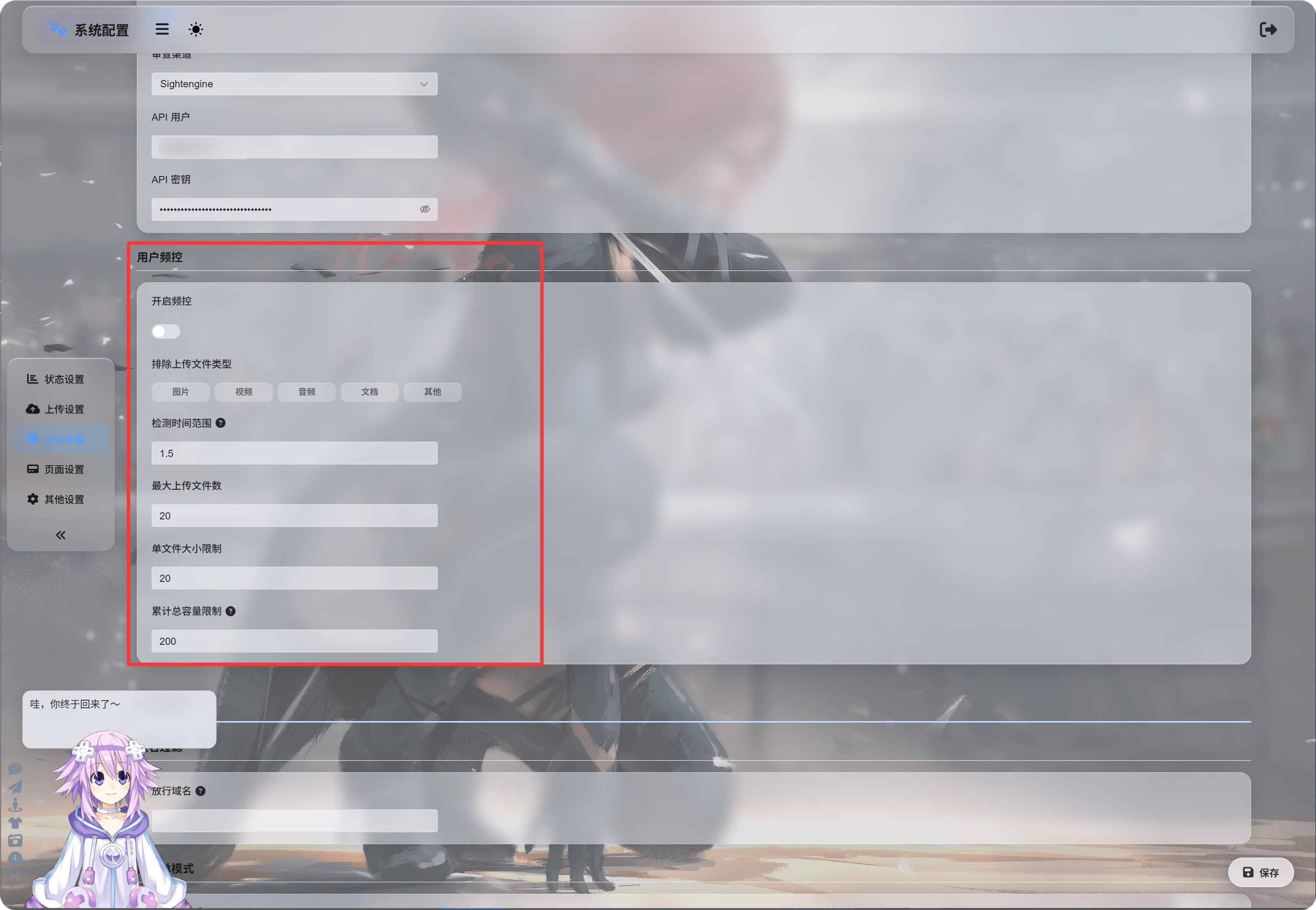
Enabling Rate Limits
After Enable Rate Limits is turned on, ImgBed tracks recent uploads by uploader IP address.
Default values:
| Setting | Default | Description |
|---|---|---|
| Detection window | 1.5 hours | How far back upload records are counted. |
| Max file count | 20 | Maximum number of files allowed in the detection window. |
| Single file size limit | 20 MB | Maximum size of one file. |
| Total upload size limit | 200 MB | Maximum total upload size in the detection window. |
For example, with a 1.5 hour window, 20 files, 20 MB per file, and 200 MB total, uploads from the same IP are blocked once any configured limit is exceeded.
Excluding File Types
Excluded upload file types blocks regular users or visitors from uploading selected file categories.
Available categories:
| Type | Description |
|---|---|
| Images | jpg, png, webp, gif, and similar image files |
| Videos | mp4, webm, mov, and similar video files |
| Audio | mp3, flac, wav, and similar audio files |
| Documents | pdf, txt, md, docx, and similar document files |
| Other | Files outside the above categories, such as zip, rar, exe, apk |
By default, a type is not selected, which means it is allowed.
Clicking a type highlights it, which means that type is blocked.
If Other is selected, visitors uploading zip or rar files will be blocked and told that this file type is not supported.
Block Messages
When a limit is triggered, users see a matching message:
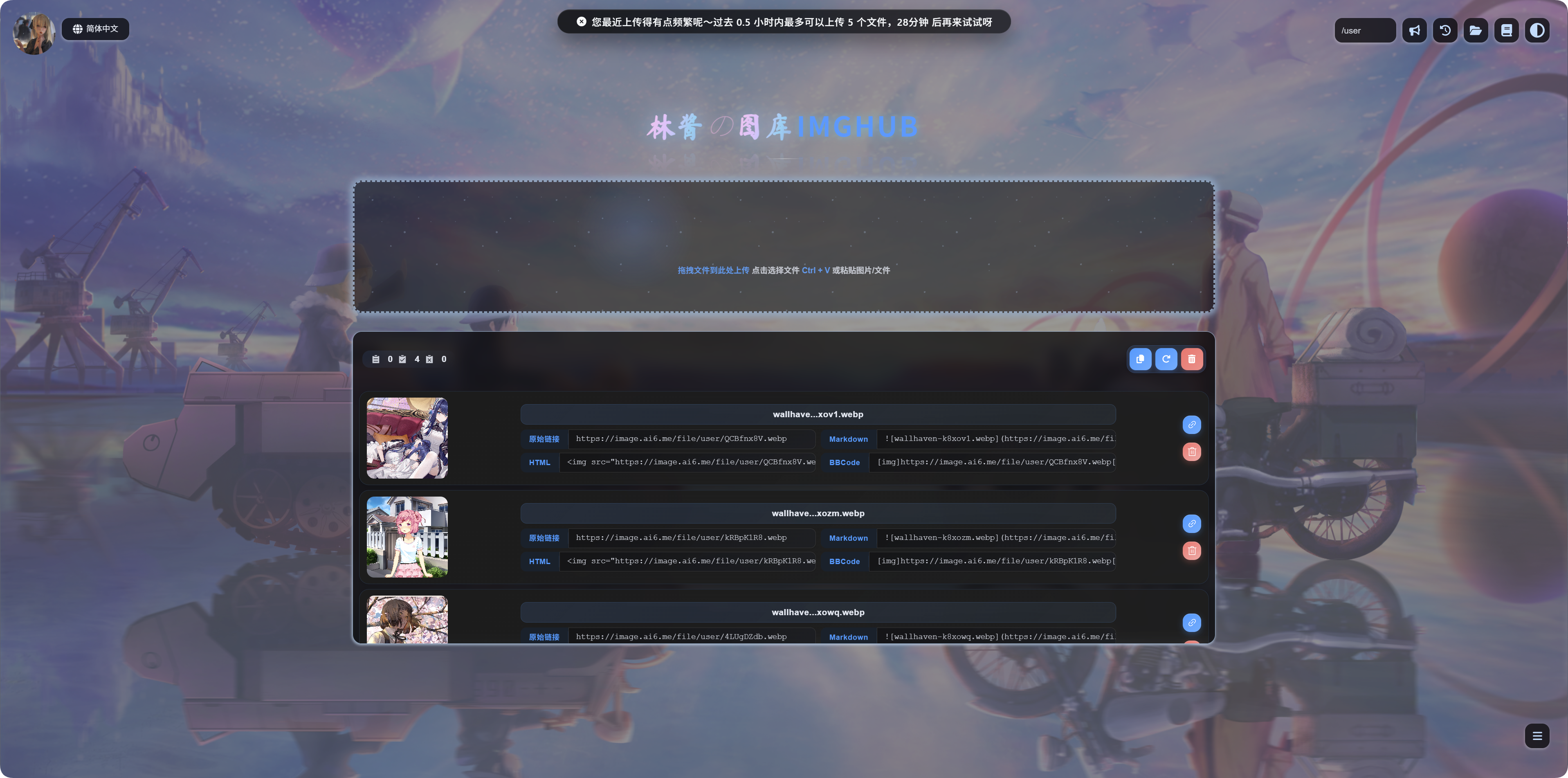
| Scenario | Message Meaning |
|---|---|
| Single file too large | The file is too large and should be compressed before upload. |
| File type blocked | This file type is not supported. Remove it and try again. |
| Uploads too frequent | Recent uploads are too frequent, with a retry time shown. |
| Total size too high | Recent total upload size is too high, with a retry time shown. |
When To Enable It
Enable user rate limits if your upload homepage is publicly accessible.
Common reasons:
- You are worried about scripted bulk uploads.
- You want to limit large visitor uploads.
- You only want regular users to upload images, not archives or installers.
- You want to keep public upload available while controlling resource usage.
If the site is only for yourself, or only administrators can upload, you can leave this disabled.