Blog
The blog feature adds a standalone blog page to your ImgBed site.
After it is enabled, visitors can open:
text
https://your-domain.com/blog/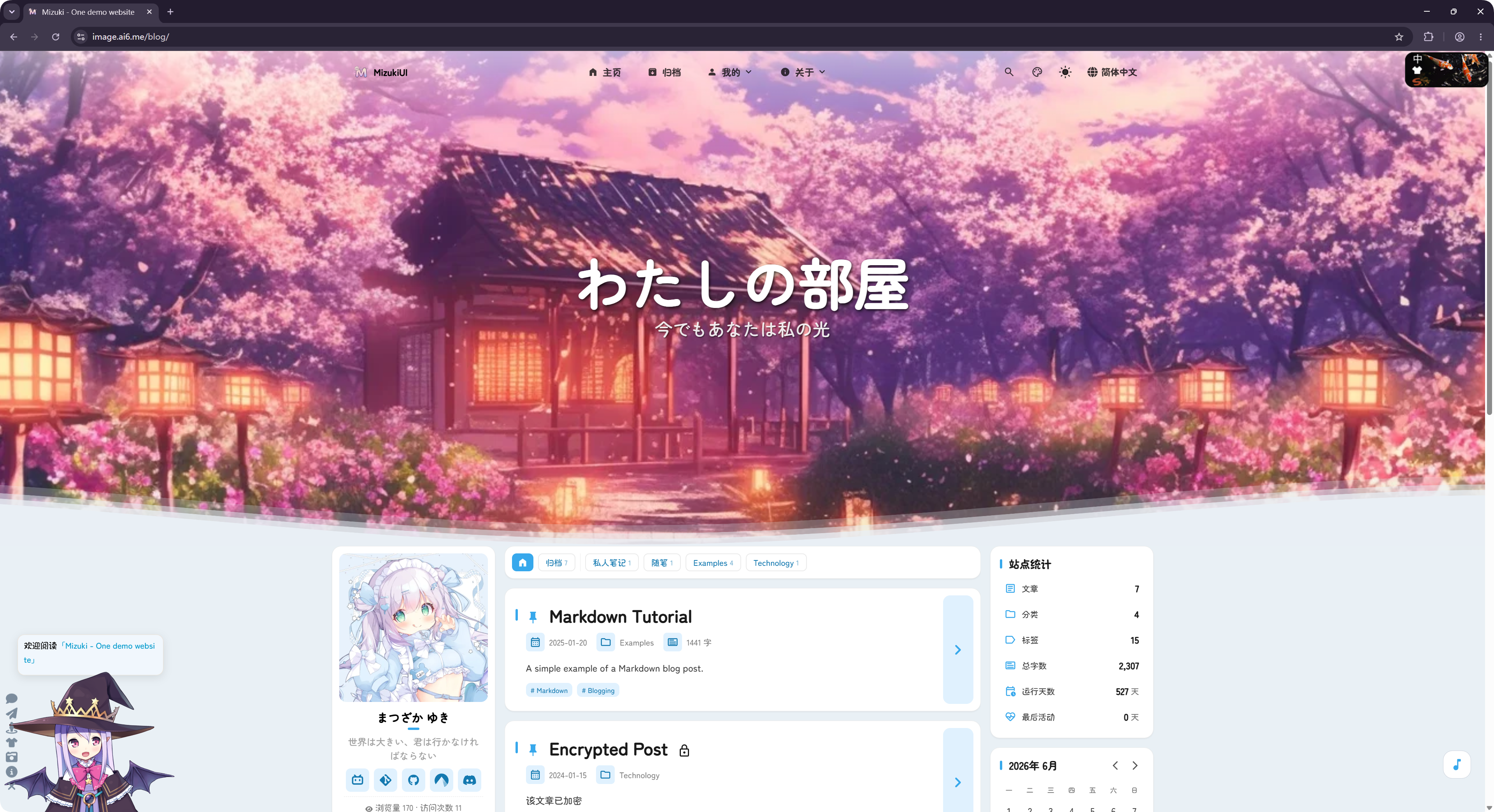
The blog is adapted from the open-source LyraVoid/Mizuki project. ImgBed rewrites and integrates it with Vue so it can run as part of the image hosting site.
Where To Configure It
Blog settings are under:
text
System Settings -> Other Settings -> Blog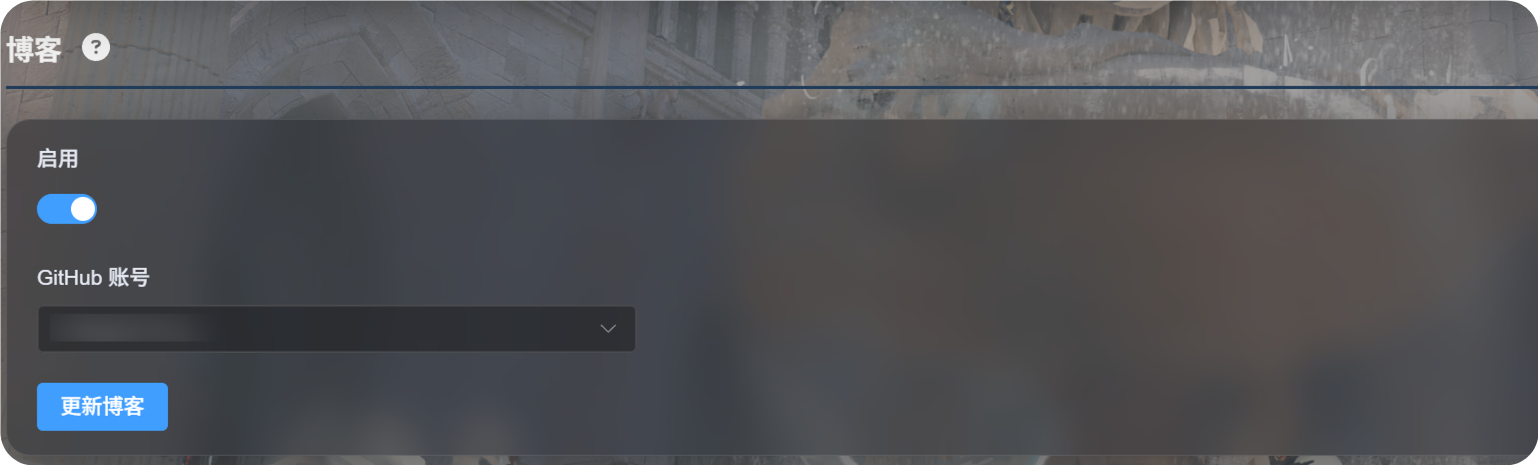
First-Time Setup
- Turn on
Enable. - Select the GitHub account used to store blog configuration.
- Click
Update Blog. - Wait for the success message.
- Open
https://your-domain.com/blog/to view the blog.
On first use, ImgBed prepares a private GitHub repository under the selected account:
text
imgbed-blog-configThis repository stores blog settings and article content.
Writing Posts
Edit blog posts in your private GitHub repository:
text
imgbed-blog-configTypical workflow:
- Open GitHub.
- Enter the private
imgbed-blog-configrepository. - Edit or add post files.
- Commit the changes.
- Return to the ImgBed admin panel and click
Update Blog, or click the logo in the upper-left corner of the blog homepage three times to trigger a blog update.
Update Blog does not overwrite content you have written. It initializes the repository when needed and refreshes blog cache.
Supported Features
The blog supports common blog features such as post lists, categories, tags, archives, search, dark mode, and language switching.
It also supports comments and visit statistics.
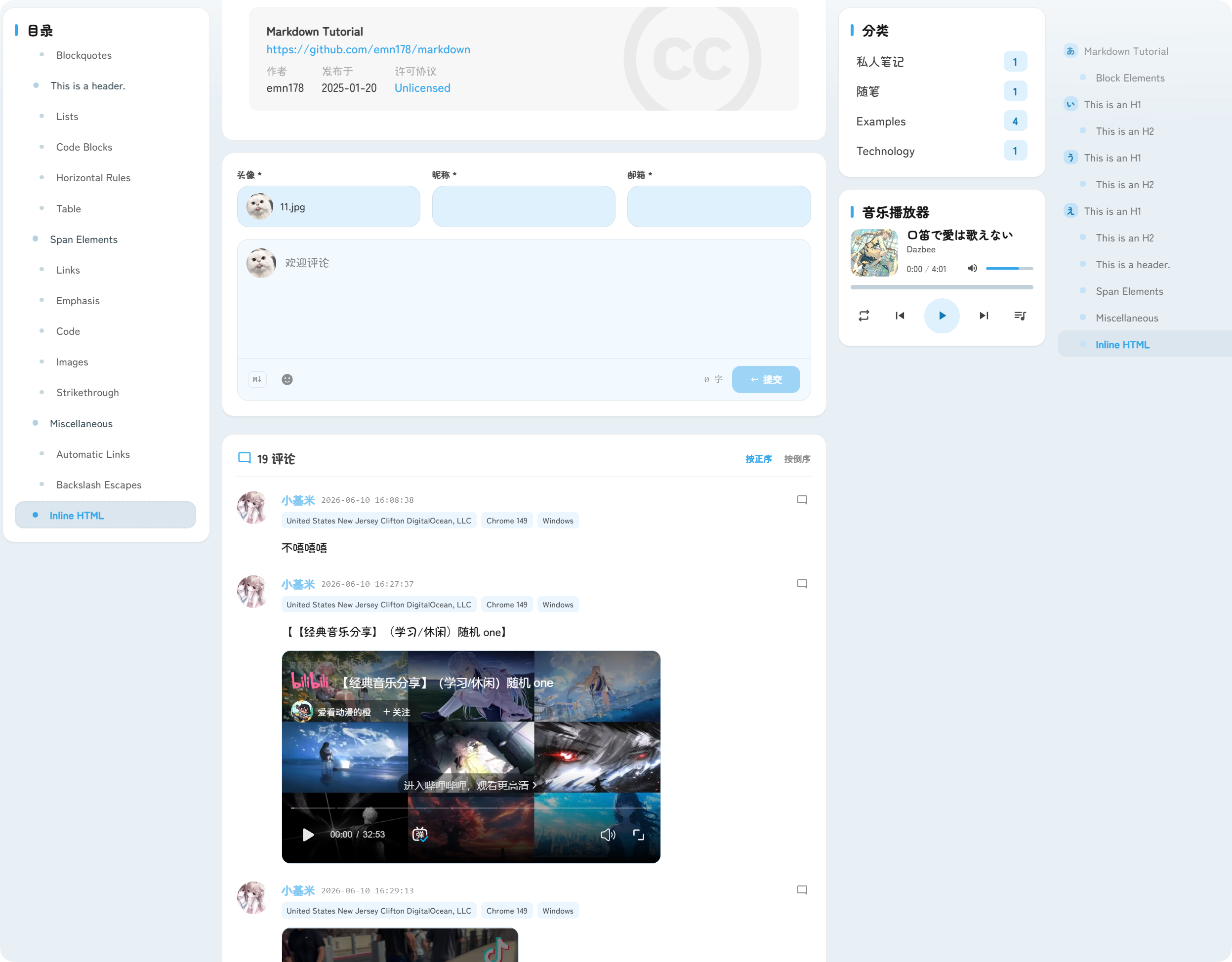
Comments appear below posts. Visitors can submit an avatar, nickname, email, and comment content.
Visit statistics show post views and site visits, helping you understand blog traffic.
URL
The blog is always served under /blog/.
For example, if your ImgBed domain is:
text
https://image.example.comThe blog URL is:
text
https://image.example.com/blog/After the blog is disabled, visitors can no longer access the blog page.