Redundant Backup and Read Source Switching
Redundant backup stores an extra copy of an already uploaded file.
Both the primary file and the backup file can be used as read sources. Visitors normally see no difference. The only difference is which storage channel serves the file.
What Redundant Backup Can Do
| Feature | Description |
|---|---|
| Store an extra copy | Back up files to another upload channel to reduce the risk of a single channel failure. |
| Switch read source | After backup succeeds, switch file reads between the primary channel and backup channel. |
| Single-file backup | Back up one file from its file details page. |
| Batch backup | Select multiple files in the admin page and back them up together. |
| Global redundant backup | Back up files by folder from Other Settings. |
Redundant Backup Entry
Open:
text
System Settings -> Other Settings -> Redundant Backup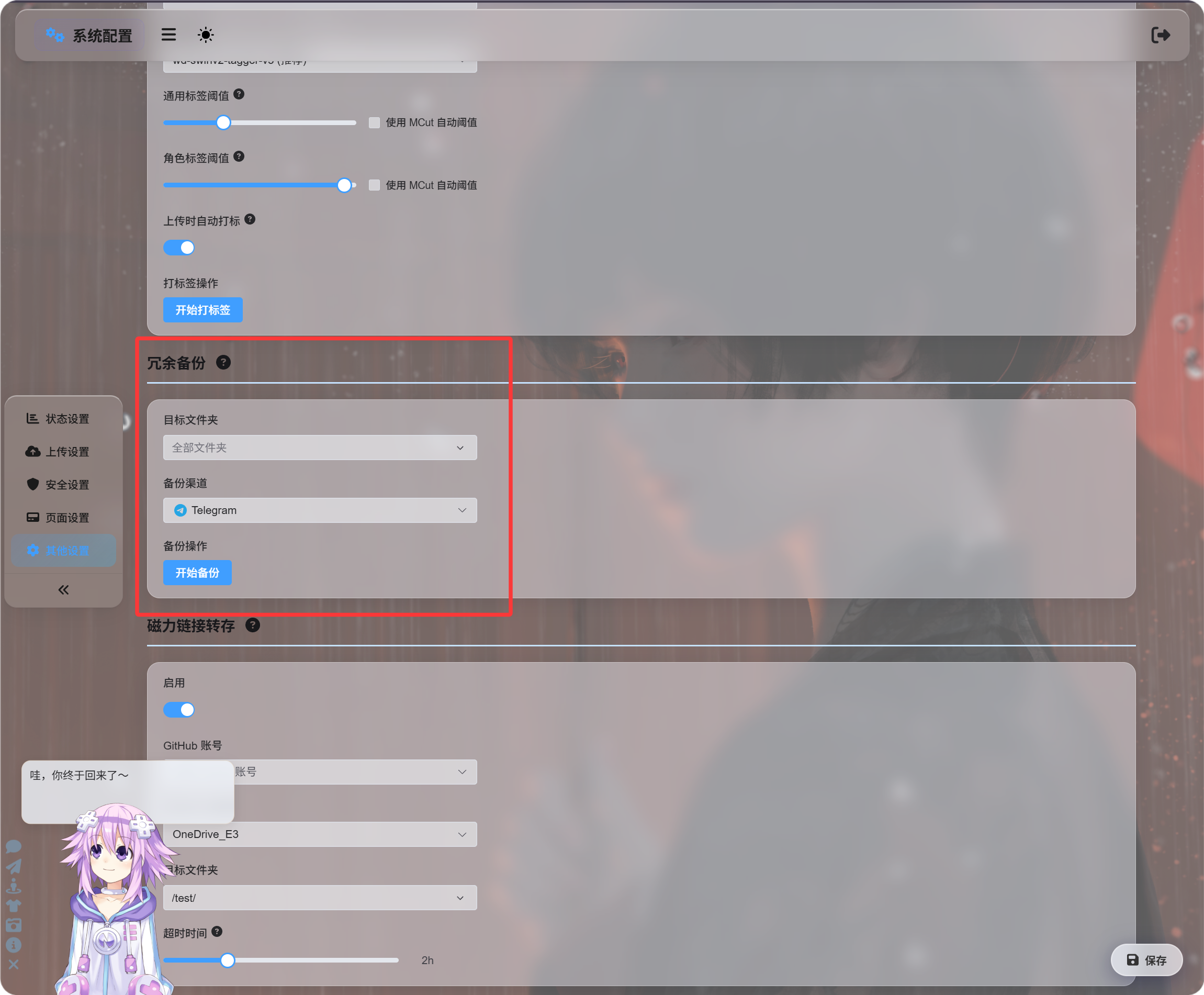
This entry is best for adding backups to a folder or to all files in bulk.
The backup channel can be selected manually, or you can choose automatic switching and let ImgBed find a suitable backup channel.
Backup From File Details
Open a file details page in the admin panel and click backup.
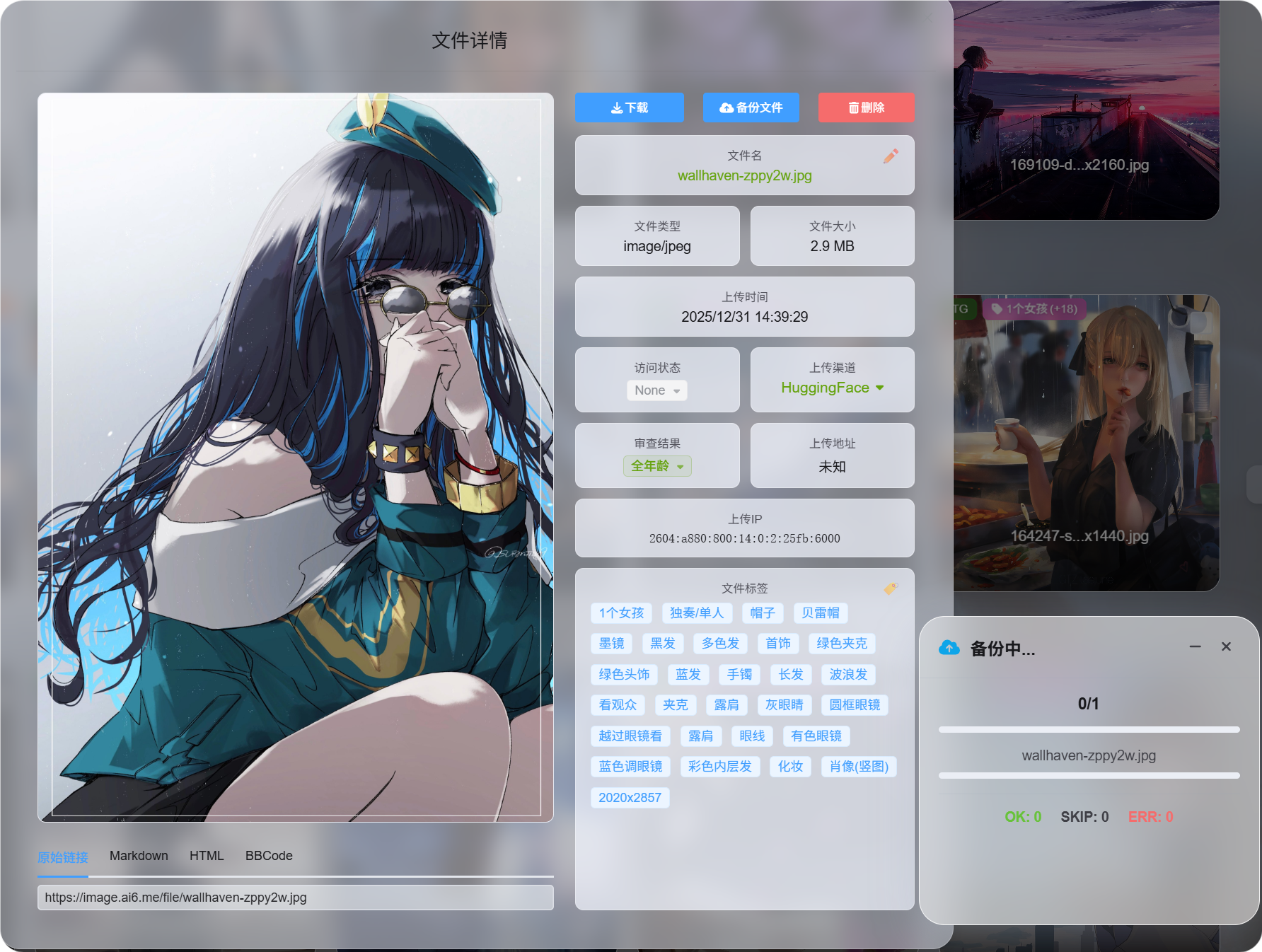
This is best for backing up one important file on demand.
After backup succeeds, the file details page shows available read sources.
Batch Backup by Selection
In the admin panel, select multiple files and run batch backup.
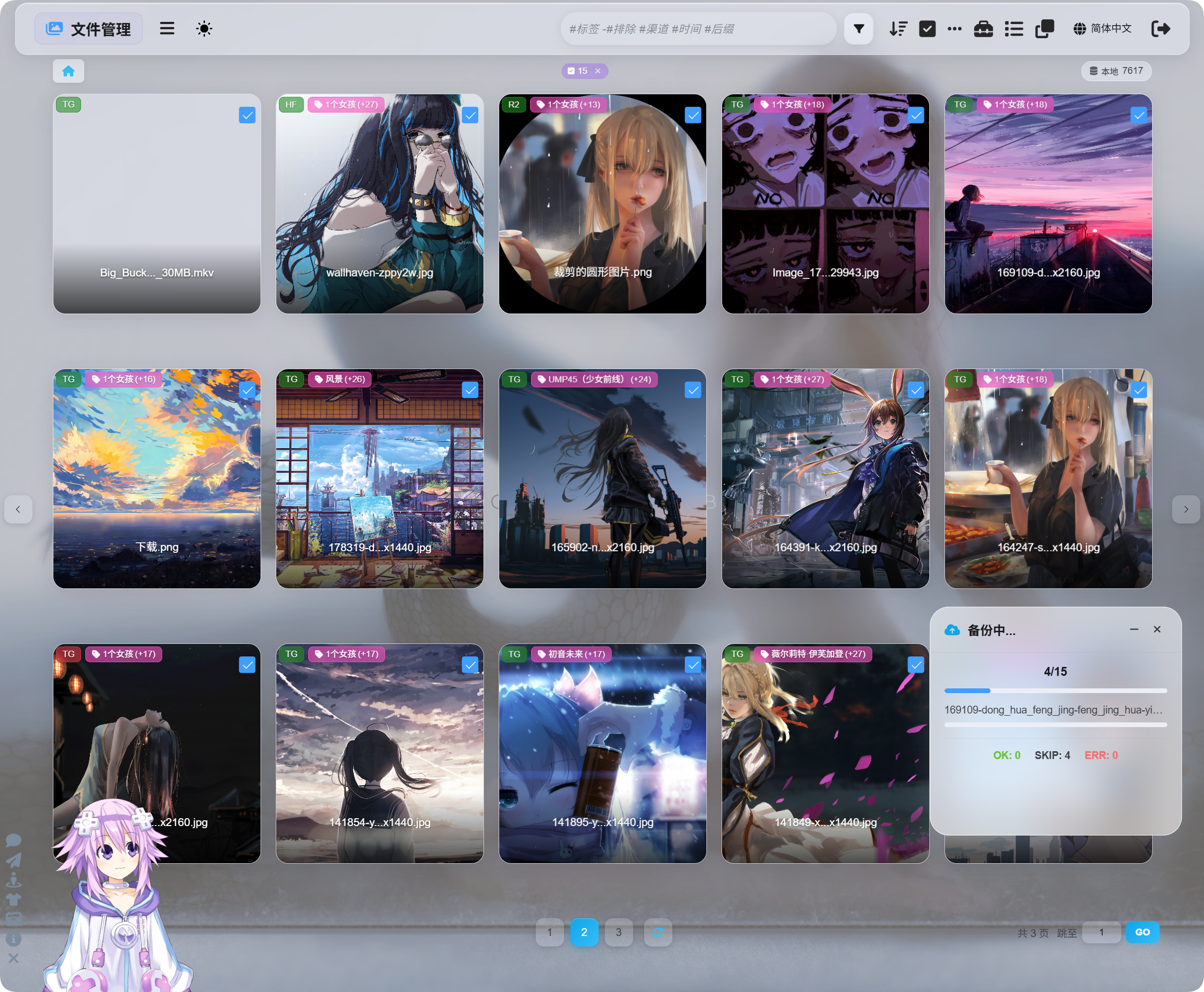
This is best for processing a group of files.
Selection backup, file details backup, and redundant backup under Other Settings all use the same backup system. They are just different entry points.
Switching Read Source After Backup
After backup completes, the file details page lets you switch read source:
| Read Source | Description |
|---|---|
| Primary channel | Reads from the original upload channel. |
| Backup channel | Reads from the backup channel. |
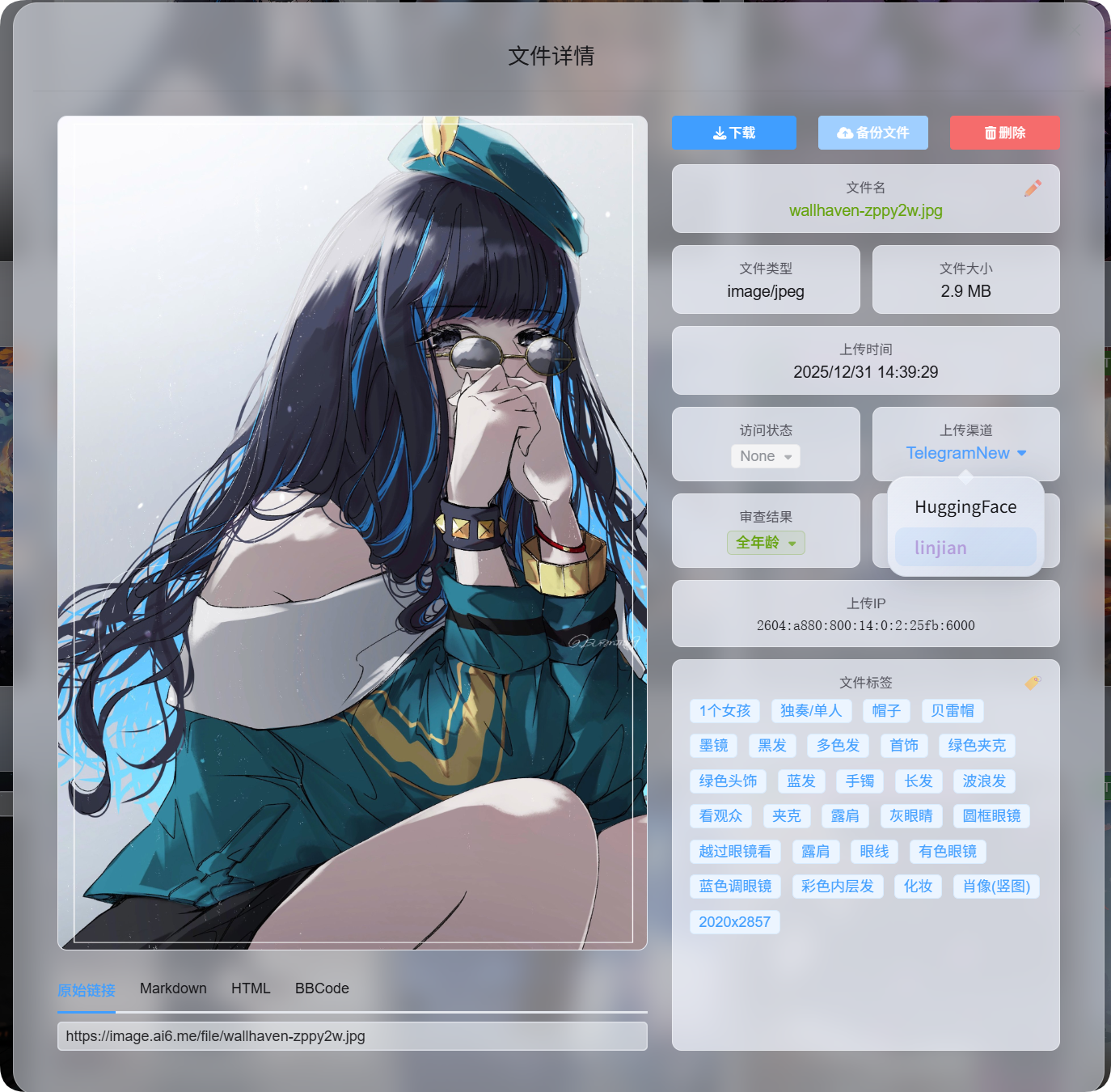
Visitors do not need to know whether the file is served from the primary or backup channel.
Whichever read source you choose becomes the preferred source for later file access.
When Backup Is Skipped
The following cases are skipped during backup. They are not errors.
| Case | Why It Is Skipped |
|---|---|
| Already backed up | A file that already has a backup is not backed up again. |
| Primary and backup channels are the same | A backup must be stored in another channel to be meaningful. |
| No usable backup channel | No suitable alternative channel is available. |
In short: backups must go to another channel, and already backed-up files do not consume extra space again.
Primary Channel vs Backup Channel
| Name | Meaning |
|---|---|
| Primary channel | The channel used when the file was first uploaded. |
| Backup channel | The channel that stores the redundant copy. |
| Primary read source | The file is currently read from the primary channel. |
| Backup read source | The file is currently read from the backup channel. |
Primary and backup read sources have the same user-facing behavior.
As long as the backup file is available, images, videos, and download links continue to work after switching to the backup read source.
What Happens When a File Is Deleted
When a file is deleted, ImgBed deletes both the primary file and the backup file.